10 best Google Sheets budget templates and free trackers for 2026
When you're trying to get a handle on your money, the right template can make all the difference. A budget tracker shouldn't feel like a chore. It needs to be clear, easy to update, and give you a real picture of where y
When you're trying to get a handle on your money, the right template can make all the difference. A budget tracker shouldn't feel like a chore. It needs to be clear, easy to update, and give you a real picture of where your cash is going.
The best spreadsheets aren't just empty grids waiting for you to fill them in. They come with smart setups, helpful charts, and pre-built formulas that do the heavy lifting. They guide you to enter data correctly and show you the results without you needing to build everything from scratch.
How we picked these
Every template on this list comes from the OpenWorksheet library. We're not looking at what's out there on the wider internet. This is our own collection.
We chose these specific budget templates and trackers because they closely match what you need for managing money. We favored workbooks with multiple sheets and built-in charts over simple, single-page layouts. More sheets and charts mean a more complete tool for you.
All of these are unlocked .xlsx files. You can open them in both Excel and Google Sheets. You can also preview every sheet in each workbook before you decide to get it.
1. Yearly Budget Planner Template
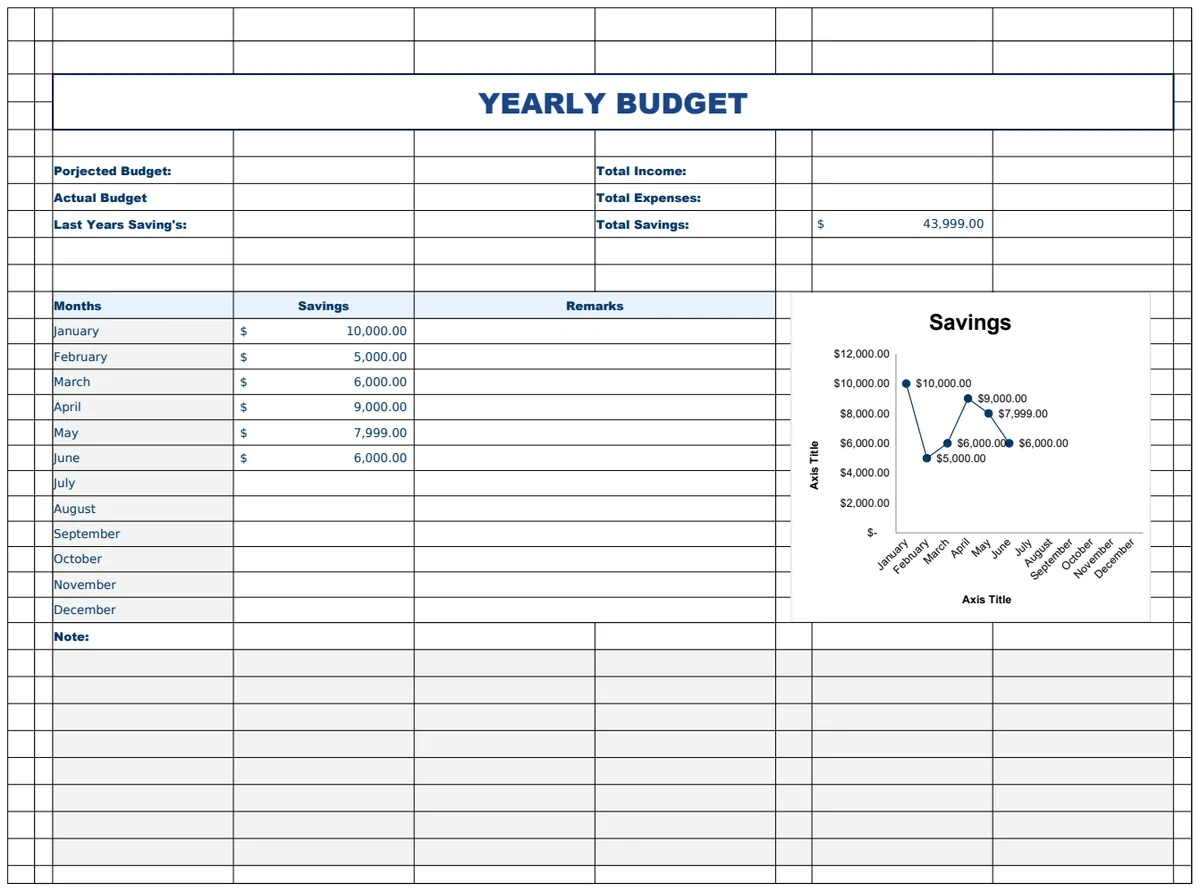
This yearly budget planner template offers a complete financial overview for your household. You get dedicated sheets for projecting annual income and expenses, tracking monthly bills with automatic date functions, monitoring savings goals, planning for large upcoming expenses, and logging daily spending. SUM formulas automatically tally your figures across these sections.
This is a solid choice if you plan to manage your finances over an entire year. It suits users who need to see the big picture and track granular daily spending alike. However, managing seven sheets for a personal budget might feel like overkill if you only need to track monthly spending.
2. Daily Budget Planner Template
This daily budget planner helps you track your financial activities on a day-to-day basis. It features a main sheet for daily income, expense, and savings overviews, a detailed log for individual transactions with categories and tags, and a setup sheet for defining your expense categories. VLOOKUP automates category lookups, and SUMIFS helps filter your spending.
You'll want this if your priority is understanding where your money goes daily. It’s great for detailed expense categorization and tracking savings in real-time. The tradeoff is that it requires consistent daily input to be effective.
3. Household Budget Worksheet Template
This household budget worksheet simplifies monthly financial tracking. It captures your total income, breaks down expenses by category, and calculates your remaining savings. Automatic date stamping and formulas update totals across income and expense categories, making it easy to see your monthly financial flow.
It’s a beginner-friendly option for straightforward monthly budgeting and tracking actual spending against your plan. Its main limitation is its simplicity; it only has one sheet and won't help you project or plan for longer-term financial goals.
4. Custom Budget Planner Template
The Custom Budget Planner provides a detailed financial framework for businesses. You'll find separate sheets for managing income, expenses, and savings, each with fields for date, category, and amount. A setup sheet lets you define custom categories, and formulas like DATE, EOMONTH, and SUMIFS automate calculations for financial analysis.
This template suits small businesses or even individuals who need a structured, multi-sheet approach to budgeting. It’s particularly useful for detailed financial reporting. However, its complexity, with six sheets, might be more than most personal budgets require.
5. Family Budget Planner Template
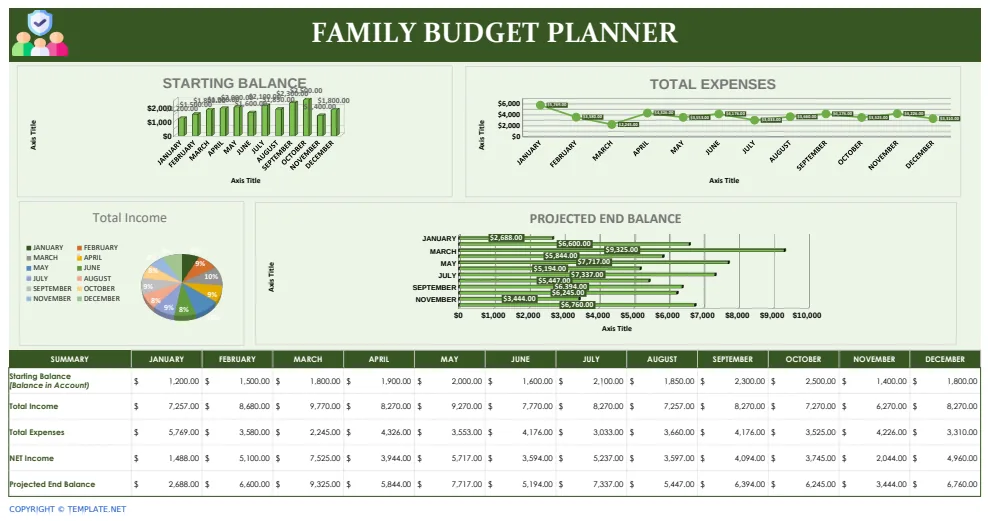
This family budget planner helps families organize their finances over multiple months. It includes dedicated sheets for tracking monthly income from various sources, categorizing expenses like housing and utilities, and managing savings goals. SUM and IFERROR formulas automate calculations for summaries and error handling.
It’s ideal for households wanting to track family income, monitor expenses by type, and visualize savings goals. The multi-sheet structure helps break down finances clearly. The downside is that with five sheets, it might feel a bit more involved than a simple monthly tracker.
6. Business Monthly Budget Template
This business monthly budget template offers a comprehensive view of your organization's finances. It includes sections for income, expense categorization, debt management, savings goals, and bill payments across multiple sheets. The main sheet tracks daily activity from a set start date, and a setup sheet organizes your financial categories.
This is a robust tool for businesses needing to track monthly income and expenses, manage debts, and organize bills. Its detailed categorization and multi-sheet format are strong points. However, its intermediate difficulty and multiple sheets might be more than a small personal budget requires.
7. Simple Budget
This simple budget worksheet lets you track income and expenses to quickly see how much you can save monthly. You enter your income and list all expenses, and it automatically calculates your total spending and shows the leftover amount for savings.
It’s perfect for beginners or anyone wanting a no-frills way to monitor monthly spending and identify savings opportunities. Its limitation is its basic functionality; it doesn't offer advanced forecasting or detailed category breakdowns across multiple sheets.
8. Personal Budget Tracker
Organize your personal finances with this tracker by recording monthly income, categorizing expenses by due date, and monitoring savings goals. It automatically calculates total monthly income and expenses, then displays your spending as a percentage of income with a visual chart.
This template is great for individuals who want a clear visual breakdown of their spending habits and need to track savings against their income. The percentage-based analysis is a key feature. Its main drawback is that it focuses solely on monthly tracking and doesn’t easily accommodate yearly planning.
9. Personal Monthly Budget Template
This template helps you organize all your monthly income sources and categorize expenses automatically. It provides a clear overview of your financial position, showing where money comes from and where it goes each month, making it easy to identify spending patterns. SUM formulas handle all calculations.
It’s ideal for anyone managing household finances or working toward savings goals who wants a clear monthly summary. The budget-vs-actual comparison is useful for tracking progress. The main tradeoff is that it only has two sheets, so it’s less suited for very complex financial situations.
10. Monthly Budget Planner Template
This template helps you control spending and build savings discipline by comparing monthly income and expenses against projections. You can monitor variances between budgeted and actual amounts to quickly spot overspending. It supports various income sources and expense categories.
This is a good choice if you want to actively track variances against a budget and enforce spending discipline. Its focus on projected versus actual spending is its main strength. However, it lacks charts, which might make visual analysis less immediate for some users.
What makes a budget template work
A solid budget template goes beyond just listing income and expenses. Look for clear column headers like "Category," "Budgeted Amount," "Actual Amount," and "Difference." Formulas are key; you'll want to see things like =SUMIFS to total expenses by category or =XLOOKUP to pull in data automatically. Data validation, like dropdown lists for expense categories, prevents typos and keeps your data consistent. A good template also structures your data logically, perhaps with a summary sheet showing key figures and charts at a glance.
How to break a budget template
The most common way to ruin a budget tracker is by straying from your categories. If you add a new "fun money" line item this week and "random purchases" next week, your totals will never match up. Another pitfall is inconsistent data entry. Typos in amounts or category names will throw off your calculations. Forgetting to update the tracker regularly is a fast track to abandonment. If it falls too far behind, it becomes too overwhelming to catch up.
Common questions
How do I update my budget template?
You'll want to update your tracker regularly, ideally weekly. Enter all your income and expenses, assigning each to the correct category. Make sure to use the exact category names already set up in your template to avoid errors.
What if I have expenses not covered by the categories?
Most templates allow you to add custom categories. Look for a blank row in your category list or a section on a setup sheet where you can input new ones. Just be sure to add them consistently going forward.
Can I use these templates for business or personal use?
Yes, most of our templates are adaptable. While some are specifically labeled (like "Business Monthly Budget"), you can often adjust the categories and income sources to fit personal finances. The core structure for tracking money remains the same.
How do I see my spending trends?
This is where charts come in handy. Good budget templates will have visual representations of your spending by category or over time. Look for bar charts, pie charts, or line graphs that clearly show where your money is going.