
MEDDPICC & BANT Sales Qualification System
An enterprise sales qualification system in Excel. Score every deal on MEDDIC, MEDDICC or MEDDPICC, grade leads with BANT and map account hierarchies and buying committees.
MEDDPICC & BANT Sales Qualification System turns the enterprise sales frameworks into a working Excel workbook. Score every opportunity 0 to 3 on Metrics, Economic Buyer, Decision Criteria, Decision Process, Paper Process, Identify Pain, Champion and Competition, log the evidence behind each score, and the workbook calculates a weighted qualification score, a band (Strong, Developing, At risk or Unqualified), the weakest element and a forecast category of Commit, Best Case, Pipeline or Omitted.
Stage gates set the minimum score each element needs before a deal belongs in a stage. Deals that are ahead of their qualification are flagged with the exact elements that are missing, and a health check marks each deal as On track, Past due, Gate gaps, Stale review, No next step or Step overdue. Weights live on the Playbook tab, so you can run classic MEDDIC, MEDDICC or the full MEDDPICC by setting an element weight to 0.
The Deal Review tab is a one-page inspection for pipeline reviews: pick an opportunity to see its scorecard, the score required at its stage, the evidence logged, the key questions to ask, the coaching action for each gap and the buying committee on the account. The BANT Leads tab scores leads on Budget, Authority, Need and Timeline with points you control, grades them A to D, gives the next action and tracks conversion into opportunities.
Accounts can be nested up to five levels deep, with ultimate parent, hierarchy view and group pipeline calculated for you. The Stakeholders tab records org level, reporting line, buying role, stance and influence, and flags high-power blockers, an economic buyer who is not engaged and contacts going cold. The Account Map shows a power map of the buying committee by level, coloured by stance, plus buying role coverage, subsidiaries and the deals on the account.
The Dashboard shows open and weighted pipeline, average MEDDPICC score, commit and best case for the current fiscal quarter, economic buyer and champion coverage, a coverage radar, the biggest blind spot, pipeline by stage, top deals, deals at risk and the BANT funnel by grade and source. Team Coaching ranks reps and shows a heatmap of their average element scores with the element each rep should work on next. Over 24,000 formulas sit in locked cells and protection has no password, so you can unprotect any tab to customise it. Sample data from a fictional company is included. Built for Microsoft Excel (desktop or Excel for the web) and contains no macros.
What's inside
- 11 connected tabs, from a quick-start guide to Settings
- MEDDPICC scorecard for up to 300 opportunities
- Switch between MEDDIC, MEDDICC and MEDDPICC with weights
- Weighted qualification score and band per deal
- Stage gates that flag the exact missing elements
- Forecast category: Commit, Best Case, Pipeline, Omitted
- Evidence log for every element
- One-page Deal Review with coaching actions
- BANT lead scoring with A to D grades and conversion tracking
- Account hierarchy up to five levels with group roll-up
- Buying committee with stance, influence and risk flags
- Account power map and buying role coverage
- Team coaching heatmap by rep and element
- Over 24,000 locked formulas, no macros
Download this template
.xlsx · 11 sheets · includes charts
$9/monthDownload up to 10 templates a month from a library of thousands. Cancel anytime.
- 10 downloads every month
- Cancel anytime
- 14-day refund policy
More in Sales & CRM
 Sales & CRM
CRM & Sales KPI System
A complete CRM and sales dashboard in Excel. Deals, accounts, contacts, activities and quotas roll up into live KPIs, a leaderboard and a monthly forecast.
- 10 connected tabs, from a quick-start guide to Settings
- Sales dashboard with 10 KPIs and charts
- Pipeline by stage with funnel bars
 Sales & CRM
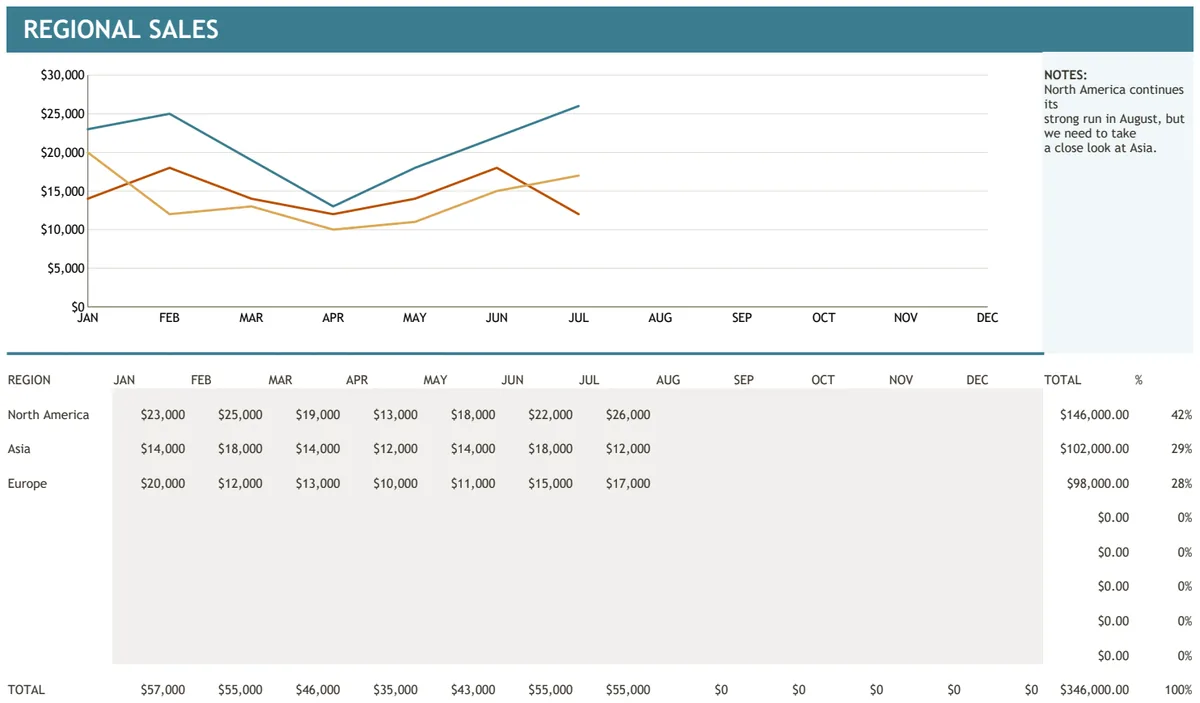
Regional Sales Chart
Track and visualize sales performance by region across monthly periods with automatic totals.
- Automated SUBTOTAL calculations for regions
- SUM formulas for monthly totals
- Pre-built sales chart visualization
 Sales & CRM
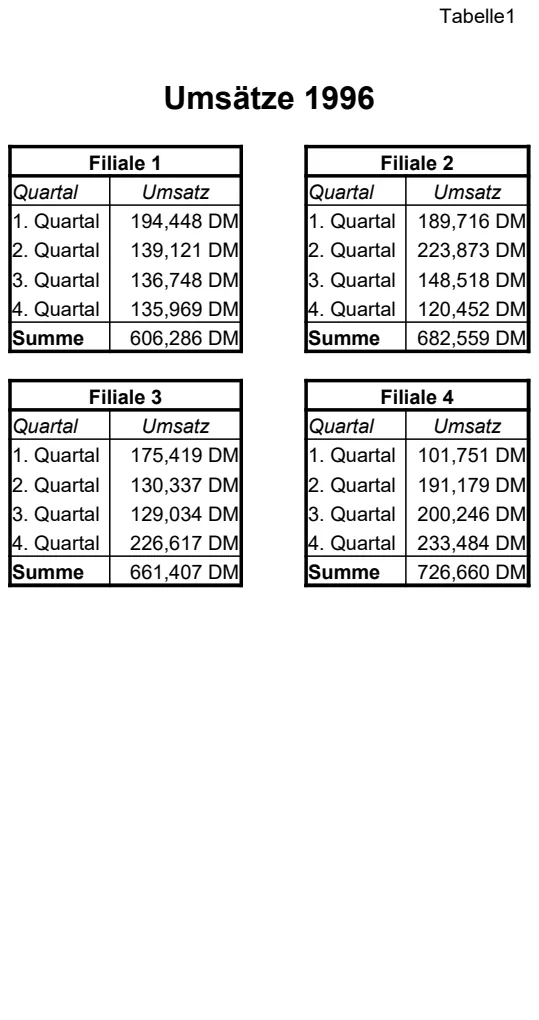
Sales Revenue by Branch 1996
Track quarterly sales figures across multiple branch locations with automated totals.
- Multi-branch sales comparison
- Quarterly revenue organization
- Automated SUM calculations
 Sales & CRM
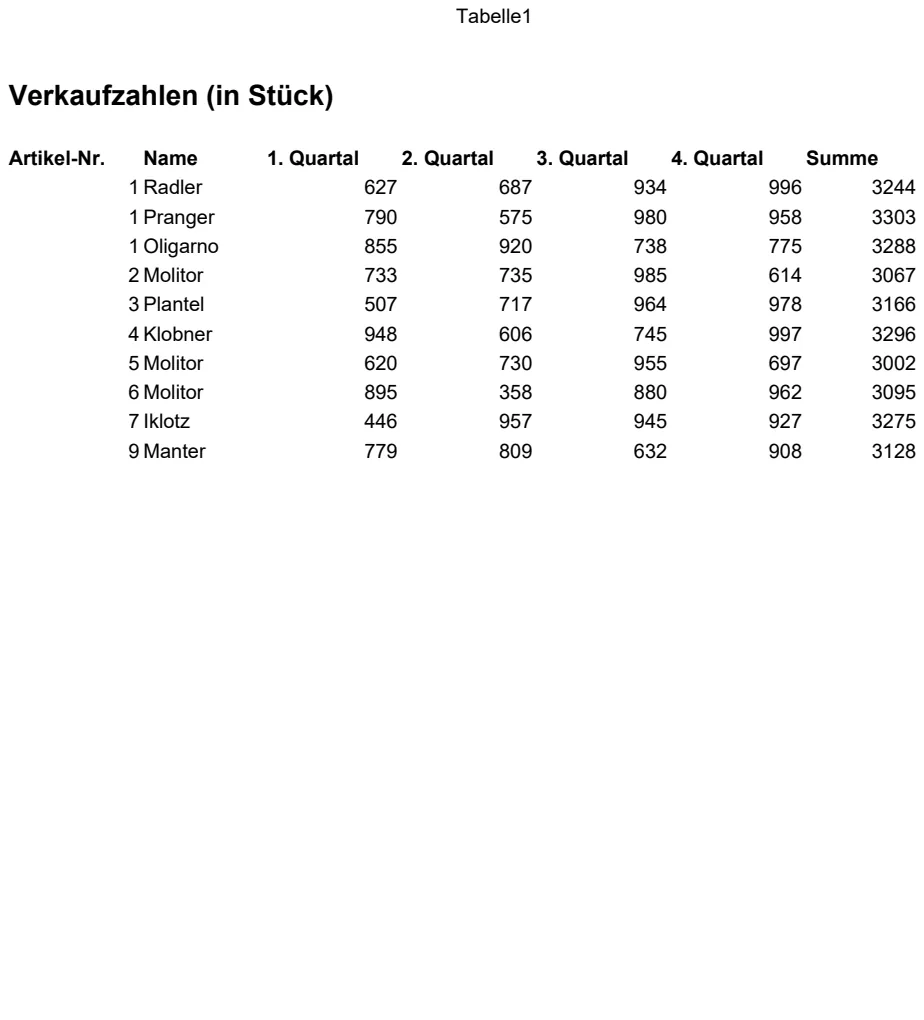
Quarterly Sales Volume Tracker
Track product sales units by quarter with automatic totals to monitor performance trends.
- Product ID and name columns
- Quarterly sales volume columns (Q1-Q4)
- Automatic SUM formulas for total calculations