Log your car maintenance in under an hour
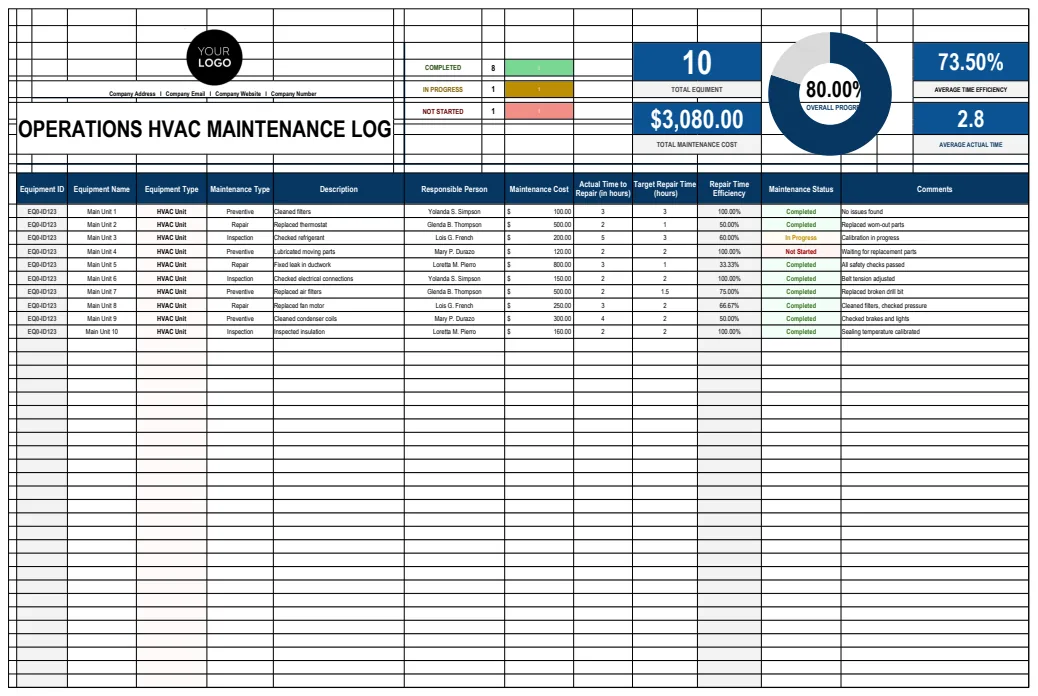
A car maintenance log spreadsheet template helps you track service history, upcoming needs, and costs to keep your vehicle in top shape.
The "Last Service Date" column is often overlooked, but it’s critical for calculating the next service interval. Without it, you’re just guessing when your car last had an oil change or its tires rotated. A well-structured car maintenance log spreadsheet template can prevent this oversight and save you money on preventable repairs.
You're likely looking for a car maintenance log spreadsheet template to keep track of all your vehicle's service history, upcoming needs, and associated costs. This helps you stay organized, anticipate expenses, and even increase your car’s resale value. Beyond simple record-keeping, a robust system can alert you to maintenance items that are due, ensuring you don't miss a critical service.
Essential Columns for Your Log
To build an effective car maintenance log, you’ll need a clear set of columns. Think about what information is most valuable for tracking and decision-making. Here’s a breakdown of what should be included:
- Date: The date the service was performed.
- Vehicle: If you're tracking multiple cars, specify which one this record is for.
- Mileage: The odometer reading at the time of service. This is crucial for tracking service intervals based on usage.
- Service Type: A clear description of the work done (e.g., "Oil Change," "Tire Rotation," "Brake Pad Replacement," "Annual Inspection").
- Service Performed By: Who did the work? This could be "Self," "Dealership," a specific "Mechanic Shop Name," or even "Mobile Mechanic."
- Parts Replaced: List the specific parts that were installed. For example, "Oil Filter," "Air Filter," "Wiper Blades," "Brake Pads & Rotors."
- Parts Cost: The cost of the parts only.
- Labor Cost: The cost for the mechanic's time.
- Total Cost: The sum of parts and labor. This column is often calculated automatically in a spreadsheet.
- Next Service Due (Mileage): The recommended mileage for the next service of this type (e.g., for an oil change, this might be 5,000 miles).
- Next Service Due (Date): The recommended date for the next service. This is often calculated based on time or mileage, whichever comes first.
- Notes: Any additional details, observations, or recommendations from the mechanic.
Calculating Next Service Intervals
This is where a spreadsheet truly shines. You can use formulas to automate the calculation of when your next service is due. For example, if you record the mileage of the last oil change and know the typical interval (say, 5,000 miles), you can easily determine the next service mileage.
Let's say your "Mileage" column is Column C, and your "Next Service Due (Mileage)" column is Column K. If you want to calculate the target mileage for the next oil change, you could use a formula like this in a separate "Service Reminders" sheet or even in a dedicated column within your main log:
=IF(C2<>"", C2 + 5000, "")
This formula checks if there's a mileage recorded in cell C2. If there is, it adds 5,000 miles to it. If C2 is empty, the cell remains blank. You can adapt the 5000 to whatever your vehicle manufacturer recommends for oil changes.
For date-based reminders, if your "Date" column is Column A and you want to set a 6-month reminder for a service that’s due every half-year, you could use:
=IF(A2<>"", EDATE(A2, 6), "")
The EDATE function adds a specified number of months to a date.
Tracking Costs Over Time
Beyond just service events, you’ll want to see how much you’re spending on your vehicle. A simple way to do this is to add a summary section to your spreadsheet. You can use formulas like SUM() or SUMIFS() to aggregate costs.
For instance, to find the total spent on oil changes:
=SUMIFS(G:G, D:D, "Oil Change")
Assuming "Total Cost" is in Column J and "Service Type" is in Column D, this formula sums all entries in Column J where the corresponding entry in Column D is exactly "Oil Change." You can create similar formulas for tires, brakes, or any other service category you want to track. This helps you identify which maintenance items are the most expensive over the life of the vehicle.
Using Conditional Formatting for Alerts
To make your car maintenance log spreadsheet template truly proactive, use conditional formatting to highlight upcoming service needs. This visually flags entries that require attention.
Example: You want to highlight rows where the next oil change is due within the next 1,000 miles.
- 01Select your data range: Highlight all the rows and columns you want the formatting to apply to.
- 02Open Conditional Formatting: In Excel, go to the "Home" tab, then "Conditional Formatting," then "New Rule." In Google Sheets, go to "Format," then "Conditional formatting."
- 03Choose a Rule Type: Select "Use a formula to determine which cells to format."
- 04Enter the Formula: Let's assume your "Mileage" column is C, and your "Next Service Due (Mileage)" column is K. You might want to highlight rows where the current mileage (let's say you have a cell,
Z1, with your current car mileage) is greater than or equal to the "Next Service Due (Mileage)" minus 1000. A formula could look like:
=AND(K2<>"", Z$1>=K2-1000, Z$1<K2) This formula checks if there's a next service mileage entered (K2<>""), if your current mileage is within 1000 miles of that due mileage (Z$1>=K2-1000), and importantly, that you haven't already passed the due mileage (Z$1<K2).
- 05Set Formatting: Choose a fill color (e.g., yellow or orange) to make these rows stand out.
You can create similar rules for date-based reminders, highlighting rows where the "Next Service Due (Date)" is within the next 30 days.
Automating Service Reminders
For those who manage a fleet of vehicles, or even just multiple personal cars, a dedicated template can be invaluable. Tools like the Vehicle Maintenance Log or Vehicle Maintenance Log are designed for this purpose, often with built-in features for tracking multiple vehicles, assigning maintenance tasks, and setting up automated alerts. These templates go beyond basic logging to provide a comprehensive fleet management solution.
Common Mistakes to Avoid
- Inconsistent Data Entry: Not filling out all required columns for every service can make analysis difficult. For example, forgetting to log the mileage means you can't accurately calculate future intervals.
- Ignoring "Time-Based" Maintenance: Many services (like brake fluid flushes or A/C checks) are recommended based on time, not just mileage. Ensure your log accounts for both.
- Not Keeping Records Digitally: Relying solely on paper receipts means they can get lost, fade, or become unreadable. A digital log is always accessible.
- Over-Complicating the Template: Start with the essential columns. You can always add more later if you find a specific need. A template that’s too complex to use is worse than no template at all.
Frequently Asked Questions
How do I handle warranty-related maintenance?
When performing warranty work, make sure to note that the service was covered under warranty in the "Notes" section. Keep detailed records of parts used and the service performed, as manufacturers may require proof of maintenance for warranty claims. Your car maintenance log spreadsheet template should have a column or ample space in "Notes" for this.
Can I use this for lease agreements?
Yes, absolutely. Lease agreements often require you to maintain the vehicle according to the manufacturer's schedule. Keeping a detailed log, like one from a Vehicle Maintenance Log, demonstrates you’ve met these obligations, potentially saving you fees at the end of the lease term.
What if I miss a service?
Don't panic. If you realize you've missed a service, log it as soon as possible with the current date and mileage. Then, adjust your "Next Service Due" calculations accordingly. It's better to catch up late than to never log it at all.
How often should I update my log?
Ideally, you should update your log immediately after a service is completed. If you're performing the maintenance yourself, log it right after you finish. This ensures accuracy and prevents you from forgetting details. Consistent updates are key to getting the most value from your car maintenance log spreadsheet template.