Stop overspending: your envelope budget spreadsheet's missing piece
Your envelope budget system spreadsheet is crucial when cash disappears too fast. Learn its missing piece to regain control.
The envelope budget system spreadsheet is most needed when you realize your cash is disappearing faster than you can track it, usually right after payday when you mentally allocate funds to different spending categories. This happens because traditional banking apps show you a total balance, not a breakdown of where that money is supposed to go. Without a clear visual or physical separation, impulse buys and forgotten subscriptions eat away at your intended allocations.
An envelope budget system, whether physical cash in actual envelopes or a digital equivalent in a spreadsheet, forces intentionality. It’s about assigning every dollar a job before you spend it. This method is particularly effective for variable spending categories like groceries, entertainment, or dining out, where overspending is common. A well-structured envelope budget system spreadsheet becomes your financial roadmap, guiding your spending decisions day by day.
Why Use a Spreadsheet for Envelopes?
While physical envelopes filled with cash are the classic approach, a spreadsheet offers significant advantages for many people. You get the same mental separation and intentionality without the hassle of carrying cash, dealing with exact change, or worrying about theft. A spreadsheet allows for instant recalculations, easier tracking of remaining balances, and the ability to incorporate multiple bank accounts or savings goals. It also provides a historical record, giving you insights into your spending patterns over time.
Furthermore, a digital system is far more adaptable. Did you overspend on dining out this month? You can immediately see the impact on your entertainment budget and adjust for next month. You can also more easily integrate it with other financial tracking, such as debt repayment or investment contributions. This makes managing your money more dynamic and less prone to the limitations of physical cash.
Setting Up Your Envelope Budget System Spreadsheet
To begin, open a new spreadsheet. You’ll need a few key columns. Let's imagine we're setting this up in Google Sheets or Excel.
Column A: Category Name This column lists your spending categories. Think broadly first, then get specific. Examples include:
- Housing (Rent/Mortgage)
- Utilities (Electricity, Gas, Water)
- Groceries
- Dining Out
- Transportation (Gas, Public Transit, Car Payment)
- Entertainment
- Personal Care
- Debt Payments (Student Loans, Credit Cards)
- Savings
- Miscellaneous/Buffer
Column B: Budgeted Amount Here, you'll enter the amount you plan to spend in each category for the month. This is based on your income and financial goals. For instance, you might budget $400 for Groceries, $150 for Dining Out, and $100 for Entertainment. Ensure your total budgeted amount equals your total monthly income.
Column C: Actual Spent This column will be updated throughout the month as you spend money. You'll manually enter amounts here or, with more advanced setups, link to transaction data.
Column D: Remaining Balance This is where the magic happens. This column calculates how much money is left in each "envelope." The formula here is simple: =B2-C2 (assuming your first row of data is row 2). This formula will tell you, for example, that if you budgeted $400 for groceries and have spent $150, you have $250 remaining.
Column E: Notes/Date Optional, but useful. You can jot down details about a specific large purchase or the date you made a transaction.
Funding Your Envelopes Digitally
The core concept of the envelope system is allocating specific funds to specific purposes. In a spreadsheet, this means ensuring your "Budgeted Amount" for each category, when summed up, perfectly matches your take-home pay. If your total budgeted amount exceeds your income, you're setting yourself up for failure. If it's less, you have unallocated funds that could be put towards savings or debt.
For example, if your monthly take-home pay is $3,000, your "Budgeted Amount" column should add up to exactly $3,000. If you find you're consistently overspending in a category, say Dining Out, you'll need to reduce the budget in another area, perhaps Entertainment or Miscellaneous, to compensate. This forces you to make trade-offs and understand the true cost of your spending habits.
Tracking Transactions: The Daily Grind
Consistency is key with any budgeting system. For your envelope budget system spreadsheet, this means diligently tracking every dollar spent. At the end of each day, or at least every few days, go through your receipts or bank statements. For each transaction, identify the category it belongs to and add that amount to the "Actual Spent" column for that category.
If you're using a simple setup, you might have a separate sheet or section where you log individual transactions: date, amount, and category. Then, you can use formulas like SUMIF to automatically populate the "Actual Spent" column on your main budget sheet. For instance, on your main budget sheet, the formula for "Actual Spent" in the Groceries row might look like =SUMIF(Transactions!$B$2:$B$1000, A2, Transactions!$C$2:$C$1000). This sums up all amounts from your 'Transactions' sheet (column C) where the category (column B) matches the category name in cell A2 of your main budget sheet.
Handling Overspending and Underspending
What happens when you've spent more than you budgeted for in a category? This is where the envelope system truly shines. If your "Remaining Balance" for Dining Out hits zero, you simply cannot spend any more money on dining out for the rest of the month. This is a hard stop. You’ll need to either do without or, more practically, transfer funds from another category that has a positive remaining balance.
Conversely, if you end up underspending in a category, say Groceries, that surplus can be reallocated. You could move it to savings, put it towards a debt payment, or roll it over to next month's grocery budget. This flexibility is a major advantage of the digital envelope budget system spreadsheet. It allows for adjustments and learning, making the system work for you rather than being a rigid, unforgiving constraint.
Advanced Features for Your Spreadsheet
Once you have the basic structure down, you can enhance your envelope budget system spreadsheet.
- Conditional Formatting: Set up rules to visually highlight categories. For example, make the "Remaining Balance" cell turn yellow when it's below 20% of the budgeted amount, and red when it reaches zero or goes negative. This provides at-a-glance awareness of potential issues.
- Monthly Rollover: Create a new sheet for each month. At the end of the month, you can copy your category names and budgeted amounts, then manually adjust them for the new month. Any leftover balances from the previous month can be added to the new month's budget or allocated elsewhere.
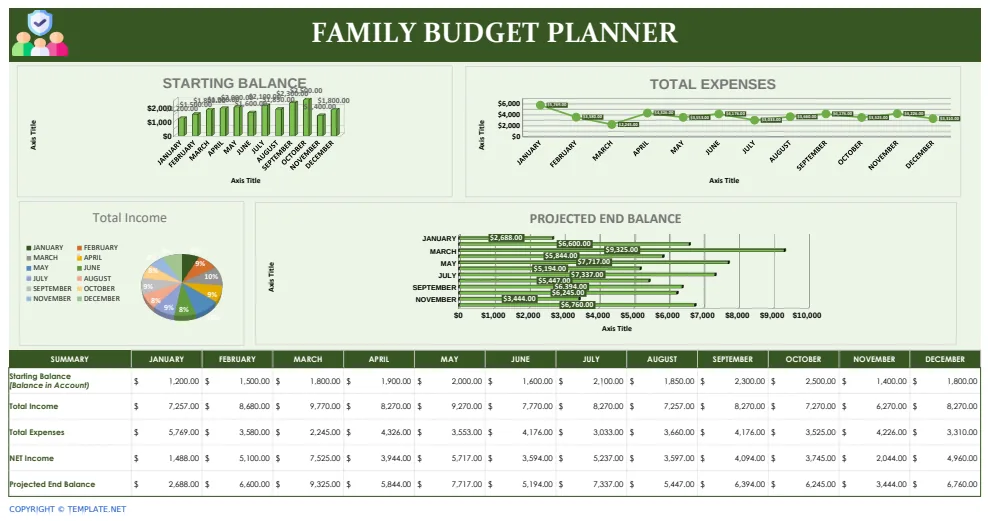
- Visualizations: Use charts and graphs to see your spending patterns over time. A pie chart showing spending distribution for the current month or a bar chart comparing budgeted vs. actual spending across categories can be very insightful.
- Income Tracking: Add a section to track your income sources and amounts, ensuring your budget is always balanced against your actual earnings.
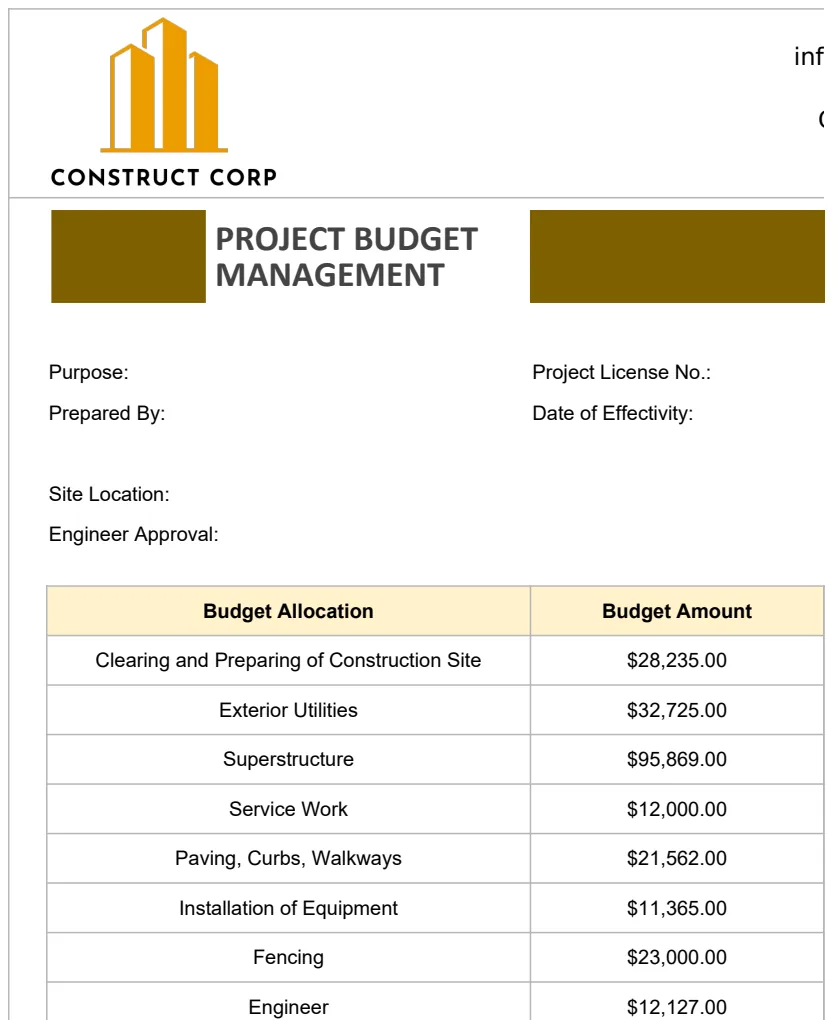
For more complex project budgeting, a template like the Construction Project Budget Management Template can offer insights into detailed tracking mechanisms, though on a much larger scale.
Common Mistakes to Avoid
People often stumble with the envelope budget system spreadsheet in a few common ways:
- Not Budgeting Every Dollar: Leaving "buffer" money or unallocated income leads to that money being spent impulsively, defeating the purpose of intentional budgeting.
- Inaccurate Tracking: Failing to record every single expense, no matter how small, throws off your remaining balances and leads to surprises.
- Unrealistic Budgets: Setting budgets that are too tight for your lifestyle will lead to frustration and abandonment of the system. It's better to start with slightly higher budgets and work on reducing them than to set yourself up for constant failure.
- Lack of Regular Review: Thinking of the spreadsheet as a set-it-and-forget-it tool. You need to regularly check in, update spending, and make adjustments.
- Not Adjusting When Necessary: Rigidly sticking to a budget that is clearly not working without making any changes. The system should adapt to your life, not the other way around.
Frequently Asked Questions
Can I use this for variable income?
Yes, but it requires a different approach. Instead of budgeting based on a fixed monthly income, budget based on your lowest expected income for the month. Any income above that minimum can then be allocated as surplus funds to savings, debt, or specific goals once it's received. This ensures you always have enough for essential expenses.
How do I handle irregular expenses like car maintenance or annual insurance premiums?
These are often called "sinking funds." For expenses that don't occur monthly but you know are coming, create separate "envelopes" or savings categories for them. Calculate the annual cost and divide it by 12. Each month, budget that smaller amount into its respective sinking fund. For example, if car insurance is $600 annually, budget $50 per month into a "Car Insurance Fund" envelope.
What if my bank offers automatic payments that pull from different accounts?
This can complicate things, but is manageable. You still assign a budgeted amount to that category. When the bill is paid, you record it in the "Actual Spent" column. The challenge is ensuring the money is actually in the account the payment is pulled from. This often means manually transferring funds between your spreadsheet's "digital envelopes" or your actual bank accounts to match your budget. It highlights the importance of aligning your actual banking with your spreadsheet's allocations.
Is there a template available for this?
Yes, you can find various budgeting templates that can be adapted for an envelope system. For instance, a general Budget Planner Inventory Spreadsheet Template can be modified by focusing on the budget planning sheets and ignoring the inventory aspects, or by tailoring expense categories to mimic envelopes. Many of our templates are designed for unlimited downloads with a one-time library access fee of $9.