Your home maintenance schedule in a downloadable spreadsheet
A home maintenance checklist spreadsheet template helps you proactively manage tasks and prevent costly repairs.
The moment you realize the furnace filter needs changing, or that the gutters are overflowing, is often when a specific task becomes urgent, usually because it's overdue. Without a system, these critical but non-daily items get pushed back, leading to bigger problems and more expensive repairs down the line. That's precisely why having a well-structured home maintenance checklist spreadsheet template is so valuable; it turns a reactive approach into a proactive one.
This kind of template helps you track everything from seasonal chores to annual checks, ensuring your home stays in good condition and preventing costly emergencies. It's not just about preventing damage; it's about preserving the value of your property and making it a more comfortable place to live. A good checklist acts as your home's personal health record, prompting you to perform necessary upkeep before minor issues escalate.
Building Your Core Home Maintenance Checklist
At its heart, a home maintenance checklist spreadsheet template needs a few key columns to be effective. You'll want to track the task itself, how often it needs doing, when it was last completed, and when it's due next.
Here’s a breakdown of essential columns:
- Task: A clear, concise description of the maintenance item. Examples: "Clean Gutters," "Test Smoke Detectors," "Inspect Roof Shingles," "Service HVAC System," "Clean Refrigerator Coils," "Check and Seal Window Caulking."
- Frequency: How often this task should be performed. This can be specific (e.g., "Every 3 Months") or categorized (e.g., "Monthly," "Quarterly," "Annually," "Seasonal").
- Last Performed: The date you last completed the task. This is crucial for tracking.
- Due Next: This column will often be calculated based on the "Last Performed" date and the "Frequency."
- Notes/Issues: A space to record any observations, problems found during the task, or parts/materials needed for the next time.
- Completed? (Checkbox): A simple checkbox to mark off tasks as they are done.
Setting Up Your Spreadsheet
Let's walk through setting up a basic version in Excel or Google Sheets.
- 01Open a New Spreadsheet: Start with a blank workbook.
- 02Enter Column Headers: In the first row (Row 1), type your column headers. For instance:
- A1:
Category - B1:
Task - C1:
Frequency - D1:
Last Performed - E1:
Due Next - F1:
Notes - G1:
Completed
- 03Add Your Tasks: Starting in Row 2, begin listing your maintenance tasks. You can group them by category (e.g., "Plumbing," "Electrical," "Exterior," "Interior," "Appliances," "HVAC").
- Example Row 2:
Exterior,Clean Gutters,Twice Annually (Spring/Fall),2024-03-15, `,Check for debris and proper drainage,☐` - Example Row 3:
Interior,Test Smoke Detectors,Monthly,2024-04-01, `,Ensure audible alarm,☐`
- 04Format Dates: Select the "Last Performed" and "Due Next" columns (e.g., Columns D and E). Go to your spreadsheet's formatting options and choose "Date" format. This ensures consistency and allows for date calculations.
- 05Implement the "Due Next" Formula: This is where the magic happens. For the "Due Next" column (Column E), you'll use a formula that calculates the next due date based on the "Last Performed" date and the "Frequency." This requires a bit of logic.
A common approach is to use an IF statement combined with date functions. For a task due "Quarterly" (every 3 months), if D2 contains the last performed date, the formula in E2 might look something like this:
=IF(D2="","",D2+90)
This formula says: "If the 'Last Performed' cell (D2) is blank, leave 'Due Next' blank. Otherwise, add 90 days to the date in D2." You'll need to adjust the number of days (90 for quarterly, 365 for annually, etc.) based on your "Frequency" column, or use more complex IFS or SWITCH functions to handle different frequencies.
A more flexible approach involves a helper column or a lookup table for frequencies, but for a straightforward template, direct calculation is often sufficient.
- 06Add Checkboxes: For the "Completed" column (Column G), you can insert checkboxes. In Excel, go to the "Developer" tab and insert a checkbox control. In Google Sheets, you can often use the
SEQUENCEandCHARACTERfunctions to create checkbox-like symbols or use the Data Validation feature to create a dropdown with "Yes/No" or "Done/Pending."
Automating Due Date Alerts
Once your "Due Next" dates are calculated, you can use conditional formatting to highlight tasks that are coming up soon or are overdue.
- 01Select the "Due Next" Column: Highlight the entire column (e.g., Column E), excluding the header row.
- 02Apply Conditional Formatting:
- In Excel: Go to
Home>Conditional Formatting>New Rule. Select "Format only cells that contain." Set the rule to "Cell Value"less than or equal toTODAY(). Choose a red fill or font color for overdue tasks. You can add another rule for tasks due within the next 7 days, using "Cell Value"less than or equal toTODAY()+7and a yellow or orange fill. - In Google Sheets: Go to
Format>Conditional formatting. Under "Format rules," choose "Date is before" and select "today" for overdue items (red fill). Add another rule for "Date is on or before" and select "today + 7 days" (yellow fill).
This visual cue will immediately draw your attention to what needs attention.
Incorporating Seasonal and Annual Tasks
Your home maintenance checklist spreadsheet template should account for tasks that occur only once or twice a year.
- Seasonal Tasks: Group tasks like "Clean air filters" (often quarterly or semi-annually), "Inspect and clean fireplace" (annually before winter), "Check deck for repairs" (spring/fall), and "Turn off outdoor water spigots" (before freezing weather). Assigning them to specific seasons in a "Category" or "Season" column can help.
- Annual Tasks: This includes "Service HVAC system," "Inspect roof and chimney," "Flush water heater," and "Test sump pump." These are often the most critical for preventing major damage.
For tasks with variable frequencies like "Check and seal window caulking," you might set a general "Annually" frequency but use the "Notes" column to record when you last found specific areas needing attention.
Beyond the Basics: Advanced Features
Once you have the core functionality, you can enhance your home maintenance checklist spreadsheet template.
- Budgeting Column: Add a column for "Estimated Cost" and "Actual Cost." This helps you track expenses related to maintenance and repairs, making it easier to budget for the year.
- Vendor Information: If you use specific contractors for certain jobs (e.g., HVAC servicing, gutter cleaning), add columns for "Vendor Name," "Contact Info," and "Last Service Provider."
- Parts/Supplies List: A separate sheet or section could list common parts or supplies needed (e.g., furnace filters, light bulbs, specific cleaning agents) along with where to buy them or their typical cost.
- Warranty Tracking: For appliances or major home systems, you could add a column for "Warranty Expiration Date" and use conditional formatting to alert you before a warranty runs out. This is especially useful for items covered under a home warranty.
Common Mistakes to Avoid
Even with a template, users often fall into predictable traps:
- Overly Vague Tasks: "Check the house" is not a task. "Inspect foundation for cracks" is. Be specific.
- Unrealistic Frequencies: Setting "Clean the roof" to "Monthly" is impractical. Assign frequencies that match the actual needs of the item.
- Ignoring the "Last Performed" Column: Without accurate dates, your "Due Next" calculations and alerts will be wrong. Make it a habit to update this immediately after completing a task.
- Not Reviewing the List: A checklist is only useful if you consult it. Schedule a brief weekly or monthly review to see what's coming up.
- Forgetting the "Notes" Section: This is valuable real estate for remembering details like "found a small leak under the sink, needs plumber" or "used extra-strength sealant on the north window."
Frequently Asked Questions
Can I use this home maintenance checklist spreadsheet template for a rental property?
Absolutely. A home maintenance checklist spreadsheet template is excellent for rental properties. You can add columns for "Tenant Name," "Lease Start Date," and "Last Inspection Date" to keep track of property-specific details and ensure you're meeting landlord obligations. It helps document that maintenance is being performed regularly, which can be important for liability and tenant relations.
How do I handle tasks that depend on weather, like "Inspect roof"?
For weather-dependent tasks, you can use the "Frequency" column to note the ideal season (e.g., "Annually - Spring/Fall"). Then, in the "Due Next" column, you can manually set a date within that optimal period, or use a formula that flags it when the season arrives. The "Notes" column is also a good place to record the conditions under which you performed the last inspection (e.g., "Inspected after heavy rain, no leaks found").
What if I have too many tasks? Can I break them down?
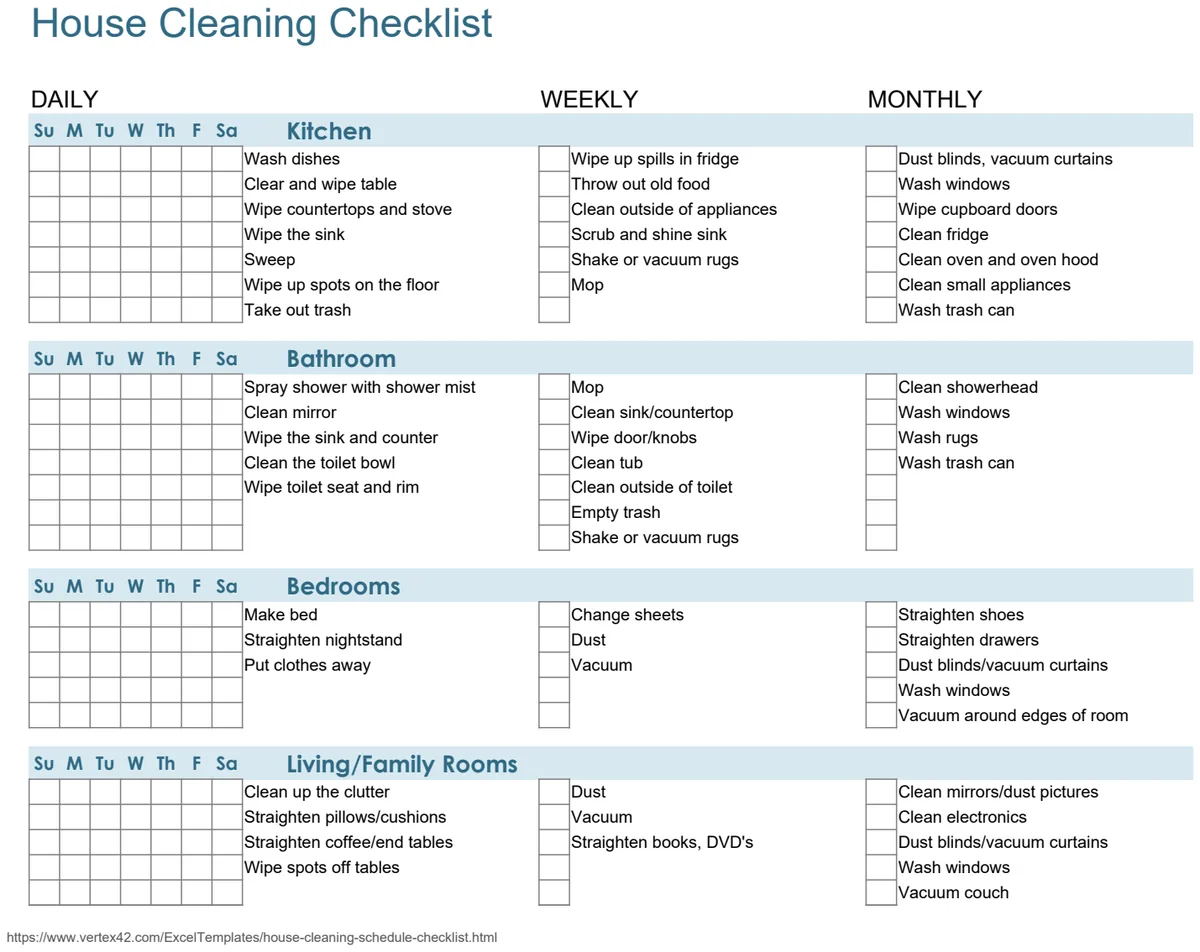
Yes, you can absolutely break down a large list. Consider creating separate checklists for different areas, such as a dedicated "Appliance Maintenance Checklist," an "Exterior Home Maintenance Checklist," or even a "Seasonal Cleaning Schedule." You might also find a template like House Cleaning Checklist 3, which organizes tasks by room and frequency, helpful for daily, weekly, and monthly routines. The key is to make the list manageable and relevant to your needs.
How often should I update my checklist?
You should update the "Last Performed" column immediately after completing a task. The "Due Next" column will then automatically recalculate. It's also beneficial to review your entire checklist periodically, perhaps quarterly or semi-annually, to add new tasks, remove outdated ones, or adjust frequencies based on your experience. If you're looking for a more structured approach to daily cleaning, the House Cleaning Checklist 2 can help integrate regular upkeep into your routine. For broader property assessments, a Home Inspection Checklist can serve as a comprehensive guide for deeper, less frequent evaluations. Access to a variety of templates for these purposes is available through a one-time purchase of $9.