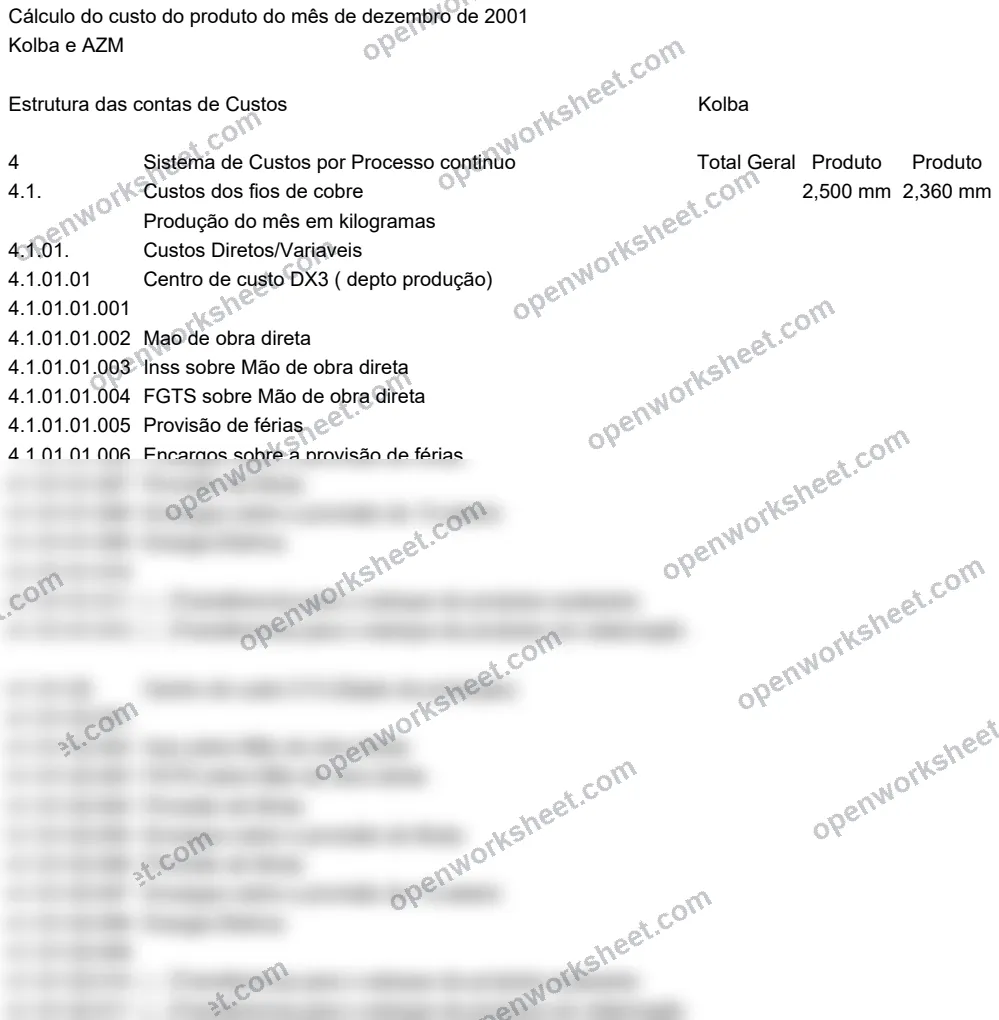
Industrial Cost Accounting System - December 2001
Calculate product costs by process, allocate labor and overhead, and track multi-department manufacturing expenses.
Get this template
.xlsx · 5 sheets
This template
$6.95single payment
- Nothing renews
- Download it again whenever you need
- Yours to keep and edit
Monthly plan
$14.95/month
- This template plus 9 more every month
- About $1.50 a template if you use all 10
- Thousands of templates to choose from
- Cancel anytime
- Secure checkout via Creem
- Instant download after payment
- 14-day refund policy
This industrial cost accounting template calculates monthly product costs using process costing methodology. It includes payroll allocation sheets for production departments, service cost simulations, and overhead appropriation structures—letting manufacturers determine accurate product costs for fiscal and management reporting.
Ideal for manufacturing operations with multiple cost centers, this template automates labor and overhead allocation across products, simplifies departmental cost tracking, and supports variance analysis between scenarios with and without specific service departments.
What's inside
- Multi-sheet cost simulation (with/without service departments)
- Payroll allocation by production department and accrual criteria
- Process costing structure for continuous manufacturing
- Service cost tracking (Kolba, AZM operations)
- Industrial chart of accounts framework
- SUM-based cost accumulation formulas
More in Accounting & Bookkeeping
 Accounting & Bookkeeping
Supplier Statement Reconciliation Template for QuickBooks Desktop (Vendor Reconciliation in Excel)
A supplier statement reconciliation template in Excel for QuickBooks Desktop users: paste a vendor report exported from QuickBooks Desktop, enter the supplier's statement, and every line is matched on invoice number or amount, with a reconciliation statement and a list of what to fix.
- 7 tabs, from a quick-start guide to Settings
- Paste a QuickBooks Desktop vendor report as exported
- Header and columns detected, with manual override
 Accounting & Bookkeeping
Balance Sheet Format in Excel with Income Statement (P&L) and Cash Flow Statement
A balance sheet format in Excel linked to an income statement and a cash flow statement: enter one trial balance and get all three statements by month, with prior year comparatives, 16 financial ratios, a dashboard and checks that show at once if anything does not balance.
- 9 tabs, from a quick-start guide to Settings
- Trial balance with account mapping to statement lines
- Closing balance or monthly movement entry
 Accounting & Bookkeeping
Statement of Account Template Excel with Accounts Receivable Aging Report
A statement of account template in Excel with an accounts receivable aging report: log invoices and payments once, print a customer statement with a running balance and remittance slip, age every balance into current, 30, 60, 90 and 90+ days, and follow a collection priority list with DSO.
- 8 tabs, from a quick-start guide to Settings
- Invoice, payment, credit note and write-off log
- Payments and credits applied to specific invoices
 Accounting & Bookkeeping
Cash Flow Forecast Template Excel: 13-Week Cash Flow with 12-Month Projection
A cash flow forecast template in Excel for the next 13 weeks: receipts and payments by category, receivables collections and payables timing, recurring and one-off items, opening balance roll-forward, minimum cash alerts, actual vs forecast variance and a 12-month cash flow projection.
- 12 tabs, from a quick-start guide to the forecast engine
- 13 weeks of receipts and payments by category
- Opening balance roll-forward to closing balance