
Statement of Account Template Excel with Accounts Receivable Aging Report
A statement of account template in Excel with an accounts receivable aging report: log invoices and payments once, print a customer statement with a running balance and remittance slip, age every balance into current, 30, 60, 90 and 90+ days, and follow a collection priority list with DSO.
Statement of Account & AR Aging Report keeps your sales ledger, customer statements and aging report in one Excel workbook. Record invoices, debit notes, payments, credit notes and write-offs on the Transactions tab, with the invoice number a payment or credit applies to. Every balance, statement and report follows from that single log, so the numbers always agree.
The Statement tab produces a customer statement of account in a familiar format: your company and bank details, the customer's address and terms, the balance brought forward from any start date, every invoice, payment and credit with a running balance, the balance due, the amounts current and overdue by age, a payment message and a remittance slip. Pick another customer and it rebuilds, ready to print or save as PDF.
The Accounts Receivable Aging Report splits each customer's open items into current, 1 to 30, 31 to 60, 61 to 90 and over 90 days past due, or by days since invoice if you prefer. Bucket limits are yours to set and the report can be run as at any date. Payments and credits that are not tied to an invoice are shown as unapplied credits, and each customer gets a credit limit check and a status from up to date to seriously overdue or over limit. A check confirms the aging total agrees with the ledger.
The Collections tab ranks customers by a priority score that weights older overdue debt more heavily, with contact details, the oldest overdue item, the last payment date and a suggested next step from a reminder email to a final notice. The Customers tab tracks balance, overdue amount, credit used, average days to pay and invoiced sales over the last 12 months. The Dashboard shows total receivables, overdue amount, DSO (days sales outstanding), an aging chart, invoiced against collected by month, the largest balances, who to chase first and data checks.
Capacity covers 100 customers and 3,000 transactions. Calculated cells are locked and sheet protection has no password. Sample data from a fictional print business is included. Built for Microsoft Excel 2016 or later (desktop or Excel for the web) and contains no macros.
What's inside
- 8 tabs, from a quick-start guide to Settings
- Invoice, payment, credit note and write-off log
- Payments and credits applied to specific invoices
- Customer statement of account with running balance
- Balance brought forward from any start date
- Remittance slip and payment details on every statement
- Aging buckets: current, 30, 60, 90 and 90+ days
- Age by due date or invoice date, as at any date
- Unapplied credits shown separately
- Credit limits and account status
- Collection priority list with suggested next step
- DSO and average days to pay
- Dashboard with aging and invoiced vs collected charts
- Locked formulas, no macros
Download this template
.xlsx · 8 sheets · includes charts
$9/monthDownload up to 10 templates a month from a library of thousands. Cancel anytime.
- 10 downloads every month
- Cancel anytime
- 14-day refund policy
More in Accounting & Bookkeeping
 Accounting & Bookkeeping
Cash Flow Forecast Template Excel: 13-Week Cash Flow with 12-Month Projection
A cash flow forecast template in Excel for the next 13 weeks: receipts and payments by category, receivables collections and payables timing, recurring and one-off items, opening balance roll-forward, minimum cash alerts, actual vs forecast variance and a 12-month cash flow projection.
- 12 tabs, from a quick-start guide to the forecast engine
- 13 weeks of receipts and payments by category
- Opening balance roll-forward to closing balance
 Accounting & Bookkeeping
Fixed Assets Register Template Excel with Depreciation Schedule
A fixed assets register template in Excel with a depreciation schedule: track each asset's location and custodian, depreciate monthly by straight-line, declining balance or sum-of-years' digits, record disposals with gain or loss, and produce the year-end roll-forward and net book value report.
- 10 tabs, from a quick-start guide to the depreciation engine
- Asset register with location, custodian, supplier and serial or tag
- Straight-line, declining balance and sum-of-years' digits
 Accounting & Bookkeeping
Bank CSV to Ledger Bookkeeping & Reconciliation
A bookkeeping system in Excel that turns raw bank and card CSV exports into categorized double-entry books, flags duplicates, missing lines and other errors automatically, and reconciles every account.
- 14 connected tabs, from a quick-start guide to Settings
- Paste raw bank and card CSV exports as downloaded
- CSV profiles for any bank layout, date and number format
 Accounting & Bookkeeping
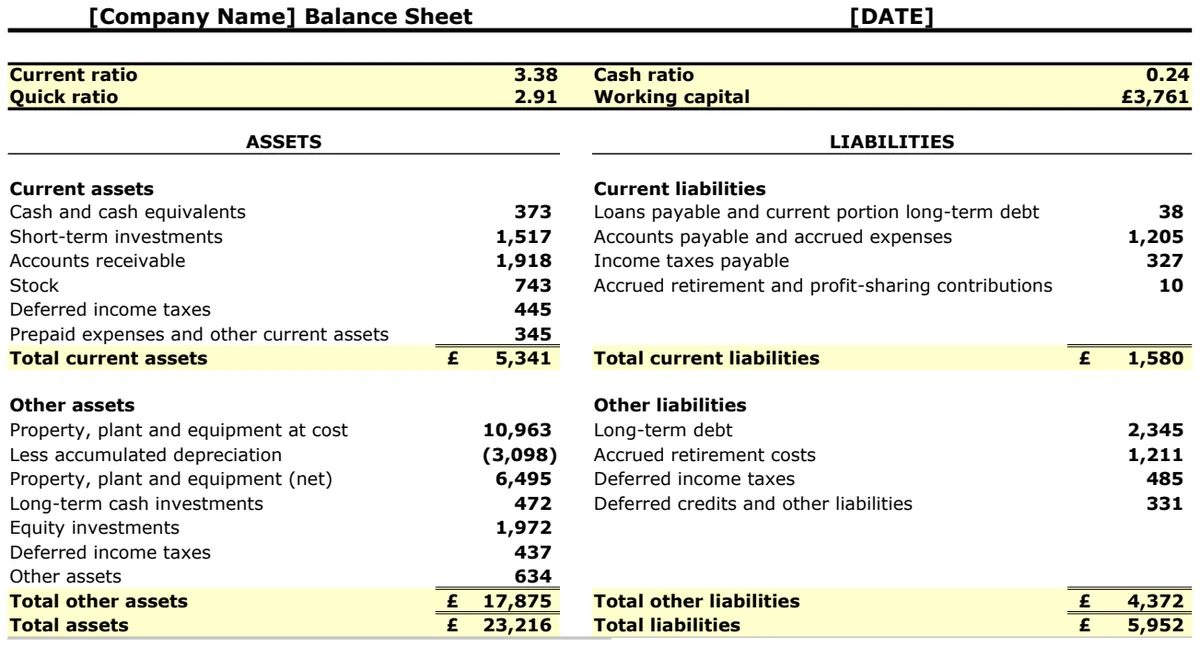
Balance Sheet with Ratios and Working Capital
Track financial position and calculate key liquidity ratios to assess business solvency instantly.
- Current ratio calculation
- Quick ratio formula
- Cash ratio tracking