
Bell Curve Excel Template: Performance Appraisal & Calibration Tool
A bell curve Excel template for performance reviews: rate employees on weighted competencies, compare forced distribution with actual ratings, calibrate by department and flow final ratings into an increment and bonus matrix. Includes printable evaluation sheets and a bell curve maker for any data.
Performance Appraisal & Bell Curve Calibration Tool takes a review cycle from first rating to final pay decision in one Excel workbook. Managers rate each employee from 1 to 5 on up to 10 weighted competencies, and each grade can use its own weight set, so people managers can carry a leadership item. Weighted scores calculate as ratings go in, and a blank item is left out until it is rated rather than dragging a score down.
The Bell Curve tab compares your target forced distribution with actual final ratings, in people and percentages, and shows how many to move at each level. A bell curve graph in Excel plots the scores against a normal curve using the mean and standard deviation, for the whole company or any department. Ratings can come from score bands or from a forced curve that ranks people and fills each rating to its target share, across the company or within each department.
Calibration is where the numbers meet judgement. Department and manager tables show who rates high and who rates low, flagged as lenient, harsh or balanced. An adjusted score lines up each department's mean and spread with the company's, so one rater's style does not decide the outcome. In the rating meeting you see raw score, adjusted score, rank, band rating and curve rating side by side, pick a calibrated rating and record the reason.
Final ratings flow into the Increment & Bonus tab. A merit matrix sets the increase by rating and position in the salary range, and bonus comes from the grade target, a rating multiplier and a part-year factor for new joiners. Totals are checked against your merit budget and bonus pool, with an option to scale every payout to fit. The Evaluation Sheet gives each employee a printable one-page review with ratings, outcome, comments and signatures, which works as an evaluation sheet template for the review conversation.
The Bell Curve Maker is a general tool for anyone who searched for a bell curve in Excel. Paste up to 2,000 numbers, such as exam marks or test scores, to get the mean, standard deviation, a histogram against the normal curve, a smooth bell curve and a z-score and percentile lookup. Capacity covers 300 employees, 10 competencies, 3 weight sets and 10 grades. Calculated cells are locked and sheet protection has no password. Sample data from a fictional company is included, and merit rates, multipliers and budgets are examples. Built for Microsoft Excel 2016 or later (desktop or Excel for the web) and contains no macros.
What's inside
- 12 connected tabs, from a quick-start guide to Settings
- Ratings by employee and competency with weighted scores
- Separate weight sets for staff, managers and leaders
- Forced distribution vs actual, with people to move
- Bell curve graph with mean and standard deviation
- Score bands or forced curve, by company or department
- Lenient and harsh rater flags by department and manager
- Adjusted scores that level department differences
- Calibrated ratings with reasons on record
- Increment and bonus matrix by rating and range position
- Merit budget and bonus pool check, with optional scaling
- Printable one-page evaluation sheet per employee
- Bell Curve Maker for any list of numbers
- Locked formulas, no macros
Download this template
.xlsx · 12 sheets · includes charts
$9/monthDownload up to 10 templates a month from a library of thousands. Cancel anytime.
- 10 downloads every month
- Cancel anytime
- 14-day refund policy
More in Human Resources
 Human Resources
Employee Attendance Sheet in Excel with Formula: Monthly & Yearly Tracker
An attendance sheet in Excel with formulas for up to 100 employees: 12 monthly sheets, automatic weekends and holidays, attendance codes, late and early counts, leave balances, a yearly summary and payroll-ready days. A complete attendance template for companies, offices and teams.
- 21 connected tabs, from a quick-start guide to Settings
- 12 monthly attendance sheets that follow the year you set
- Automatic weekends and holidays, with editable weekly off days
 Human Resources
HR, Scheduling & Payroll Suite
Employees, shift rosters, timesheets, leave, payroll and printable payslips in one Excel workbook, all feeding a live people dashboard.
- 10 connected tabs, from a quick-start guide to Settings
- People dashboard with 10 KPIs and 2 charts
- Department breakdown, alerts panel and who is out in the next 14 days
 Human Resources
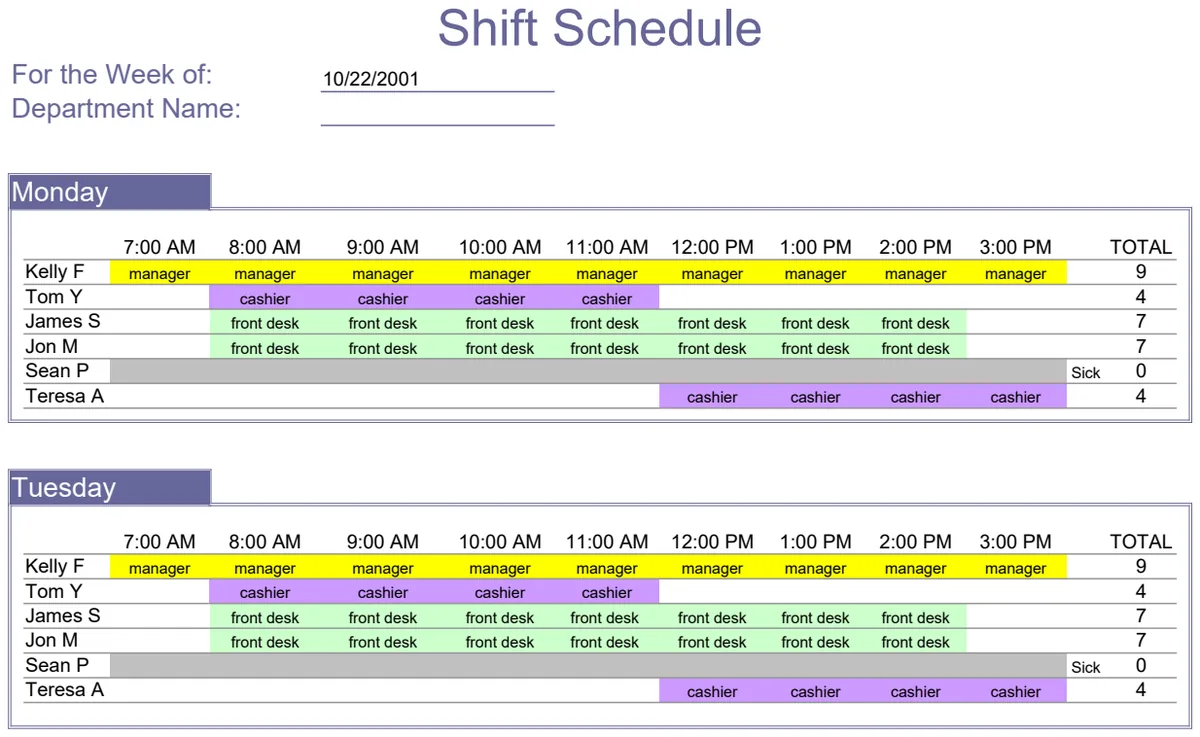
Employee Shift Schedule
Plan weekly staff shifts by department with automatic scheduling and conflict detection.
- Weekly shift schedule grid by department
- Automatic conflict detection for overlapping assignments
- Date range selector for scheduling period
 Human Resources
Job Application Log
Track all your job applications in one place with company details and contact information.
- Job title and company name columns
- Contact name and title tracking
- Phone, fax, and email fields