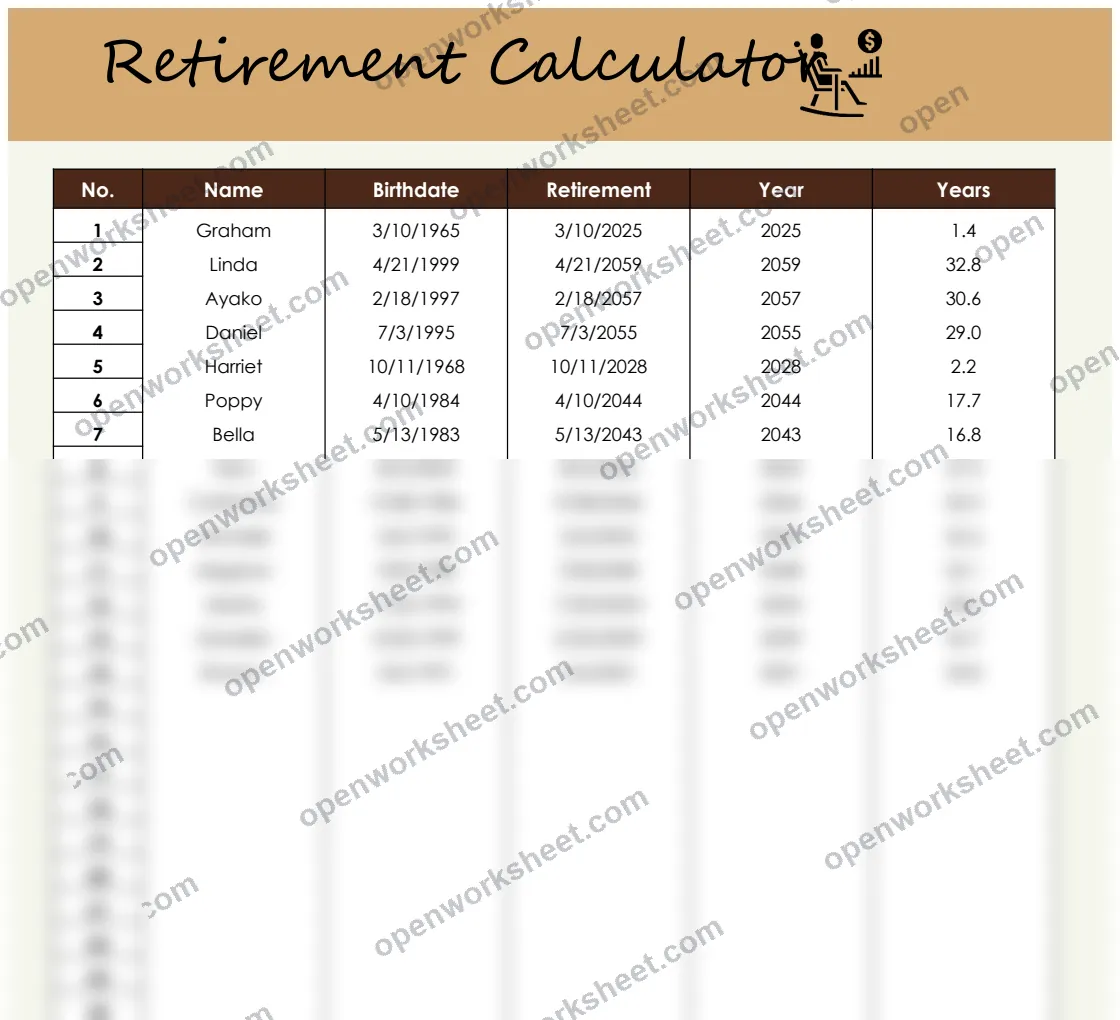
Retirement Calculator
Calculate retirement dates and years based on employee birthdates and retirement age policies.
Get this template
.xlsx · 2 sheets
This template
$5.95single payment
- Nothing renews
- Download it again whenever you need
- Yours to keep and edit
Monthly plan
$14.95/month
- This template plus 9 more every month
- About $1.50 a template if you use all 10
- Thousands of templates to choose from
- Cancel anytime
- Secure checkout via Creem
- Instant download after payment
- 14-day refund policy
A comprehensive retirement planning calculator that automatically computes retirement dates for employees based on their birthdates. The template uses the EDATE function to calculate retirement eligibility dates by adding a specified number of months to each employee's birthdate, with conditional logic to handle empty fields. Users can track employee names, birthdates, calculated retirement dates, and retirement years. This tool is useful for HR departments, financial planners, and organizational administrators who need to track when employees will reach retirement age and plan succession accordingly.
What's inside
- Automatic retirement date calculation using EDATE function
- Conditional logic to prevent errors on empty cells
- Automatic year extraction from calculated retirement dates
- Employee name and birthdate tracking
- Flexible for different retirement age policies via month calculation
- Scalable template for multiple employees
More in Personal Finance & Loans
 Personal Finance & Loans
Balloon Payment Calculator in Excel with Amortization Schedule and Balloon Plan
A balloon payment calculator in Excel for mortgages, car loans, business loans and seller financing: the regular payment, the balloon due at the end, total interest and APR, an amortization schedule with balloon payment, four loan options compared and a plan to save for, refinance or sell before the balloon falls due.
- 6 tabs, from a quick-start guide to Sensitivity
- Balloon by amortization period, amount, % of price or interest only
- Regular payment, balloon and due date
 Personal Finance & Loans
Loan Amortization Schedule in Excel with Extra Payments & Refinance Comparison
A loan amortization schedule in Excel for any loan and payment frequency, with recurring and one-off extra payments, interest and time saved, rate changes, a refinance calculator with break-even, and a side-by-side comparison of loan offers.
- 9 tabs, from a quick-start guide to Lists
- Full amortization table for up to 1,560 payments
- Monthly, semi-monthly, bi-weekly, weekly, quarterly and annual
 Personal Finance & Loans
Rental Property Deal Analyzer
A rental property calculator in Excel for real estate investors. NOI, cap rate, cash-on-cash, DSCR and after-tax IRR on one master tab, with local property-tax rules, a 1-12 unit rent roll and a 2026-2036 projection.
- 11 connected tabs, from a quick-start guide to Settings
- NOI, cap rate, cash-on-cash and DSCR on one master tab
- After-tax IRR and equity multiple for any holding period
 Personal Finance & Loans
Debt Snowball vs Avalanche Simulator
A debt payoff simulator in Excel. Compare Snowball, Avalanche, your own custom order and minimum payments side by side, month by month, with promo rates ending, rate spikes, extra payments and lump sums.
- 9 connected tabs, from a quick-start guide to Settings
- Up to 10 debts simulated month by month for 30 years
- Snowball, Avalanche, Custom and minimum-only plans side by side