10+ Free Cash Flow Forecast Excel Templates for 2026
Cash flow forecasting separates businesses that survive market swings from those that don't. A well-built Excel template gives you weekly visibility into when money arrives, when bills come due, and w...
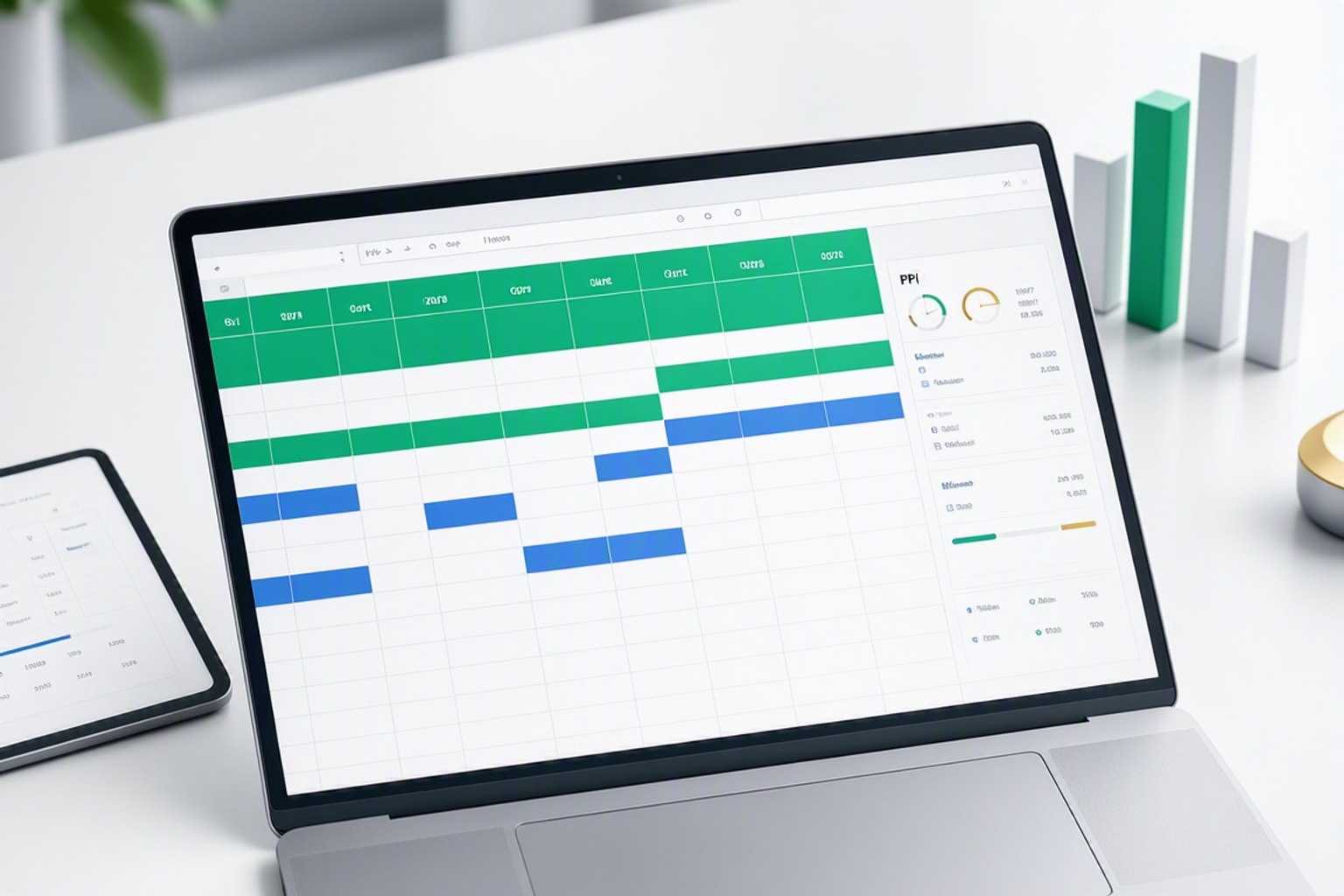
Cash flow forecasting separates businesses that survive market swings from those that don't. A well-built Excel template gives you weekly visibility into when money arrives, when bills come due, and whether you'll have enough runway to execute your plans. The spreadsheet format still dominates in 2026 because it offers complete control over formulas, integrates with accounting systems, and lets you model scenarios without waiting for software vendors to add features.
The stakes are real. Profitable companies run out of cash when they mistime collections or overestimate payment speed. Investors want to see 13-week models that prove you understand liquidity down to the week. Strategic decisions like hiring, equipment purchases, or expansion plans depend on accurate cash position forecasts, not just profit projections.
What Is a Cash Flow Forecast and Why Excel Still Dominates in 2026
A cash flow forecast projects the money moving in and out of your business over a specific period. Unlike profit and loss statements that use accrual accounting, cash flow tracks actual cash timing: when customers pay invoices, when you pay vendors, when payroll hits the bank. This timing difference makes cash flow forecasting essential even when your P&L shows healthy margins.
Excel remains the standard tool because it gives finance teams complete transparency into every assumption and calculation. Cloud-based FP&A platforms have grown more sophisticated, but they often lock forecast logic inside black-box algorithms or charge per-user fees that small teams can't justify. Excel templates let you see every formula, adjust driver assumptions instantly, and export data to any system without vendor lock-in.
The 2026 Excel landscape includes features that weren't available in earlier versions. Spill ranges automatically expand formulas across date columns. LAMBDA functions let you build custom calculations once and reuse them throughout the model. Power Query pulls data directly from accounting systems, reducing manual entry errors that plagued older templates.
The Four Main Cash Flow Forecast Types and When to Use Each
Different business situations demand different forecast horizons and update frequencies. A stable consulting firm needs monthly visibility for the next 12 months. A retail business preparing for holiday inventory needs weekly precision for the next 90 days. A startup pitching Series A investors needs three-year projections that show when the company reaches cash flow breakeven.
Choosing the wrong format wastes time and produces misleading results. Monthly forecasts smooth over weekly timing issues that can trigger overdrafts. Annual projections hide the quarterly spikes that require short-term financing. The format must match your specific planning question.
Monthly Cash Flow Forecasts for General Financial Planning
Monthly forecasts provide the standard view for businesses with predictable operations. Each column represents one month, typically spanning 12 months forward. This format works well when revenue and expenses follow consistent patterns and you don't face immediate liquidity concerns.
The monthly structure groups all cash movements into 30-day buckets. Revenue from multiple customer payments gets summed into one monthly inflow. Vendor payments, payroll, and operating expenses appear as monthly totals. The format trades granular timing for cleaner presentation and easier pattern recognition across quarters.
Most businesses update monthly forecasts once per month, replacing the completed month with actuals and adding a new month at the end. This rolling 12-month window maintains consistent planning horizon while incorporating real performance data.
13-Week Cash Flow Models for Short-Term Liquidity Management
The 13-week format delivers maximum accuracy for near-term cash management. Each column represents one week across a 91-day window. Businesses use this model when cash position matters week-to-week: during fundraising gaps, seasonal troughs, rapid growth phases, or financial distress.
A well-built 13-week model aims for 90%+ accuracy in weeks 1-4, with precision declining in later weeks as uncertainty increases. This accuracy target comes from Abacum's analysis of forecast performance across multiple companies. The first month reflects known invoices, scheduled payments, and confirmed payroll. Weeks 5-8 incorporate pipeline deals and estimated collections. Weeks 9-13 rely more on historical patterns and assumptions.

Companies in turnaround situations live in their 13-week models. When runway drops below six months, weekly visibility becomes the difference between proactive financing and emergency scrambling. The format forces honest conversations about collection timing, expense cuts, and minimum cash thresholds.
12-Month and 3-Year Projections for Strategic Planning
Long-range forecasts support capital allocation decisions and investor presentations. A 12-month projection shows whether current operations generate enough cash to fund planned growth. A 3-year model demonstrates when the business reaches sustainable cash generation and stops requiring external funding.
These formats sacrifice weekly precision for strategic pattern visibility. Monthly columns extend 12-36 months forward. Revenue grows based on customer acquisition models, pricing changes, and market expansion plans. Expenses scale with headcount plans, facility needs, and technology investments. The model answers questions about breakeven timing, peak funding requirements, and long-term capital efficiency.
Smartsheet's research shows that businesses use 12-month and 3-year projections most frequently during fundraising, budget planning, and board presentations. The longer horizon helps stakeholders understand whether short-term cash consumption supports a viable path to profitability.
Daily Cash Flow Tracking for High-Volume or Crisis Situations
Daily forecasts serve businesses where cash position changes significantly within a week. Retail operations with high transaction volumes, e-commerce businesses processing thousands of orders, and companies managing daily payment processing need this granularity.
The daily format typically covers 30-90 days forward. Each row represents one day's opening balance, inflows, outflows, and closing position. This level of detail exposes patterns that weekly summaries hide: weekend payment processing delays, mid-month payroll impacts, or daily revenue volatility.
Crisis situations also demand daily tracking. When cash runway drops below 60 days, finance teams switch from weekly to daily monitoring. The format provides early warning of shortfalls and helps prioritize which payments to make first when funds run tight.
How to Build a Monthly Cash Flow Forecast in Excel: Step-by-Step
Building a monthly forecast from scratch takes 2-3 hours but gives you complete control over structure and formulas. The process starts with time period setup, adds revenue and expense categories, connects the formulas, and finishes with balance calculations and formatting.
Start with a blank Excel workbook. The first tab will hold your forecast model. Create additional tabs for assumption inputs, historical data reference, and scenario comparisons. This separation keeps the main forecast clean while preserving the flexibility to test different assumptions.
Setting Up Your Template Structure and Time Periods
Create your date header row starting in column C. Enter the first forecast month in C1, then use a formula to add one month in D1: =EDATE(C1,1). Copy this formula across 12 columns to create a rolling 12-month header. Format these cells to show "MMM-YY" for compact display.
Build your row structure in column A. Start with "Opening Cash Balance" in row 3. Add a "Cash Inflows" section header in row 5, then list specific revenue categories below: Product Sales, Service Revenue, Consulting Fees, Other Income. Leave row 12 blank, then add "Cash Outflows" in row 13. List expense categories: Payroll, Rent, Marketing, Software, Professional Services, Taxes, Other Expenses.
Add "Total Inflows" in row 11 and "Total Outflows" two rows below your last expense category. Create a "Net Cash Flow" row that calculates inflows minus outflows. Finally, add "Ending Cash Balance" at the bottom, which becomes the opening balance for the next month.
Apply formatting that makes the structure scannable. Bold section headers. Use light gray background for total rows. Add borders between major sections. Indent subcategories slightly in column A to show hierarchy.
Forecasting Revenue Inflows by Business Driver
Revenue forecasting requires understanding your payment timing, not just sales timing. A $10,000 sale made on March 15 might not hit your bank account until April 20 if customers pay on Net-30 terms. Your cash flow forecast must reflect the collection date, not the invoice date.
Start each revenue category with driver assumptions. For product sales, this might be unit volume times average price times collection percentage. Enter these drivers in your assumptions tab, then reference them in the forecast. If you expect to sell 100 units at $50 each with 80% collecting in the same month and 20% the following month, your formula structure needs to split the timing.
In cell C6 (first month of Product Sales), enter: =Assumptions!B3*Assumptions!B4*Assumptions!B5. This multiplies units times price times same-month collection rate. In D6, add the delayed collection from the previous month: =C6*(1-Assumptions!B5)+Assumptions!B3*Assumptions!B4*Assumptions!B5. This formula structure carries forward the uncollected portion while adding current month collections.
Seasonal businesses need monthly adjustment factors. If December typically delivers 25% of annual revenue while February delivers 5%, build these patterns into your driver assumptions. Use historical data from your accounting system to calculate average monthly distribution percentages.
Projecting Operating Expenses and Cost Outflows
Operating expenses split into fixed costs that repeat monthly and variable costs that scale with revenue or activity. Fixed costs are simpler to forecast: rent stays constant, software subscriptions renew on schedule, insurance premiums hit quarterly. Variable costs require formulas tied to revenue drivers or unit volumes.

Payroll deserves special attention because timing matters. If you pay employees on the 15th and last day of each month, two payroll cycles hit most months but three cycles hit months where the calendar creates an extra pay period. Model this by entering your per-payroll amount and multiplying by the number of pay periods that month, not by assuming consistent monthly totals.
Marketing and sales expenses often tie to revenue targets. If you spend 15% of revenue on customer acquisition, enter: =C6*0.15 in your marketing expense row. This creates a dynamic link where expense forecasts automatically adjust when you change revenue assumptions.
One-time expenses need their own treatment. Annual insurance premiums, quarterly tax payments, and equipment purchases should appear in the specific months when cash leaves the account. Create a separate row for non-recurring items or build them into the relevant category with clear notes.
Calculating Net Cash Flow and Ending Balance
Net cash flow for each month equals total inflows minus total outflows. In your Total Inflows row, sum all revenue categories: =SUM(C6:C9). In Total Outflows, sum all expense rows: =SUM(C14:C20). Create your Net Cash Flow calculation: =C11-C21 (adjusting row numbers to match your structure).
Ending cash balance adds the net cash flow to the opening balance: =C3+C22. This ending balance becomes next month's opening balance. In cell D3, enter: =C23. Copy this formula across all months to create the rolling balance calculation.
Add conditional formatting to flag negative balances. Select your Ending Cash Balance row, go to Conditional Formatting, choose "New Rule," and set cells less than zero to display in red with bold text. This visual alert immediately shows months where you'll need additional funding or expense cuts.
Calculate a minimum cash threshold based on your monthly burn rate. Most businesses maintain at least one month of operating expenses as a safety buffer. Create a reference row that shows your ending balance minus this threshold, highlighting months where you drop below the minimum.
Adding Funding Requirements and Financing Activities
When your forecast shows negative balances, you need to model financing activities. Add new sections for "Financing Inflows" and "Financing Outflows" between your operating cash flow and ending balance calculations. This separation clarifies which cash movements come from operations versus external funding.
Financing inflows include equity investments, loan proceeds, and line of credit draws. Enter these in the months when funds will arrive. For a planned $100,000 equity raise in June, enter that amount in the June column of your Equity Investment row. For a revolving credit line, model draws in months where ending balance would otherwise go negative.
Financing outflows cover loan repayments, interest payments, and dividend distributions. Debt service requires two rows: one for principal repayment and one for interest expense. If you have a $50,000 loan at 8% annual interest with $2,000 monthly principal payments, your monthly interest starts at $333 (50,000 * 0.08 / 12) and decreases as principal declines.
Revise your ending balance formula to include financing activities: =C3+C22+C25-C28 (where C25 is total financing inflows and C28 is total financing outflows). This complete picture shows whether your operating performance plus planned financing keeps you above minimum cash thresholds.
Building a 13-Week Cash Flow Model for Maximum Accuracy
The 13-week format requires more setup time but delivers the precision that monthly models can't match. The structure follows the same logic as monthly forecasts but uses weekly columns and more granular timing assumptions. This format particularly suits businesses where weekly cash position determines operational decisions.
Rows.com's cash flow template forecasts over a 91-97 day period, which represents the standard 13-week window. The extra days account for partial weeks at the beginning and end of the forecast period. This timeframe balances near-term accuracy with enough forward visibility to plan financing needs.
Week-by-Week Structure and Rolling Forecast Logic
Create your date header starting in column C with the first Monday of your forecast period. Each column represents one week ending on Sunday. Use =C1+7 in cell D1 to add one week, then copy across 13 columns. Format as "MM/DD" to save horizontal space.
The rolling forecast concept means you update the model every week. After week 1 completes, you replace forecast numbers with actuals, shift everything left one column, and add a new week 13 at the right edge. This maintains the 13-week window while continuously improving accuracy as forecasts become history.
Build a separate "Actuals" tab where you paste completed week data from your accounting system. Use VLOOKUP or XLOOKUP formulas in your forecast tab to pull actual numbers for completed weeks, then switch to forecast formulas for future weeks. An IF statement handles this logic: =IF(C$1<=ActualsThrough,Actuals!C6,ForecastFormula).
Track forecast accuracy by comparing your week 1 forecast from four weeks ago to what actually happened. Calculate the percentage variance: =(Actual-Forecast)/Forecast. Teams that consistently hit 90%+ accuracy in weeks 1-4 demonstrate they understand their cash conversion cycle and payment timing patterns.
Granular Revenue and Expense Timing
Weekly forecasting requires knowing specific payment dates, not just monthly totals. Pull an accounts receivable aging report from your accounting system. Identify which invoices will likely pay in week 1, week 2, and so on based on invoice date plus customer payment terms. Sum these expected collections by week to build your revenue inflow forecast.
For recurring revenue businesses, map each customer's payment schedule. A SaaS company with 200 customers paying monthly subscriptions needs to know which week each payment processes. Group customers by payment week, multiply by average subscription value, and adjust for expected churn. This granularity catches the weekly revenue patterns that monthly averaging obscures.
Expense timing becomes more precise. Instead of spreading monthly payroll across four weeks, enter the full amount in the specific week when payroll processes. Vendor payments appear in the week when checks clear or ACH transfers complete, not when invoices arrive. This precision exposes the weekly cash flow volatility that monthly models smooth over.
Major one-time expenses deserve special attention. A $25,000 equipment purchase might represent 15% of your monthly cash outflow but 60% of a single week's outflow. Placing this in the correct week prevents false comfort from averaged monthly numbers that hide weekly shortfalls.
Scenario Planning Within the 13-Week Window
The 13-week model's power comes from testing scenarios that affect near-term liquidity. Create three versions: base case, best case, and worst case. The base case uses your most likely assumptions. Best case assumes faster collections and delayed expense timing. Worst case models slower payments and accelerated expenses.
Build these scenarios using assumption toggles rather than separate models. Add a "Scenario" dropdown in cell B1 with options: Base, Best, Worst. Create an assumptions table that shows different collection percentages, payment delays, and expense timing for each scenario. Use nested IF statements to select the right assumptions: =IF($B$1="Best",BestAssumption,IF($B$1="Worst",WorstAssumption,BaseAssumption)).
Sensitivity analysis identifies which assumptions matter most. If a 10% change in collection timing swings your minimum cash balance by $50,000, collection speed is your critical variable. If the same 10% change in marketing expense creates only a $5,000 impact, marketing timing is less critical. Focus your energy on improving the accuracy of high-impact assumptions.
Stress testing reveals your true liquidity position. Model what happens if your largest customer delays payment by two weeks. Run a scenario where two key deals slip from week 4 to week 8. Test whether you can absorb an unexpected $15,000 expense in week 2. These exercises expose vulnerabilities before they become crises.
Key Features of Modern Cash Flow Templates in 2026
Cash flow templates have evolved significantly from the static spreadsheets common in earlier years. Current templates incorporate automation, AI assistance, and advanced Excel functions that reduce manual work and improve accuracy. These features make the difference between a template that requires hours of weekly maintenance and one that updates with minimal intervention.
The best templates now combine multiple technologies: Excel's native functions for calculations, Power Query for data connections, and AI add-ins for pattern recognition. This hybrid approach delivers automation without forcing users into proprietary platforms that limit customization.
Automated Data Ingestion from Accounting Systems
Manual data entry creates errors and consumes time that finance teams should spend on analysis. Modern templates connect directly to QuickBooks, Xero, or bank feeds through Power Query or API connections. This automation pulls transaction data, updates actuals, and refreshes forecasts without copy-paste workflows.
Setting up automated ingestion requires one-time configuration. In Excel, go to Data > Get Data > From Other Sources. Choose your accounting system's connector (many systems now offer native Excel connections). Authenticate your account, select which data tables to import (transactions, invoices, bills), and define the refresh schedule.
The imported data lands in a staging tab. Your forecast formulas reference this staging area using SUMIFS or pivot table structures that automatically update when you refresh the data connection. A $5,000 payment that hits your bank account on Tuesday appears in your forecast's actuals section when you refresh Wednesday morning.
This automation particularly benefits the 13-week model where weekly updates are essential. Instead of spending an hour each Monday updating last week's actuals, you click "Refresh All" and spend that hour analyzing variances and adjusting future week assumptions.
AI-Powered Forecasting and Anomaly Detection
AI tools integrated with Excel can analyze historical patterns and suggest forecast adjustments. These systems identify seasonal trends, flag unusual transactions, and predict collection timing based on customer payment behavior. The AI doesn't replace your judgment but surfaces insights that might take hours to find manually.
Anomaly detection highlights transactions that don't fit normal patterns. If a customer who typically pays in 25 days hasn't paid an invoice that's 45 days old, the AI flags this for follow-up. If marketing expenses suddenly spike 40% above the three-month average, you get an alert to verify whether this represents a real commitment or a data error.
Forecasting algorithms learn from your actual-versus-forecast performance. When you consistently overestimate collection speed by 15%, the AI suggests adjusting your assumptions downward. When certain expense categories always come in under budget, the system recommends reducing those forecast amounts to improve accuracy.
These AI features typically come through Excel add-ins or cloud services that connect to your spreadsheet. Tools like Microsoft's Azure Machine Learning integration, third-party add-ins, or specialized FP&A platforms offer varying levels of sophistication. The key is finding tools that enhance your Excel model without forcing you to abandon the spreadsheet format.
Advanced Excel Functions: Spill Ranges and LAMBDA
Excel's newer functions simplify complex calculations that previously required multiple helper columns or array formulas. Spill ranges automatically expand formulas across adjacent cells. LAMBDA functions let you create custom calculations once and reuse them throughout the model without repeating formula logic.
The Tiller Community's Excel Cash Flow Forecast template demonstrates these advanced functions in practice. Their template uses spill ranges to automatically expand date columns and LAMBDA functions for robust calculations that handle edge cases. This approach reduces formula errors and makes the template easier to maintain.
A spill range example: instead of copying a formula across 13 columns manually, enter the formula once and let it spill. If you want to calculate 13 weeks of dates starting from a base date, enter =SEQUENCE(1,13,StartDate,7) in one cell. Excel automatically fills the next 12 cells with weekly dates. Update the start date once and all 13 weeks recalculate.
LAMBDA functions work like custom formulas you name and reuse. If you frequently calculate "revenue times collection rate times timing factor," create a LAMBDA: =LAMBDA(revenue,rate,timing,revenue*rate*timing). Name this function "CashCollection" and use it anywhere: =CashCollection(C6,0.85,1.0). This reduces errors from mistyped formulas and makes your model more readable.
Scenario Analysis and Sensitivity Tables
Data tables and scenario manager tools let you test multiple assumptions simultaneously without manually changing input cells. A data table shows how ending cash balance changes across a range of revenue growth rates and expense levels. Scenario manager saves different assumption sets and switches between them with one click.
Create a two-variable data table to see how cash position responds to changes in two key drivers. Set up a small table with revenue growth percentages across the top row (5%, 10%, 15%, 20%) and collection speed percentages down the left column (70%, 80%, 90%, 100%). Reference your ending cash balance formula in the top-left cell. Select the table, go to Data > What-If Analysis > Data Table, specify your row and column input cells, and Excel fills the table with results for each combination.
Scenario manager works well for testing distinct business cases. Go to Data > What-If Analysis > Scenario Manager. Create scenarios named "Conservative Growth," "Aggressive Expansion," and "Cost Cutting." For each scenario, specify different values for key assumption cells: revenue growth rate, gross margin, operating expense levels. Switch between scenarios to see how each strategy affects your 13-week cash position.
These tools transform your forecast from a single-point estimate into a range of possibilities. When presenting to investors or boards, showing the cash position under multiple scenarios demonstrates thorough planning and risk awareness.
Common Cash Flow Forecasting Mistakes and How to Avoid Them
Even experienced finance teams make forecasting errors that undermine decision quality. These mistakes fall into predictable patterns: confusing cash with profit, ignoring timing realities, missing seasonal patterns, and treating forecasts as static documents. Understanding these errors helps you build more reliable models.
The cost of forecast errors compounds over time. A 10% collection timing error in month one becomes a 30% cumulative error by month three if you don't update assumptions. A missed seasonal pattern leads to surprised scrambling when the pattern hits. Prevention requires discipline, regular updates, and honest assessment of forecast accuracy.
Confusing Cash Flow with Profit
Profitable companies run out of cash when they grow too fast, extend too much credit, or build inventory before collecting from customers. Your income statement might show $50,000 in monthly profit while your bank account drops by $20,000. This disconnect happens because profit uses accrual accounting (recognizing revenue when earned and expenses when incurred) while cash flow tracks actual money movement.
A $100,000 sale made on December 15 appears as December revenue on your P&L. If the customer pays on Net-60 terms, that cash arrives in February. Your profit statement shows strong December performance but your cash flow forecast must reflect the February collection timing. The two-month gap creates a $100,000 difference between accounting profit and cash reality.
Avoid this mistake by building your cash flow forecast from cash-basis assumptions, not by starting with your P&L and making adjustments. Forecast when invoices get paid, not when you send them. Project when you pay vendors, not when you receive their bills. This ground-up approach prevents accrual accounting from contaminating your cash timing.
Test your understanding by comparing your forecast to bank statements. If your forecast shows $200,000 in monthly revenue but your bank deposits average $180,000, you're either overestimating collection speed or missing write-offs and discounts. The bank statement is truth. Adjust your forecast to match reality.
Ignoring Payment Terms and Collection Delays
Customers don't pay on time. Industry data shows that invoices with Net-30 terms typically collect in 35-40 days. Net-60 terms stretch to 70-80 days. Some customers consistently pay late. Others dispute invoices, creating multi-month delays. Your forecast must reflect actual payment behavior, not contractual terms.
Pull an accounts receivable aging report from your accounting system. Calculate what percentage of invoices pay within 30 days, 31-60 days, 61-90 days, and over 90 days. Use these percentages as
Get the newsletter
One sharp idea every Sunday.
No fluff. No sales pitches. Just the best of what we publish, hand-picked.
Continue Reading
Related Articles
10+ Free Excel Budget Templates for Small Business in 2026
Your small business needs a budget. It's more than a financial report; it's a strategic roadmap, especially in 2026's dynamic market. A clear budget helps you allocate resources, anticipate challenges...
10 Best Expense Tracker Spreadsheet Templates for 2026
An effective expense tracker spreadsheet is more than just a budgeting tool; it's a financial compass. In 2026, navigating personal finances or running a small business without clear visibility into y...
10 Best Free Expense Tracker Spreadsheet Templates for 2026
Tracking every dollar you spend sounds simple until you open a blank spreadsheet and stare at empty cells. An expense tracker spreadsheet template gives you the structure, formulas, and categories alr...