10+ Free Employee Attendance Tracker Excel Templates (2026)
Efficient attendance tracking saves businesses money and ensures compliance. Manual systems, prone to errors, cost companies thousands annually. A robust Excel tracker provides accurate data for payro...
Why a Modern Employee Attendance Tracker is Non-Negotiable in 2026
Efficient attendance tracking saves businesses money and ensures compliance. Manual systems, prone to errors, cost companies thousands annually. A robust Excel tracker provides accurate data for payroll, HR, and legal obligations, protecting your bottom line.
The Hidden Costs of Manual Tracking
Outdated attendance methods create a cascade of problems. Manual data entry leads to frequent errors, requiring time-consuming corrections. This lost productivity directly impacts profitability. Inconsistent records also expose businesses to compliance risks, especially with labor laws and wage regulations. Small businesses alone save up to $2,000 annually by switching from manual systems to Excel attendance sheets.
Beyond Basic Check-Ins: What's New in 2026?
Excel has evolved beyond simple tables. The 2026 version introduces powerful features like AI suggestions and dynamic arrays. These advancements elevate attendance management from a tedious task to an insightful process. You can now automate data organization and uncover attendance patterns faster than ever before.
Building Your 2026 Employee Attendance Tracker in Excel
You can create a powerful attendance tracker using current Excel functionalities. This guide walks you through the setup, ensuring your system is both robust and efficient.
Essential Column Structure for Comprehensive Tracking
Start with a clear, organized column structure for accurate data capture. Include Employee ID, Date, In Time, Out Time, Total Hours, Leave Type (e.g., Sick, PTO, Unpaid), and a Notes column for additional context. This detailed setup provides the foundation for accurate reporting and analysis.
Leveraging Dynamic Arrays for Automated Insights
Excel's dynamic array functions streamline data analysis. Use UNIQUE to list all employees, FILTER to show attendance for a specific date range, and SORT to arrange data by employee or date. These functions provide real-time summaries and reporting without manual manipulation. For example, =UNIQUE(A2:A100) in a separate sheet lists all unique employee IDs from your raw data.
AI-Powered Suggestions for Data Entry and Analysis
Excel's built-in AI assists with both data input and pattern recognition. As you enter data, AI can suggest common entries, reducing typing errors and speeding up the process. It can also identify trends in absence rates or peak attendance times, providing valuable insights for workforce planning. This feature is a hallmark of the 2026 Excel version.
Free Excel Templates: Your Starting Point for Daily, Monthly, and Yearly Tracking
Numerous free templates are available, each suited for different tracking needs. Choosing the right one saves significant setup time and provides a structured starting point.
Daily Tracking: Precision for Hourly Employees
Daily tracking templates offer granular control over attendance records. They are ideal for businesses with hourly employees or those requiring precise timekeeping. These templates typically include columns for specific clock-in and clock-out times, calculating daily hours automatically.
Monthly and Yearly Overviews: Spotting Trends and Planning
For broader analysis, monthly and yearly templates aggregate daily data. They allow you to spot long-term attendance trends, identify peak absence periods, and plan staffing accordingly. These templates often include summary dashboards, visualizing total sick days or PTO taken per employee.
When to Use a Template vs. Building from Scratch
Starting with a template saves hours of design and formula setup. If your needs are standard, a free template is often sufficient. For complex requirements, like custom point systems or unique leave accruals, you might customize a template or build from scratch. Products like the 5500+ Ms Excel Templates Mega Bundle offer a vast array of pre-built solutions, significantly speeding up deployment for various business functions, not just attendance.
Recommended Resources
Skip the blank-sheet setup
Start with a proven template to save hours and ensure accuracy from day one.
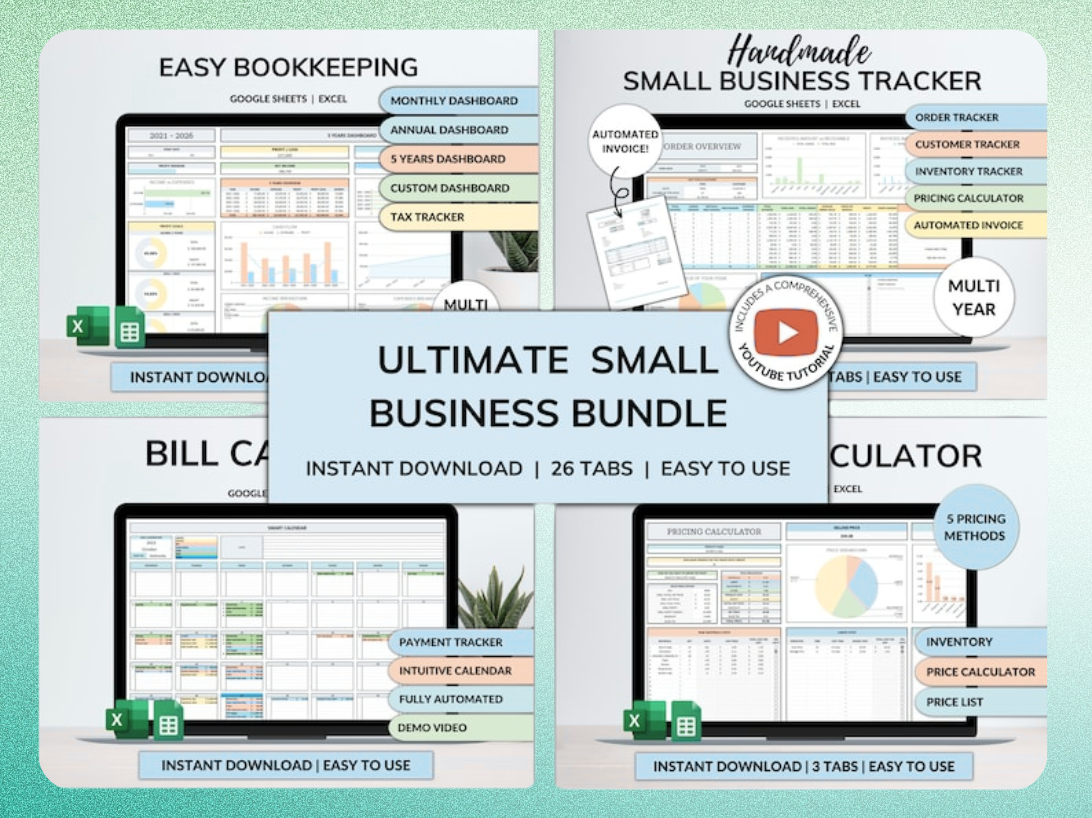
Ultimate Small Business Bundle Templates - Google Sheet + Ms Excel
All-in-One Spreadsheets for Bookkeeping, Inventory, Orders, Billing & Pricing Save Hours Every Week: Automate data entry and dashboards so you can focus on growth, not spreadsheets.
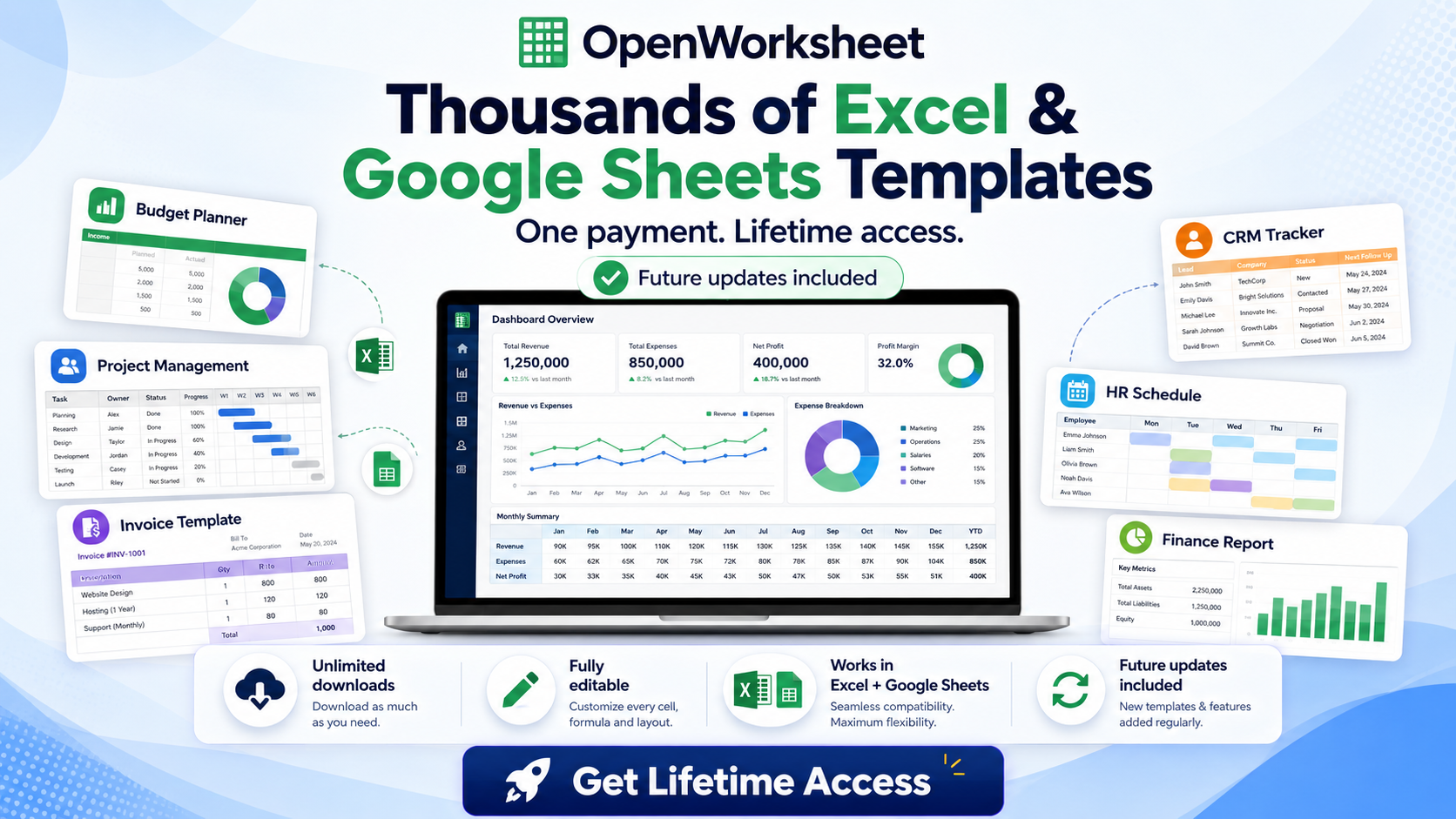
Thousands of Spreadsheet Templates Mega Library – Google Sheet Supported
Integrating Attendance Data with Payroll and HR Systems
Attendance data is a critical input for several business functions. Seamless integration ensures accuracy and efficiency across your organization.
Streamlining Payroll Calculations
Accurate attendance data directly feeds into payroll. It calculates regular hours, overtime, and ensures correct leave accruals and deductions. This precision prevents payment errors and reduces administrative burden.
Enhancing HR Reporting and Compliance
Your attendance tracker generates essential reports for HR. These include audit trails, performance review inputs, and compliance documentation for labor laws. Detailed records are indispensable for legal protection and internal policy enforcement.
Automation Options for Data Transfer
Moving data between systems doesn't have to be manual. For simple transfers, a direct copy-paste works. For more complex integrations, Excel's Power Query can automate data extraction and transformation before importing into another system.
Customizing Your Tracker for Specific Business Needs
Adapt your attendance tracker to fit your organization's unique policies. Customization ensures the tool serves your specific operational requirements.
Implementing a Point System for Absenteeism
Add columns and formulas to track and penalize attendance infractions. Assign points for tardiness, unexcused absences, or early departures. Excel's conditional formatting can highlight employees nearing disciplinary thresholds. Microsoft even offers a free 'Employee attendance tracker' template that is easily customizable for point systems.
Managing Diverse Leave Types and Accruals
Categorize and track various forms of leave, including sick days, vacation, parental leave, and bereavement. Create separate columns or use data validation lists for clear classification. Formulas can automatically calculate accrued leave balances based on company policy. Many templates allow tracking of unlimited absence types and fractions of hours or days.
Visual Dashboards for At-a-Glance Insights
Create visual dashboards using charts and conditional formatting to quickly grasp attendance patterns. A bar chart can show monthly absence rates, while a pie chart can break down leave types. Conditional formatting can instantly flag employees with high absenteeism.
Common Mistakes to Avoid When Tracking Employee Attendance
Even a well-designed tracker can fail without proper usage. Avoid these common pitfalls to maintain data integrity and effectiveness.
Inconsistent Data Entry and Its Consequences
Standardized input is paramount for accurate reporting. Inconsistent data entry leads to skewed reports, incorrect payroll, and unreliable insights. Implement clear guidelines for data entry and use data validation features in Excel to enforce consistency.
Over-Complicating the Tracker
While customization is good, avoid adding unnecessary complexity. Focus on essential data points crucial for payroll, HR, and compliance. An overly complex tracker becomes difficult to maintain and use, leading to errors and resistance from users.
Neglecting Data Security and Privacy
Employee attendance records contain sensitive personal information. Protect this data within your spreadsheet using password protection and restricted access. Ensure only authorized personnel can view or modify the tracker, complying with privacy regulations.
Elevate Your HR Operations with Advanced Attendance Solutions
While Excel is powerful, consider more comprehensive tools as your organization grows. These solutions offer enhanced features and scalability.
Beyond Excel: When to Consider Dedicated HR Software
For very large organizations, Excel's limitations become apparent. Dedicated HR software offers advanced features like employee self-service portals, complex workflow automation, and robust security. Over 85% of Fortune 500 companies trust Smartsheet, a platform that integrates with and can replace basic spreadsheet tracking.
Ready-to-Use Templates for Small Businesses
Small businesses often benefit most from pre-built, comprehensive solutions. Template bundles, like the Ultimate Small Business Bundle Templates, provide an all-in-one approach. They include not just attendance trackers but also tools for bookkeeping, inventory, and billing, saving countless hours on setup and organization.
Get the newsletter
One sharp idea every Sunday.
No fluff. No sales pitches. Just the best of what we publish, hand-picked.
Continue Reading
Related Articles
10+ Free Sales Tracker Excel Templates for 2026 Growth
Every business, regardless of size, needs a clear view of its sales performance. A sales tracker provides that clarity. It moves you beyond guesswork, offering concrete data to understand what's worki...
Master Payroll: 2026 Excel Spreadsheet Templates & Calculators
Calculating payroll...
2026 Excel Payroll Templates: Ultimate Guide & Free Downloads
Running payroll in Excel still works in 2026. Small business owners with 2-10 employees, HR teams managing seasonal workers, and freelancers paying contractors rely on payroll spreadsheet templates to...