10 free Excel inventory management templates for 2026
When you're picking an inventory template, think about the sheer volume of data it needs to handle. A simple list works for a handful of items, but real-world stock quickly gets complicated. You need something that scale
When you're picking an inventory template, think about the sheer volume of data it needs to handle. A simple list works for a handful of items, but real-world stock quickly gets complicated. You need something that scales with your business, not something that collapses under its own weight after a few weeks.
The best templates offer more than just blank cells. They come pre-built with logical structures and even visual aids that help you see what's happening at a glance. This means less time fighting the spreadsheet and more time managing your actual inventory.
How we picked these
Every template on this list comes from the OpenWorksheet library. This is our own collection of spreadsheets, not a general survey of what's available elsewhere.
We chose these specifically for their focus on inventory management tasks. We favoured workbooks with multiple sheets and built-in charts over those with just a single, bare grid. More sheets and charts mean more functionality out of the box.
All these templates are unlocked .xlsx files compatible with both Excel and Google Sheets. You can also preview every sheet in full before you decide to download.
1. Supplies Inventory Template
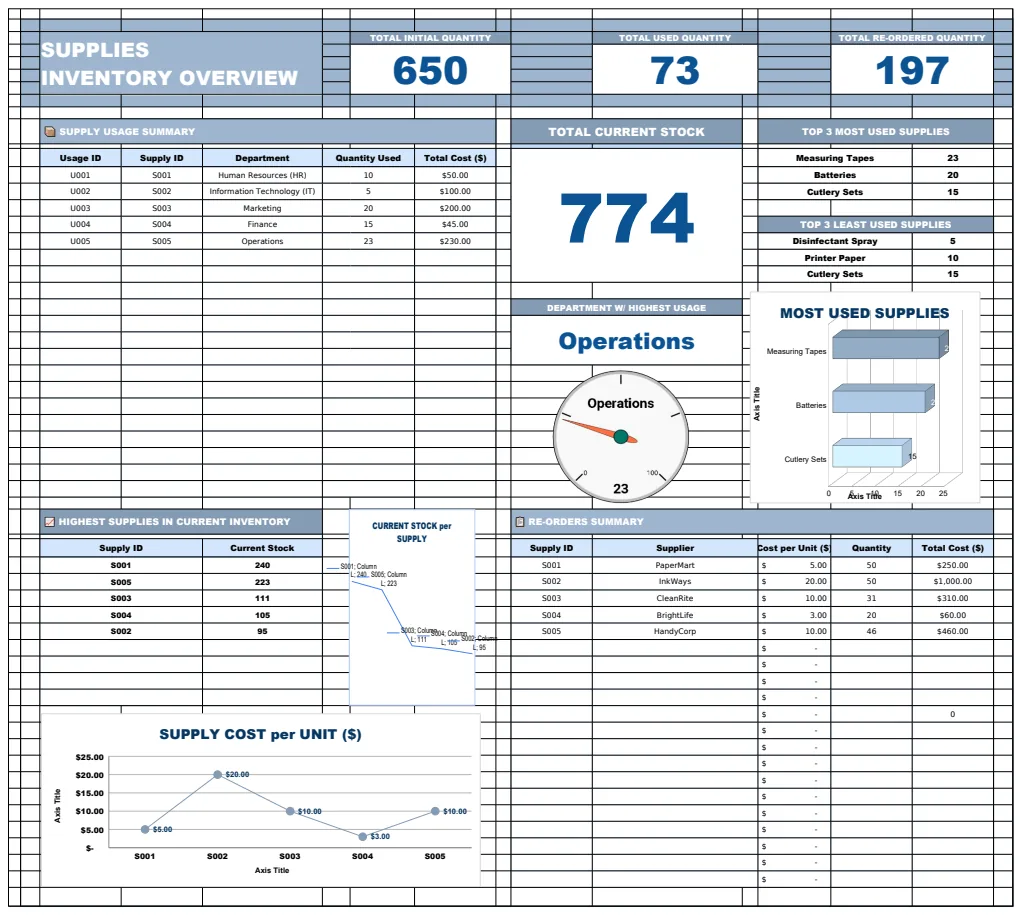
This template offers a complete system for managing your supplies. It tracks initial quantities, usage by department, reorders, and current stock levels. A dashboard provides a summary of key metrics like total quantity, used quantity, and reordered quantity. You'll also find detailed sheets for logging supply usage, recording reorder history, and checking current inventory status. XLOOKUP formulas connect data across these sheets.
This is a good choice if you need to see how much of each supply is being used across different departments. It’s also helpful for keeping track of when and from whom you need to reorder. The main limitation is that it focuses only on supplies, not finished products.
2. Inventory Checklist Template
You get a system here for tracking inventory organized by category. It includes an item catalog and vendor information. Formulas like SUMIF and XLOOKUP calculate current stock, reorder needs, and total inventory value. Visual charts show how your inventory is distributed by category and stock trends.
This template suits anyone managing stock in a warehouse or retail setting who also needs to keep vendor contact details handy. It excels at showing you stock levels by category. However, the automatic calculations for inventory value might not be precise enough if you use complex accounting methods.
3. Daily Inventory Report Template
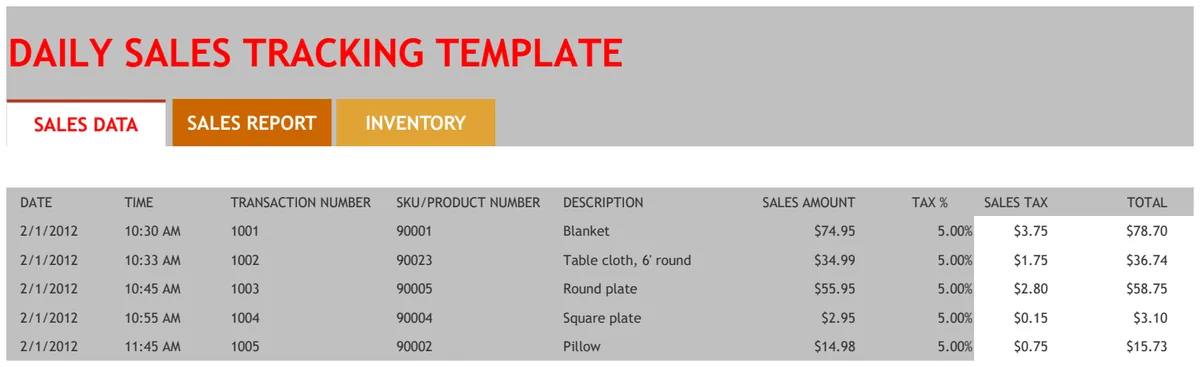
This template helps you monitor stock movement on a daily basis. It tracks inventory that comes in and goes out, showing your current totals all in one place. You can categorize items and log supplier deliveries along with dates. There’s also a setup sheet for managing your team and suppliers.
If your business needs to see inventory changes happen in real-time, this is a solid option. It’s straightforward to use for spotting shortages quickly. The main drawback is that it’s designed for daily tracking only, so it doesn’t offer much in the way of long-term trend analysis.
4. Basic Inventory Control
This basic control template helps you keep tabs on your inventory levels. It records item numbers, names, manufacturers, and descriptions. When your stock drops below a set point, an IF formula automatically flags the item with "REORDER". This helps you avoid running out of stock.
This is perfect for small businesses or retail stores that need a simple way to know when to reorder. It’s very easy to set up and use. Its limitation is that it’s quite basic; you won’t find advanced features like cost tracking or detailed sales data here.
5. Warehouse Inventory Schedule
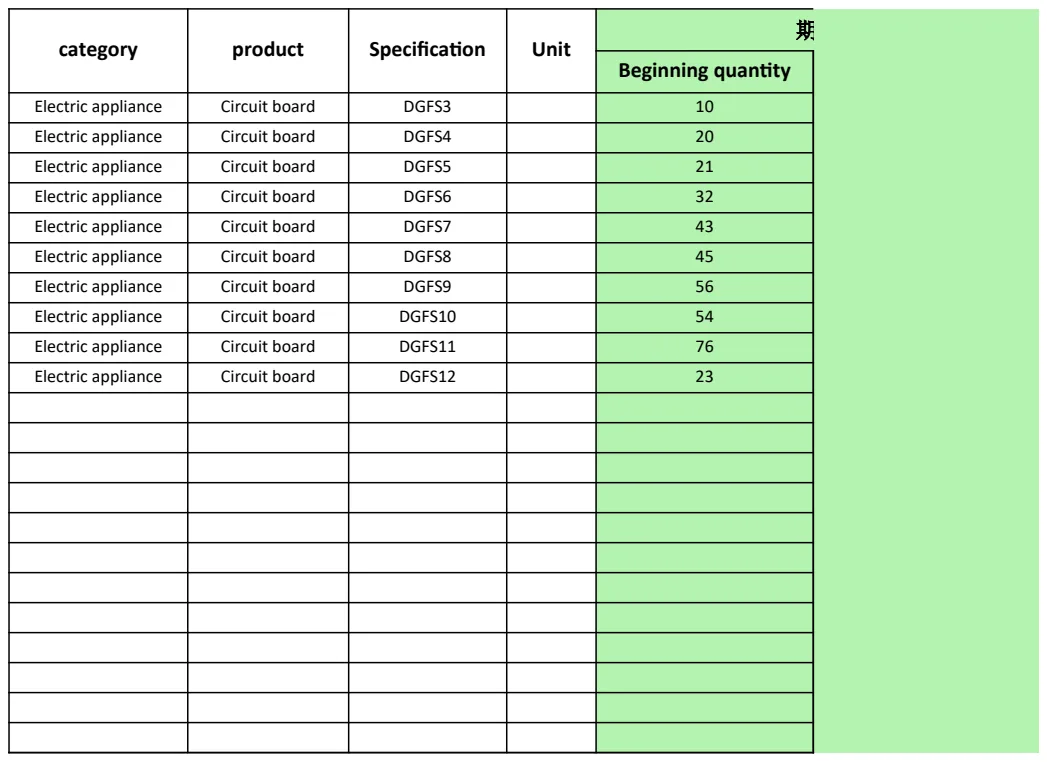
Here’s a straightforward system for warehouse inventory. It lets you record product details, specifications, unit types, and your starting quantities. The layout is structured to help you monitor stock levels and keep clear records of what you have on hand, organized by product category.
This template is best for warehouse managers who need a clear, organized list of their stock. It’s great for tracking product specifics and unit types. The downside is that it’s just a single sheet, so it doesn’t offer automated calculations for stock movement or reorder points.
6. Business Supply Costs Tracker Template
This is a comprehensive system for managing business supplies and their costs. It includes multiple sheets for tracking items, stock levels, creating purchase orders, and recording withdrawals. You can monitor costs, set safety stock levels, and use automated lookups for data validation.
Choose this if you need to manage both the physical stock of your business supplies and their associated costs. It’s powerful for creating purchase orders and maintaining item data. The complexity of its multiple interconnected sheets means it has a steeper learning curve than simpler templates.
7. Hotel Inventory Template
This template helps hotels track room supplies. It has separate logs for items received and used by room. A HELPER sheet automatically calculates available inventory based on these transactions. The Item Management sheet keeps a master list of items with pricing, using VLOOKUP for quick data entry.
This is ideal for hotel operations that need to monitor supplies in real-time. It’s excellent for seeing which rooms use the most supplies. A limitation is that the VLOOKUP setup requires precise matching of item names, which can be tricky if your data isn't clean.
8. Company Warehouse Inventory
This template helps you organize and track warehouse stock. You can record items by category, specifications, and pricing. It's designed to help you maintain accurate counts across different warehouse locations and assign responsibility to specific people, which can reduce stockouts.
This system is good for companies with multiple warehouse locations or teams. It’s effective for tracking stock by category and knowing who is accountable. However, it’s a single sheet with no automated calculations for reorder points or stock movement.
9. Warehouse Material Stock List
You get a structured system here for managing warehouse materials. It organizes stock by category, code, and material name, including specifications and unit tracking. A SUM function automatically calculates total costs, helping you monitor levels and prevent stockouts.
This template is best for warehouse managers who need to track material inventory and costs in detail. It’s straightforward for monitoring specifications and pricing. Its main drawback is that it's a single sheet; you won't find automated reorder alerts or advanced reporting features.
10. Inventory Dashboard Template
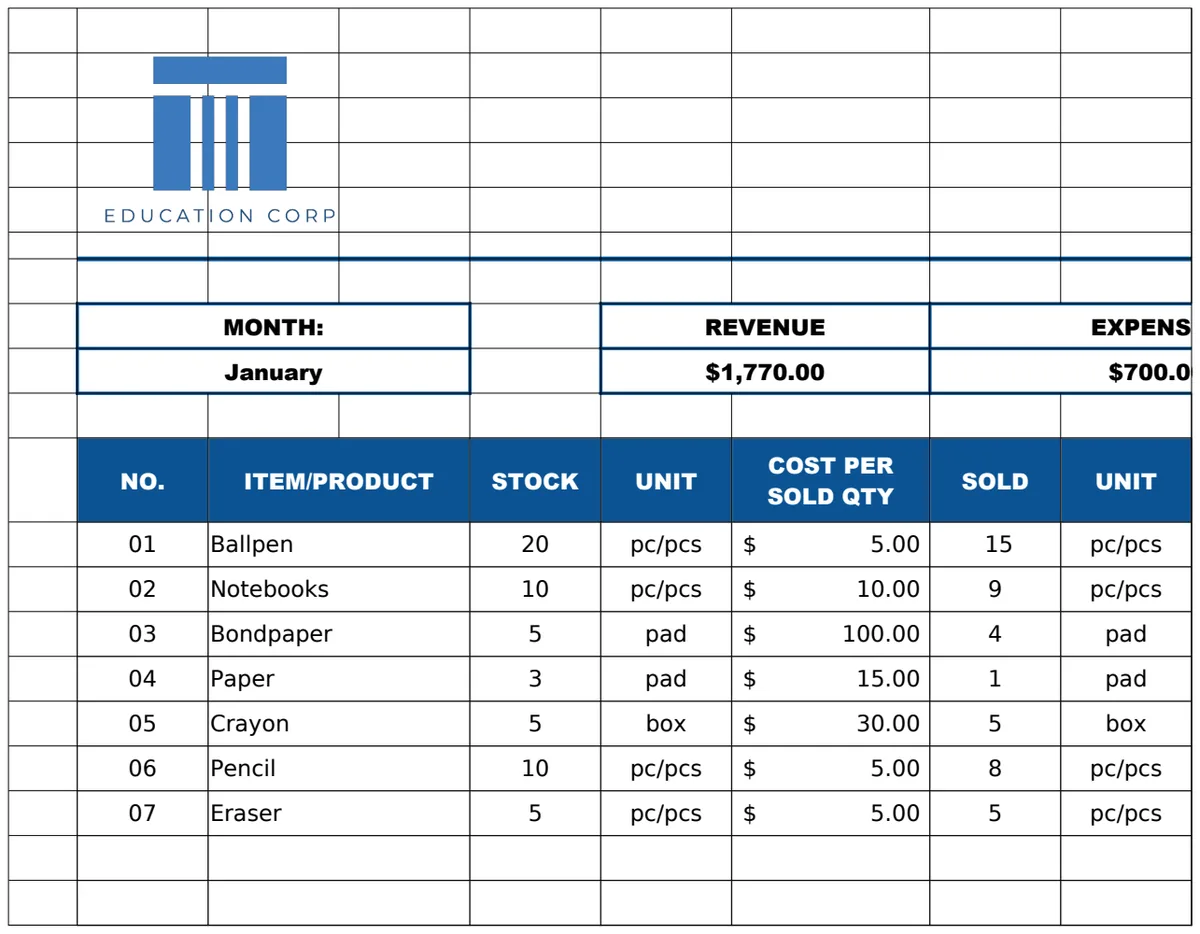
This comprehensive system tracks product stock from shipments to sales, calculating remaining inventory and flagging items needing restock. Separate sheets for Inventory Level, Stock In, Sales, and Expenses feed into a dashboard. This dashboard visualizes stock health, sales performance, and operational costs.
This template is excellent for businesses that need to see the big picture of their inventory, sales, and marketing spend. It automatically alerts you to reorder needs. The main tradeoff is its complexity; with eight sheets and multiple linked formulas, it requires a significant time investment to set up and understand.
What makes a good inventory template
A solid inventory template uses clear, descriptive column headers. Think about columns like "Item Name," "SKU," "Quantity on Hand," "Reorder Point," and "Supplier." Formulas are key here too. You'll want to see functions like =SUMIFS to total quantities across different locations or =XLOOKUP to pull item details. Data validation is also a big help, preventing errors by restricting what can be entered into certain cells. A well-structured template makes data entry straightforward and analysis possible.
Common mistakes that break inventory spreadsheets
One frequent error is inconsistent data entry. If you type "Blue Widget" in one place and "blue widget" in another, your totals will be wrong. Another pitfall is neglecting to update stock levels regularly. If your spreadsheet doesn't reflect real-time inventory, it becomes useless for ordering or sales. Over-complicating the design also causes problems. Adding too many unnecessary columns or complex, hard-to-understand formulas can make the template too difficult to maintain.
Common questions
Can I use these templates for more than just physical goods?
Yes, you absolutely can. Many of these templates are flexible enough to track digital assets, service parts, or even consumables like office supplies. You just need to adapt the column labels to match what you're tracking.
What if I need to track inventory across multiple locations?
Some of our templates are designed with multi-location tracking in mind. Look for ones that allow you to specify a location for each item or that have separate sheets for different warehouses. You can also adapt simpler templates by adding a "Location" column yourself.
How do I handle items with variations, like different colors or sizes?
For variations, the best approach is usually to create a unique SKU for each specific version. For example, "Shirt-Red-Large" and "Shirt-Blue-Medium." This keeps your inventory data precise and prevents confusion when you're trying to find or count specific items.
Is it hard to add my own items to these templates?
Not at all. Most of these templates are set up for easy data entry. You'll typically find a dedicated sheet for listing your items, and the other sheets will automatically pull information from it. Just follow the existing structure when you add your own product details.