Build construction estimates in Excel in under an hour
Avoid common pitfalls of free construction estimate templates and build accurate project pricing quickly.
The most common pitfall for free construction estimate template Excel files is their lack of proper cost breakdown, leading to inaccurate pricing and underestimated project expenses. This often stems from a template designed for a broad audience rather than specific trade needs, lacking the granular detail required to capture labor, materials, equipment, and subcontractor costs accurately. If you're searching for a construction estimate template Excel free, you need one that prompts you to think through every line item.
A well-structured estimate isn't just a price list; it's a project roadmap that protects your profitability and builds client trust. Without a robust template, you risk leaving money on the table or, worse, losing money on a job. This guide will walk you through building or adapting a template that works for you, ensuring every potential cost is accounted for.
Beyond Simple Sums: The Anatomy of a Construction Estimate
A truly functional construction estimate template goes far beyond just listing items and adding them up. It needs to segment costs logically. Think about breaking down expenses into these core categories:
- Direct Materials: Every physical item that goes into the project, lumber, drywall, concrete, fixtures, paint, fasteners, etc.
- Direct Labor: The wages paid to your crew for the time spent on the project. This includes not just hourly rates but also associated payroll taxes and benefits.
- Equipment Rental/Ownership: Costs for machinery like excavators, scaffolding, concrete mixers, or specialized tools.
- Subcontractors: Payments to specialized trades like electricians, plumbers, HVAC technicians, or roofers.
- Overhead: Indirect costs that support your business but aren't tied to a single project, such as office rent, utilities, insurance, marketing, and administrative salaries.
- Contingency/Profit: A buffer for unforeseen issues and your desired profit margin.
Many free templates lump these together, making it impossible to see where your money is actually going.
Structuring Your Excel Template for Clarity
Let's map out a practical structure for an Excel sheet. Imagine you have a sheet named "Estimate Details." Here are the essential columns you'll want:
- 01Category: (e.g., "Materials," "Labor," "Subcontractors," "Equipment")
- 02Sub-Category: (e.g., under "Materials": "Lumber," "Drywall," "Paint"; under "Labor": "Framing Crew," "Finishing Crew")
- 03Item Description: A specific name for the material, task, or service (e.g., "2x4x8 Studs," "Drywall Installation - 1/2" Sheetrock," "Plumbing Rough-in - 3 Fixtures").
- 04Unit: (e.g., "LF" for linear foot, "SF" for square foot, "Each," "Hour," "Day," "Lump Sum")
- 05Quantity: How many units are needed.
- 06Unit Cost (Material/Sub): The cost per unit for materials or subcontractor services.
- 07Unit Cost (Labor): The burdened labor rate per hour for your crew performing this task (including wages, taxes, benefits).
- 08Hours (Labor): The estimated hours for your crew to complete this specific task.
- 09Subcontractor Cost (Lump Sum): If a subcontractor is providing a fixed price for a service.
- 10Total Material Cost:
=IF(E2<>"",E2*F2,0)(assuming Quantity is in E and Unit Cost Material is in F) - 11Total Labor Cost:
=IF(H2<>"",H2*G2,0)(assuming Hours is in H and Unit Cost Labor is in G) - 12Total Subcontractor Cost:
=IF(I2<>"",I2,0)(assuming Subcontractor Cost is in I) - 13Total Line Item Cost:
=J2+K2+L2(Summing the three total cost columns) - 14Notes/Assumptions: Crucial for explaining any specifics about the item, like brand preferences, specific site conditions, or exclusions.
This level of detail allows for accurate calculations and provides a clear audit trail for your pricing.
Calculating Labor and Overhead
Labor Costs require a realistic hourly rate. This isn't just the base wage. You need to factor in:
- Wages: The actual pay per hour.
- Payroll Taxes: Social Security, Medicare, unemployment taxes.
- Workers' Compensation Insurance: A significant cost per dollar of payroll.
- Benefits: Health insurance, retirement contributions, paid time off.
A good rule of thumb is to multiply your base wage by 1.4 to 1.7 (or even higher) to get your fully burdened labor rate.
Overhead is trickier. A common method is to calculate your total annual overhead expenses and then determine what percentage of your total revenue that represents. For example, if your annual overhead is $100,000 and your projected annual revenue is $500,000, your overhead rate is 20%. You would then apply this percentage to your direct costs (materials + labor + subs + equipment) to cover your business's operational expenses.
Incorporating Contingency and Profit
Contingency is your buffer. For renovation projects or jobs with inherent unknowns, 5-15% of the total direct costs is a reasonable range. For new construction with fewer variables, 2-5% might suffice. This isn't profit; it's money set aside for unexpected issues like discovering rot behind a wall or a sudden material price increase.
Profit is what you earn for taking on the risk and managing the project. This varies by industry, market conditions, and the perceived value you bring. A typical profit margin might range from 10% to 25% of the total project cost (including overhead and contingency).
A Walkthrough: Creating a Basic Estimate Sheet
Let's build a simplified version in Excel to illustrate.
- 01Open a new Excel workbook. Rename the first sheet to "Estimate Details."
- 02Set up the column headers as described in the "Structuring Your Excel Template" section (Columns A through N).
- 03Enter Sample Data:
- Row 2: Category = "Materials," Sub-Category = "Lumber," Item Description = "2x4x8 Studs," Unit = "Each," Quantity = 100, Unit Cost (Material/Sub) = 4.50.
- Row 3: Category = "Labor," Sub-Category = "Framing Crew," Item Description = "Frame Walls - Exterior," Unit = "Hour," Quantity = 40, Unit Cost (Labor) = 55.00.
- Row 4: Category = "Subcontractors," Sub-Category = "Plumbing," Item Description = "Rough-in Plumbing," Unit = "Lump Sum," Subcontractor Cost (Lump Sum) = 2500.
- 04Enter the formulas:
- In cell J2 (Total Material Cost), enter
=IF(E2<>"",E2*F2,0). Drag this formula down to apply to other material lines. - In cell K2 (Total Labor Cost), enter
=IF(H2<>"",H2*G2,0). Drag this formula down to apply to other labor lines. - In cell L2 (Total Subcontractor Cost), enter
=IF(I2<>"",I2,0). Drag this formula down. - In cell M2 (Total Line Item Cost), enter
=J2+K2+L2. Drag this formula down.
- 05Add a Summary Section: On a separate sheet (or below your detailed list), create a summary.
- Cell A1: "Total Direct Costs"
- Cell B1:
=SUM('Estimate Details'!M:M)(This sums all line item totals from the "Estimate Details" sheet). - Cell A2: "Overhead (20%)"
- Cell B2:
=B1*0.20 - Cell A3: "Contingency (10%)"
- Cell B3:
=(B1+B2)*0.10 - Cell A4: "Total Estimated Cost"
- Cell B4:
=B1+B2+B3 - Cell A5: "Profit (15%)"
- Cell B5:
=B4*0.15 - Cell A6: "Total Bid Price"
- Cell B6:
=B4+B5
This structure gives you a clear, calculable estimate. For more advanced needs, consider a template that integrates client information, project details, and even proposal text. A good starting point for professional-looking documents is the Construction Estimate and Proposal Template.
Common Mistakes to Avoid
- Not Accounting for Waste: Materials often have a waste factor (e.g., 10-15% for tile or drywall). Build this into your quantity calculations.
- Underestimating Labor Hours: Be realistic about how long tasks take, especially if your crew is new or the site is difficult.
- Forgetting Small Costs: Don't overlook consumables like screws, nails, caulk, or disposal fees. These add up.
- Ignoring Travel Time: If your crew travels between sites, factor that into labor hours or costs.
- Not Updating Material Prices: Material costs fluctuate. Ensure your unit costs are current.
- Lack of Detail in Descriptions: Vague descriptions make it hard to track costs or explain to clients. Be specific.
When a Template Isn't Enough
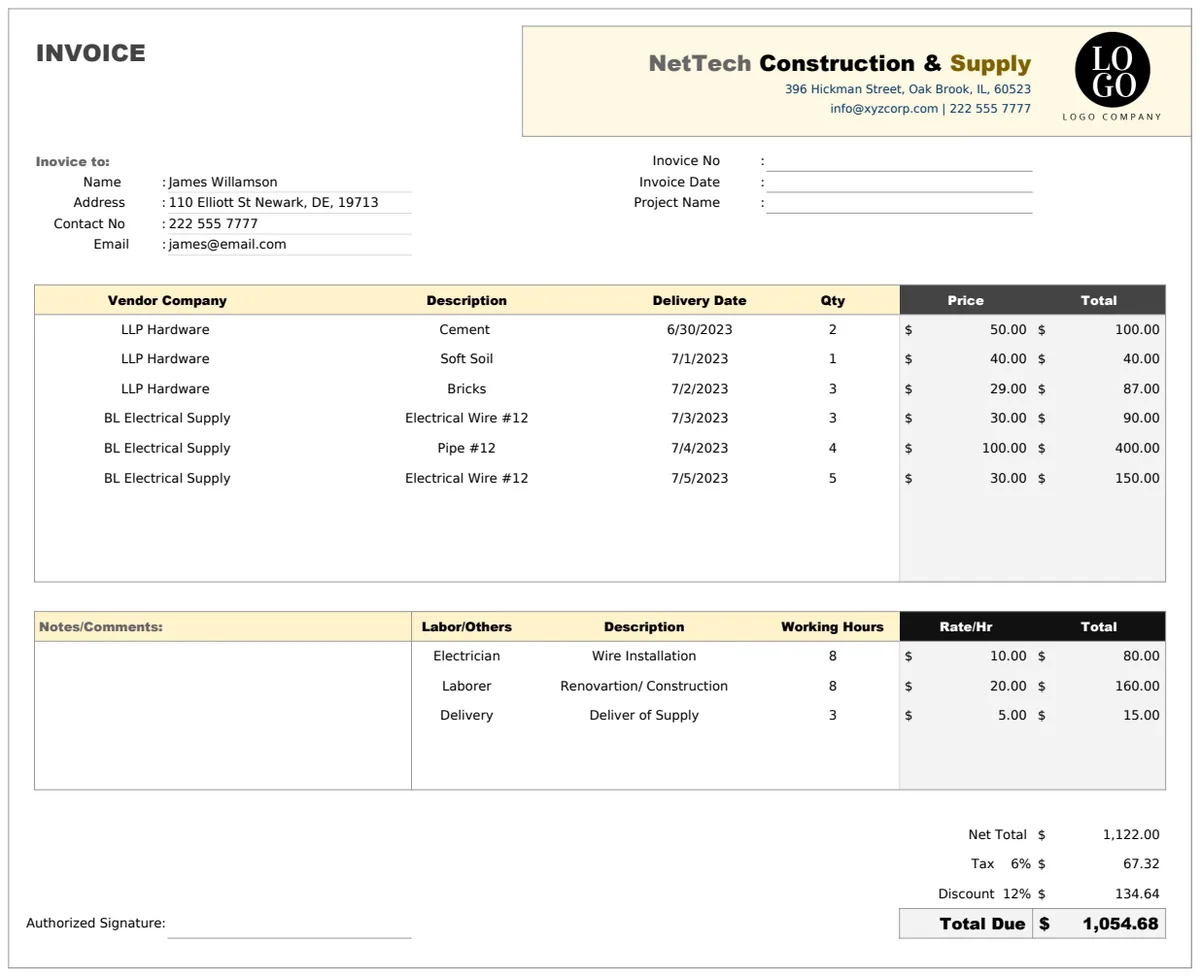
While building your own or adapting a free construction estimate template Excel file can be effective, sometimes you need a more integrated solution. If you're frequently generating estimates and then invoices, or if managing material suppliers and vendor details becomes a bottleneck, a dedicated system can save significant time. For instance, the Construction Estimate Invoice Template can help bridge the gap between quoting a job and billing for it, by combining estimate generation with invoice creation and even supply chain management. This can be particularly useful for smaller firms that can't justify expensive, enterprise-level software but need more than a basic spreadsheet. The library offers a one-time fee for unlimited downloads, which can be a smart investment for businesses looking to professionalize their quoting and billing processes.
How do I handle fluctuating material prices?
The best approach is to check current market prices just before finalizing your bid. For materials with known volatility, you can build a slight buffer into your unit cost or include a clause in your proposal stating that prices are subject to change based on market conditions. Regularly update your unit cost database in your spreadsheet.
Can I use this for different types of construction projects?
Yes, but you'll need to adapt the categories and line items. A framing estimate will look very different from a painting estimate. The key is that the structure of your template, the breakdown into materials, labor, subs, overhead, profit, remains consistent, while the specific line items within those categories change based on the project's scope.
How do I ensure my estimate is competitive?
Competitiveness comes from accuracy and efficiency, not just low prices. A detailed estimate shows clients you've thought through the project thoroughly, which builds confidence. While you need to be aware of market rates, don't underbid simply to win a job if it means losing money. Focus on providing excellent value and transparent pricing.
What if I need to add taxes to the final bid?
You can add another line item in your summary section for sales tax. If your sales tax rate is, for example, 7%, you would add a row for "Sales Tax" with a formula like =B4*0.07 (assuming B4 is your Total Estimated Cost before tax). This would then be added to get your final bid price.