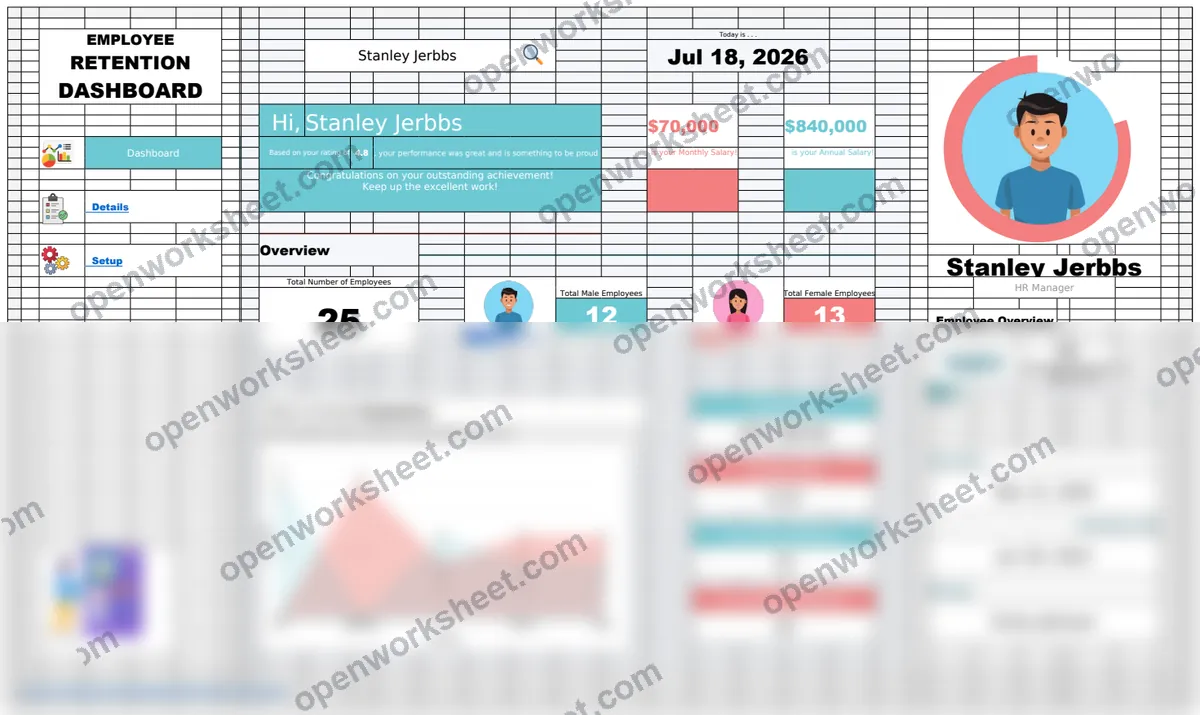
Employee Retention Dashboard
Track and analyze employee retention metrics, departmental status, and workforce stability with visual dashboards and detailed employee records.
Get this template
.xlsx · 4 sheets · includes charts
This template
$6.95single payment
- Nothing renews
- Download it again whenever you need
- Yours to keep and edit
Monthly plan
$14.95/month
- This template plus 9 more every month
- About $1.50 a template if you use all 10
- Thousands of templates to choose from
- Cancel anytime
- Secure checkout via Creem
- Instant download after payment
- 14-day refund policy
A comprehensive employee retention management system that monitors retention rates across departments, tracks employee status (active/inactive), and provides insights into workforce stability. The dashboard includes employee details with start dates, evaluation records, department assignments, and manager information. Features setup tables for department-level retention tracking, manager assignments, and work locations. Uses formulas to calculate retention metrics, filter by gender and status, and generate actionable insights through charts and visualizations.
What's inside
- Employee details tracking with ID, name, department, start date
- Retention status monitoring (active/inactive)
- Department-level retention analysis
- Manager and work location assignment
- Gender-based data filtering
- Charts and visual dashboard
- Lookup functions for employee information
- Retention metric calculations with COUNTIF/COUNTIFS
More in Human Resources
 Human Resources
Bell Curve Excel Template: Performance Appraisal & Calibration Tool
A bell curve Excel template for performance reviews: rate employees on weighted competencies, compare forced distribution with actual ratings, calibrate by department and flow final ratings into an increment and bonus matrix. Includes printable evaluation sheets and a bell curve maker for any data.
- 12 connected tabs, from a quick-start guide to Settings
- Ratings by employee and competency with weighted scores
- Separate weight sets for staff, managers and leaders
 Human Resources
Employee Attendance Sheet in Excel with Formula: Monthly & Yearly Tracker
An attendance sheet in Excel with formulas for up to 100 employees: 12 monthly sheets, automatic weekends and holidays, attendance codes, late and early counts, leave balances, a yearly summary and payroll-ready days. A complete attendance template for companies, offices and teams.
- 21 connected tabs, from a quick-start guide to Settings
- 12 monthly attendance sheets that follow the year you set
- Automatic weekends and holidays, with editable weekly off days
 Human Resources
HR, Scheduling & Payroll Suite
Employees, shift rosters, timesheets, leave, payroll and printable payslips in one Excel workbook, all feeding a live people dashboard.
- 10 connected tabs, from a quick-start guide to Settings
- People dashboard with 10 KPIs and 2 charts
- Department breakdown, alerts panel and who is out in the next 14 days
 Human Resources
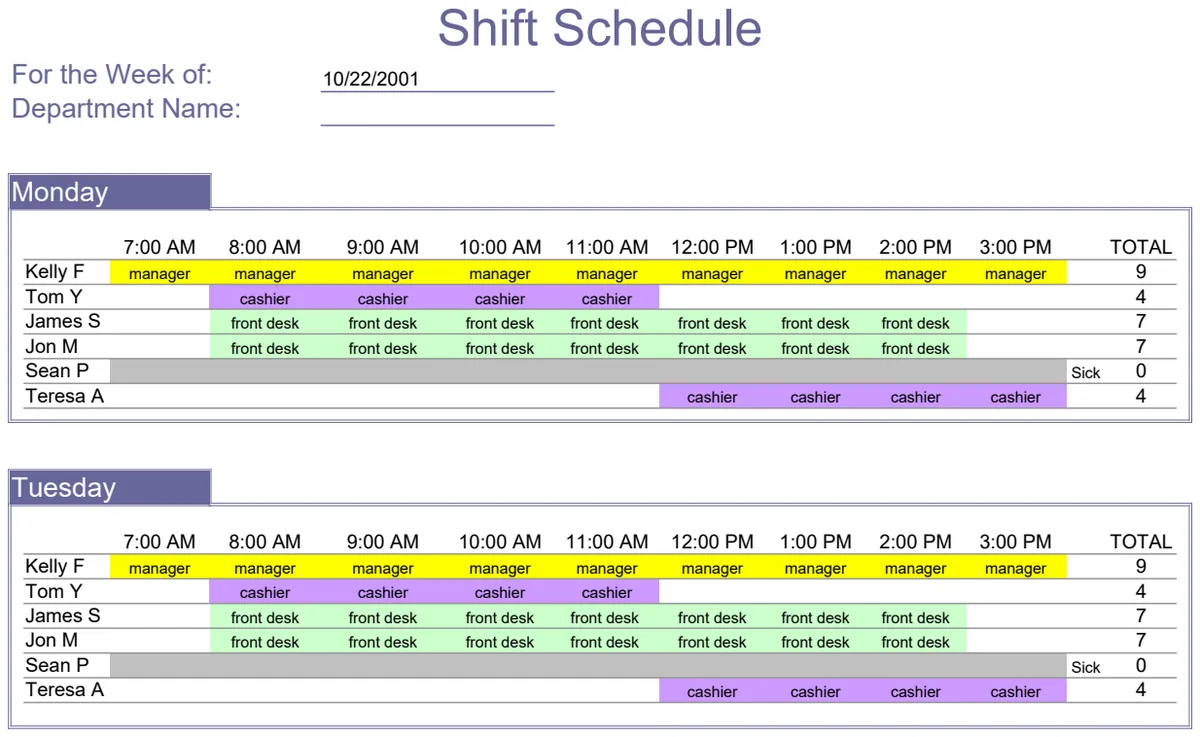
Employee Shift Schedule
Plan weekly staff shifts by department with automatic scheduling and conflict detection.
- Weekly shift schedule grid by department
- Automatic conflict detection for overlapping assignments
- Date range selector for scheduling period