Operation Template
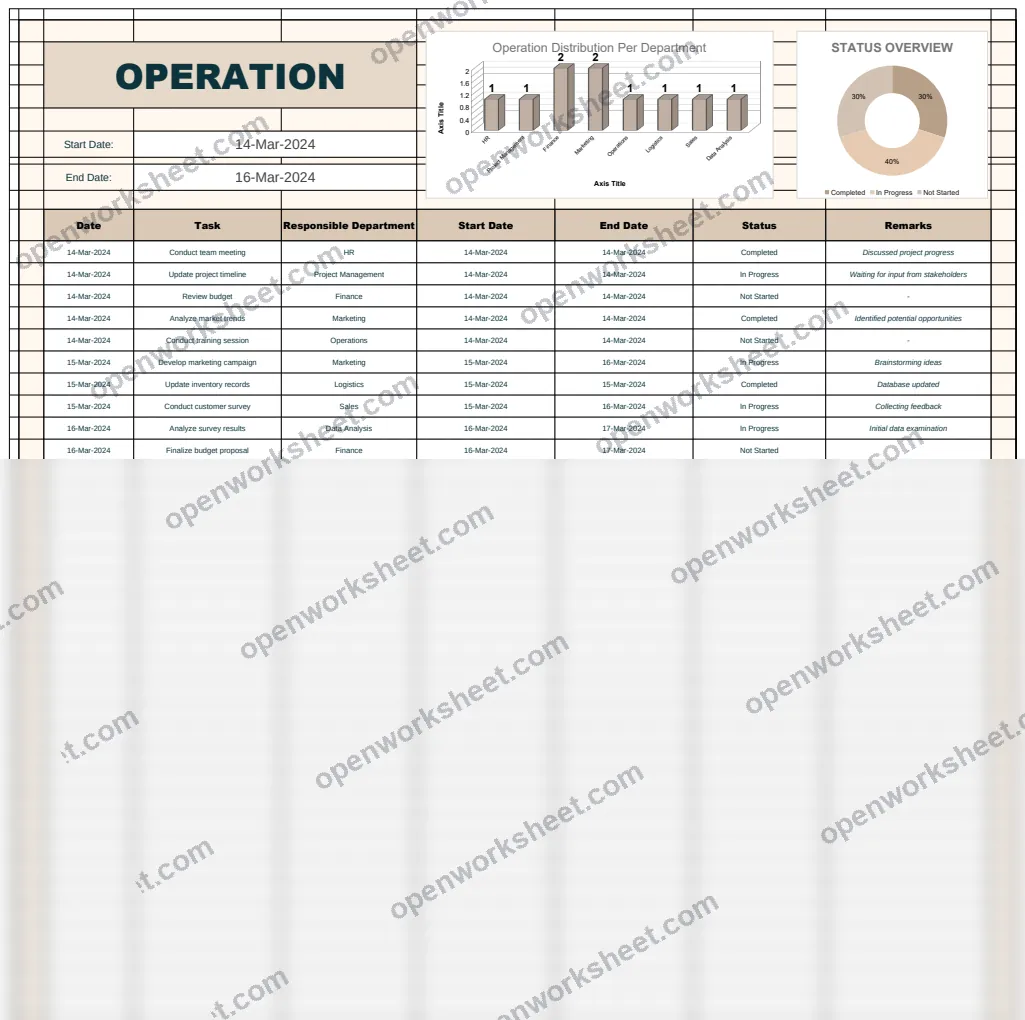
A multi-sheet operational tracking template that monitors project or process status across departments with date range calculations and status counting.
Get this template
.xlsx · 3 sheets · includes charts
This template
$6.95single payment
- Nothing renews
- Download it again whenever you need
- Yours to keep and edit
Monthly plan
$14.95/month
- This template plus 9 more every month
- About $1.50 a template if you use all 10
- Thousands of templates to choose from
- Cancel anytime
- Secure checkout via Creem
- Instant download after payment
- 14-day refund policy
This Operation Template provides a structured framework for tracking operational activities and their statuses across an organization. The main Operation sheet records individual tasks or processes with dates and status information. The Helper sheet uses COUNTIFS formulas to automatically aggregate status counts (Completed, In Progress, Not Started) by department, while calculating overall project start and end dates using MIN and MAX functions. The Setup sheet defines operational parameters including responsible departments and their associated statuses. This template is ideal for operations teams needing centralized visibility into process completion rates and timeline management.
What's inside
- Multi-sheet structure with Operation, Helper, and Setup sheets
- Automatic date range calculation using MIN/MAX functions
- Status aggregation using COUNTIFS formulas
- Department-based status counting
- Charts for visual progress representation
- Configurable setup parameters
More in Project Management
 Project Management
Microsoft Excel Gantt Chart Template with Dependencies, Baseline and Resource Workload
A Microsoft Excel Gantt chart project planner: phases and tasks with WBS numbers, finish-to-start, start-to-start, finish-to-finish and start-to-finish dependencies with lag, a baseline with slip, a Gantt chart by day or week, resource workload, a look-ahead list and a project dashboard.
- 7 tabs, from a quick-start guide to Settings
- Phases, tasks and subtasks with WBS numbering
- Phase rollup of dates and progress
 Project Management
Excel Timeline Template: Project Timeline, Milestones & Gantt Chart
An Excel timeline template that draws itself: list tasks, milestones and events, and get a timeline chart with labels placed above and below the axis, colours by category, zoom by week, month, quarter or year, a live Gantt chart and a project dashboard.
- 6 connected tabs, from a quick-start guide to Settings
- Timeline chart that positions milestones and events automatically
- Labels above and below the axis at three heights
 Project Management
Freelance Command Center
An all-in-one Excel workbook for freelancers. Projects, tasks, time, invoices and expenses roll up into a live dashboard with KPIs, deadlines and charts.
- 9 connected tabs, from a quick-start guide to Settings
- Dashboard with 10 KPI cards and 2 charts
- 12-month performance table and next 10 deadlines
 Project Management
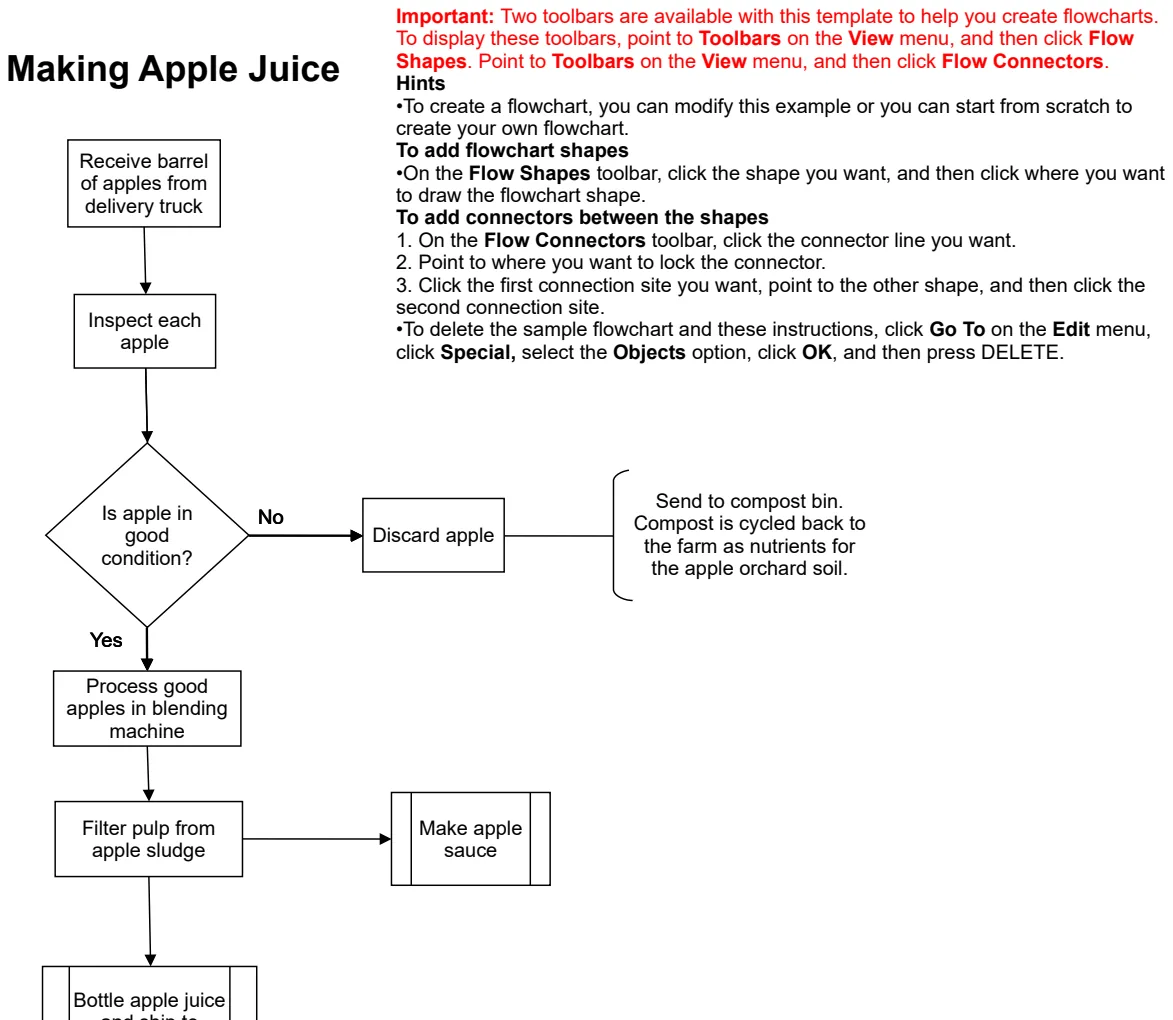
Simple Flowchart Template
Create process flows and decision diagrams visually in Excel without external design tools.
- Pre-formatted shapes for process steps
- Connector lines for flow direction
- Decision diamond shapes for conditional branches