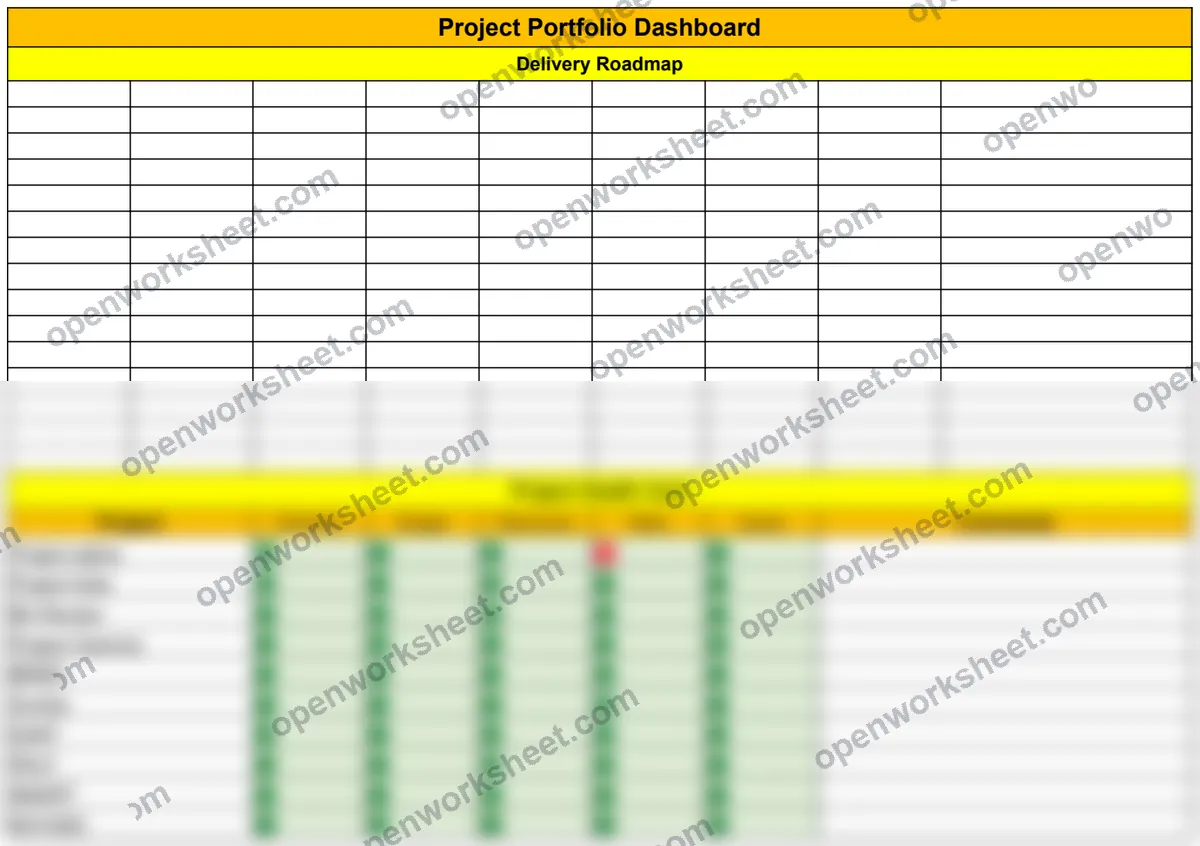
Portfolio Management Dashboard
Track multiple projects with budget, timeline, and risk visibility across your entire portfolio.
Get this template
.xlsx · 2 sheets · includes charts
This template
$5.95single payment
- Nothing renews
- Download it again whenever you need
- Yours to keep and edit
Monthly plan
$14.95/month
- This template plus 9 more every month
- About $1.50 a template if you use all 10
- Thousands of templates to choose from
- Cancel anytime
- Secure checkout via Creem
- Instant download after payment
- 14-day refund policy
A comprehensive dashboard that consolidates project data across your entire portfolio, displaying timelines, budgets (planned vs. actual), resource allocation, and risk summaries at a glance. Perfect for PMOs, executive leadership, and portfolio managers who need to monitor project health, identify budget variances, and spot risks before they escalate.
What's inside
- Multi-project dashboard with summary charts
- Budget variance analysis (planned vs. actual)
- Risk categorization and tracking by severity
- Resource headcount visibility
- Start/finish date and duration tracking
- Automated calculations for remaining budget
More in Project Management
 Project Management
Microsoft Excel Gantt Chart Template with Dependencies, Baseline and Resource Workload
A Microsoft Excel Gantt chart project planner: phases and tasks with WBS numbers, finish-to-start, start-to-start, finish-to-finish and start-to-finish dependencies with lag, a baseline with slip, a Gantt chart by day or week, resource workload, a look-ahead list and a project dashboard.
- 7 tabs, from a quick-start guide to Settings
- Phases, tasks and subtasks with WBS numbering
- Phase rollup of dates and progress
 Project Management
Excel Timeline Template: Project Timeline, Milestones & Gantt Chart
An Excel timeline template that draws itself: list tasks, milestones and events, and get a timeline chart with labels placed above and below the axis, colours by category, zoom by week, month, quarter or year, a live Gantt chart and a project dashboard.
- 6 connected tabs, from a quick-start guide to Settings
- Timeline chart that positions milestones and events automatically
- Labels above and below the axis at three heights
 Project Management
Freelance Command Center
An all-in-one Excel workbook for freelancers. Projects, tasks, time, invoices and expenses roll up into a live dashboard with KPIs, deadlines and charts.
- 9 connected tabs, from a quick-start guide to Settings
- Dashboard with 10 KPI cards and 2 charts
- 12-month performance table and next 10 deadlines
 Project Management
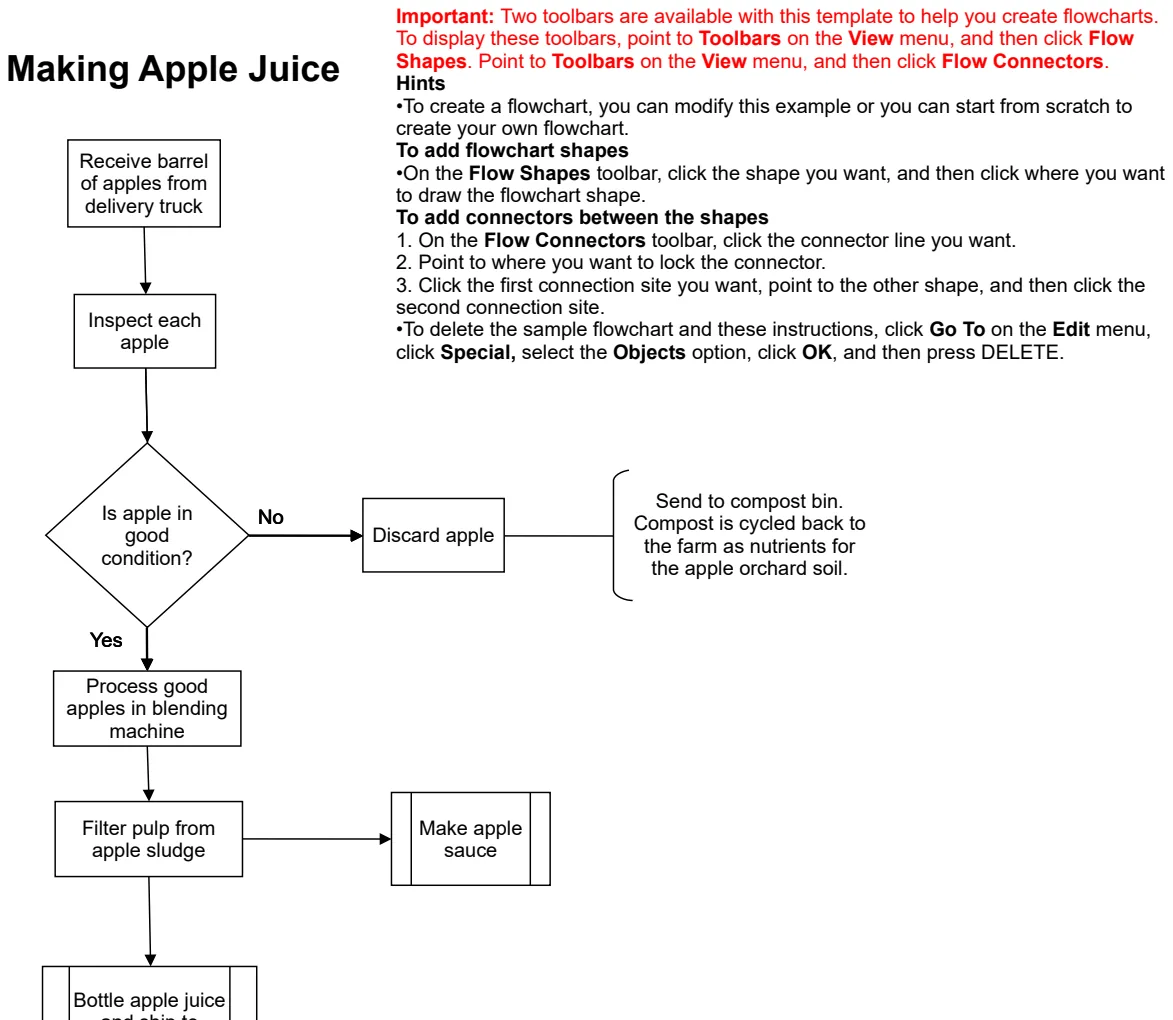
Simple Flowchart Template
Create process flows and decision diagrams visually in Excel without external design tools.
- Pre-formatted shapes for process steps
- Connector lines for flow direction
- Decision diamond shapes for conditional branches