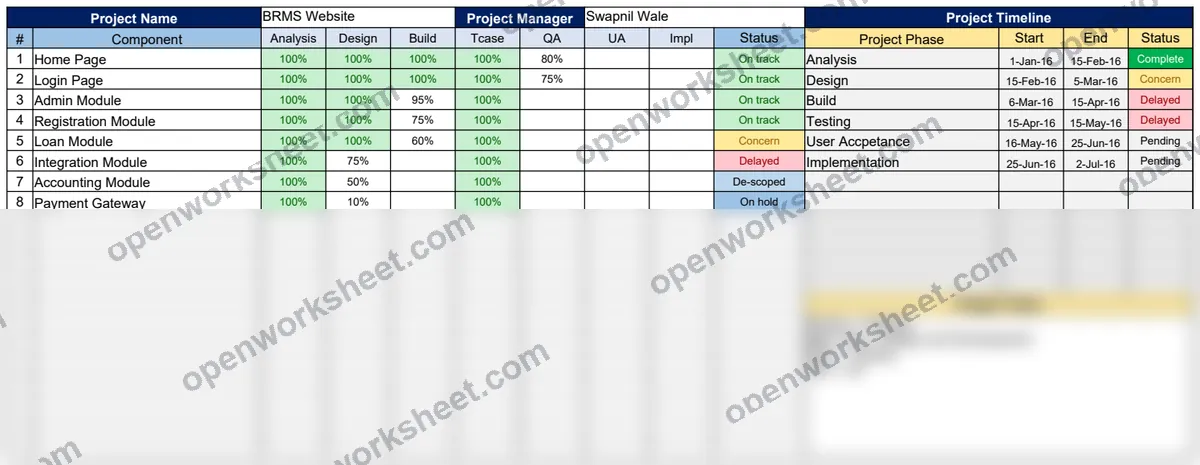
Project Tracking Spreadsheet
Track project components across phases with status monitoring and team accountability.
Get this template
.xlsx · 2 sheets
This template
$5.95single payment
- Nothing renews
- Download it again whenever you need
- Yours to keep and edit
Monthly plan
$14.95/month
- This template plus 9 more every month
- About $1.50 a template if you use all 10
- Thousands of templates to choose from
- Cancel anytime
- Secure checkout via Creem
- Instant download after payment
- 14-day refund policy
This template helps project managers monitor work across multiple components and development phases—from analysis through testing. It captures project metadata, assigns responsibility, and tracks progress status, enabling clear visibility into what's complete, pending, or at risk. Perfect for software development teams, product managers, and anyone coordinating complex work requiring phase-based tracking and stakeholder communication.
What's inside
- Component-based work breakdown structure
- Multi-phase tracking (Analysis, Design, Build, Testing)
- Project manager assignment and accountability
- Status indicators (Pending, On Track)
- Project timeline overview
- Team visibility into task progress
More in Project Management
 Project Management
Microsoft Excel Gantt Chart Template with Dependencies, Baseline and Resource Workload
A Microsoft Excel Gantt chart project planner: phases and tasks with WBS numbers, finish-to-start, start-to-start, finish-to-finish and start-to-finish dependencies with lag, a baseline with slip, a Gantt chart by day or week, resource workload, a look-ahead list and a project dashboard.
- 7 tabs, from a quick-start guide to Settings
- Phases, tasks and subtasks with WBS numbering
- Phase rollup of dates and progress
 Project Management
Excel Timeline Template: Project Timeline, Milestones & Gantt Chart
An Excel timeline template that draws itself: list tasks, milestones and events, and get a timeline chart with labels placed above and below the axis, colours by category, zoom by week, month, quarter or year, a live Gantt chart and a project dashboard.
- 6 connected tabs, from a quick-start guide to Settings
- Timeline chart that positions milestones and events automatically
- Labels above and below the axis at three heights
 Project Management
Freelance Command Center
An all-in-one Excel workbook for freelancers. Projects, tasks, time, invoices and expenses roll up into a live dashboard with KPIs, deadlines and charts.
- 9 connected tabs, from a quick-start guide to Settings
- Dashboard with 10 KPI cards and 2 charts
- 12-month performance table and next 10 deadlines
 Project Management
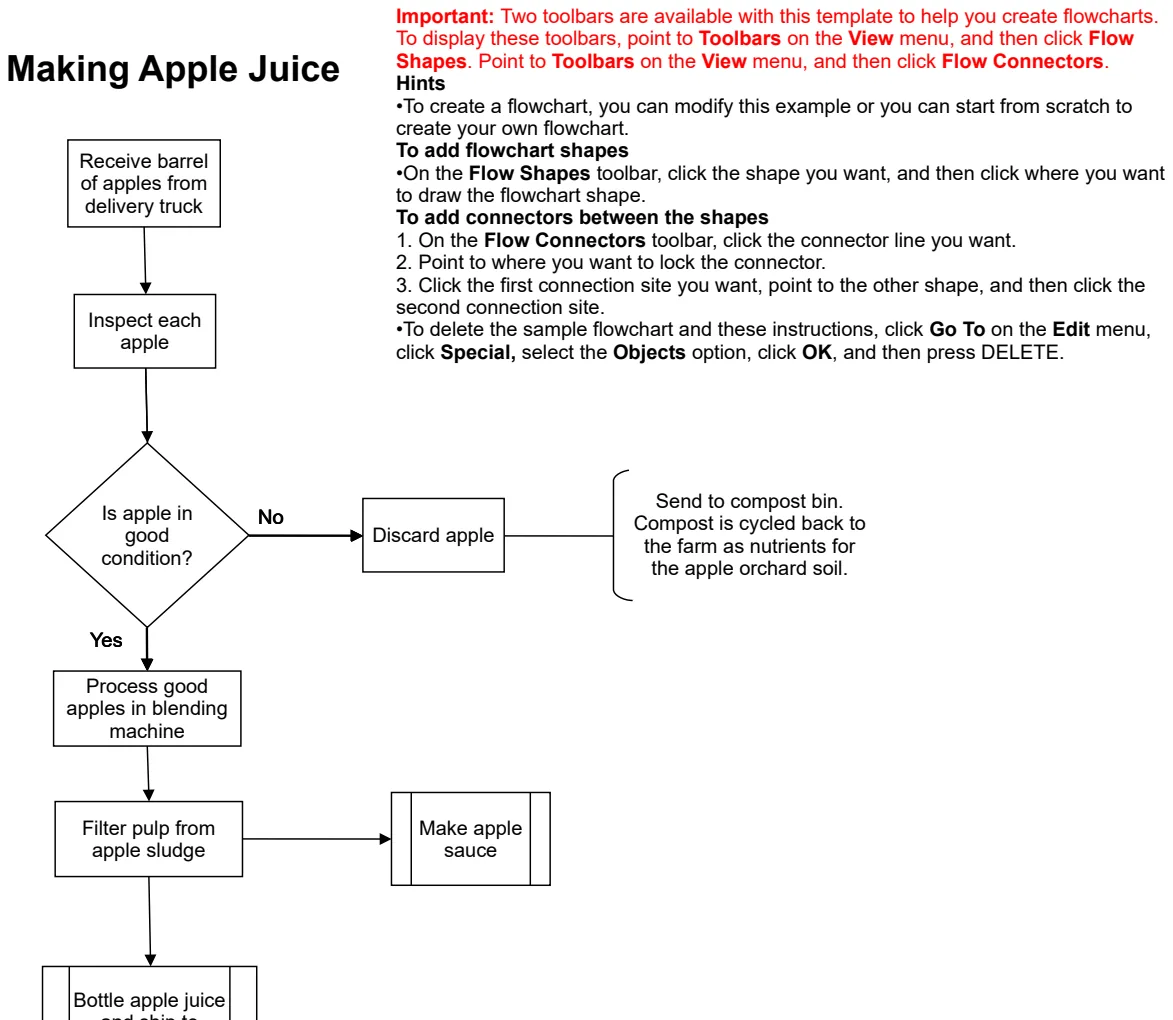
Simple Flowchart Template
Create process flows and decision diagrams visually in Excel without external design tools.
- Pre-formatted shapes for process steps
- Connector lines for flow direction
- Decision diamond shapes for conditional branches