7 Free CRM Excel Templates for Small Businesses in 2026
Small businesses often start lean, and that includes their customer relationship management. A free CRM spreadsheet gives you immediate control over your client data without the immediate cost of dedi...
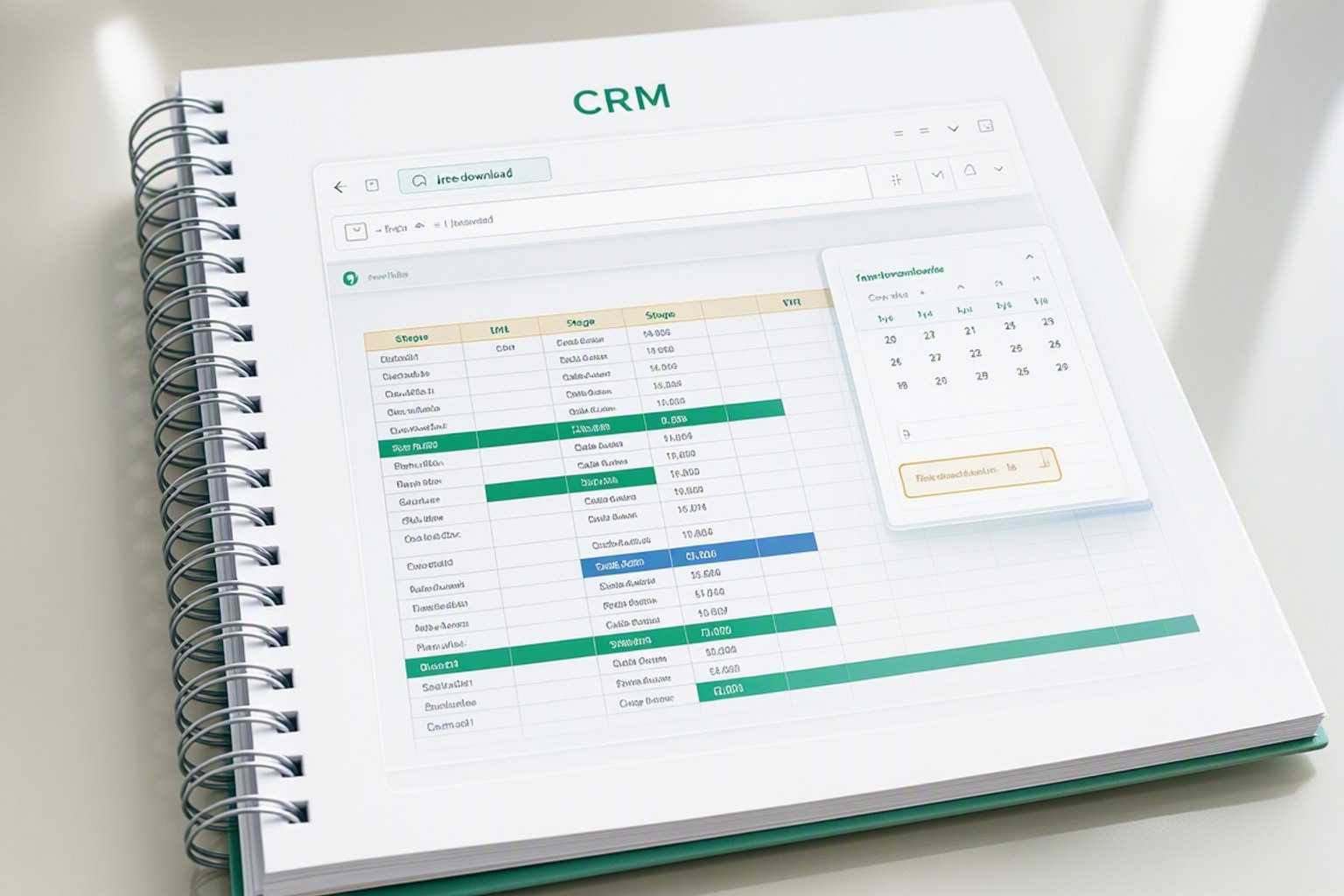
Small businesses often start lean, and that includes their customer relationship management. A free CRM spreadsheet gives you immediate control over your client data without the immediate cost of dedicated software. It's an accessible first step for managing leads, tracking interactions, and nurturing customer relationships from day one. You gain a centralized hub for all customer information, preventing details from slipping through the cracks. This foundational organization directly supports growth and profitability.
Why a Free CRM Spreadsheet is Your Small Business's First Step
Many small businesses grapple with scattered customer information. Emails, sticky notes, and disparate documents create a messy, inefficient system. A free CRM spreadsheet consolidates everything, offering a single source of truth for all customer interactions. It brings order to chaos, making it easier to follow up on leads and serve existing clients effectively.
Understanding the "Why Now?" for Spreadsheet CRMs
Small businesses face unique challenges. They need to maximize every dollar, and complex CRM software often comes with a steep learning curve and higher price tag. A spreadsheet CRM offers a straightforward, low-cost solution. It addresses immediate pain points like disorganized contact lists, forgotten follow-ups, and an unclear view of the sales pipeline.
The Cost of Not Tracking: What You're Losing
Ignoring organized customer management costs real money. A small sales team of five, for instance, can spend $1,500 monthly on repetitive manual data entry in spreadsheets, according to Capsule CRM. This isn't just about salaries; it's lost opportunity. Wasted time on manual tasks means less time selling or nurturing client relationships. Disorganized data also leads to missed sales opportunities and poor customer retention.
Choosing the Right Free CRM Template for Your Business
Selecting the best free CRM template depends on your specific needs. Consider your business size, sales cycle, and reporting requirements. A simple template works well for solo entrepreneurs, while a more robust one suits small teams. Prioritize templates that offer flexibility and ease of use.
Key Features to Look for in a Basic CRM Spreadsheet
A good basic CRM spreadsheet includes several core functionalities. You need clear sections for contact management, capturing names, contact details, and company information. Lead tracking is essential, allowing you to monitor potential customers through different stages. Sales pipeline stages help visualize where each deal stands, from initial contact to closed won or lost. Look for fields to record interaction history, next steps, and follow-up dates.
Excel vs. Google Sheets: Which Platform is Best for You?
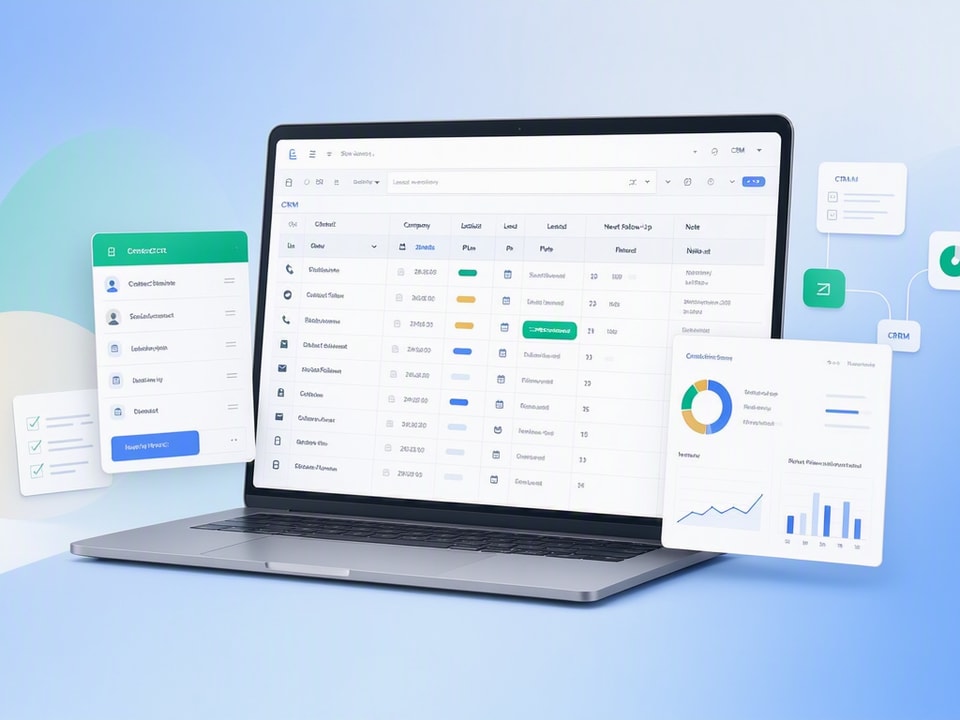
Both Excel and Google Sheets offer robust environments for CRM templates. Excel provides powerful offline capabilities and extensive functions, ideal for individual users or small teams working primarily on desktop. Google Sheets excels in real-time collaboration and accessibility. Multiple team members can update the same sheet simultaneously from anywhere with an internet connection. For many small businesses, Google Sheets' collaborative features make it a strong choice.
Where to Find Reliable Free CRM Templates
Many reputable sources offer free CRM templates. HubSpot provides excellent free CRM templates for both Excel and Google Sheets, perfect for beginners. Salesforce also offers a CRM Template Guide with downloadable options. Other platforms like Smartsheet and Vertex42 offer various templates. Vertex42's CRM template, updated since 2013, focuses on a simple spreadsheet database for easy management.
Setting Up Your CRM Spreadsheet: A Step-by-Step Guide
Once you've chosen a template, setting it up correctly ensures its effectiveness. Don't rush this stage; a well-configured spreadsheet saves time later. Dedicate an hour or two to populate and customize your template.
Initial Data Import and Contact Organization
Start by importing your existing customer data. Most templates allow you to copy and paste directly from another spreadsheet or CSV file. Organize your contacts into clear categories. Ensure consistency in data entry, like using a standard format for phone numbers or dates. Clean up any duplicate entries before populating your new CRM.
Customizing Your Sales Pipeline Stages
Tailor the sales pipeline to reflect your actual sales process. Common stages include "Lead In," "Qualified," "Proposal Sent," "Negotiation," and "Closed Won/Lost." Rename columns or add new ones to match your unique workflow. This customization makes the pipeline a true reflection of your business.
Essential Formulas for Tracking and Reporting
Even basic spreadsheets can offer valuable insights with simple formulas. Use COUNTIF to track the number of leads in each stage, for example =COUNTIF(C:C,"Qualified"). SUM can total potential revenue from deals in negotiation. You can also use conditional formatting to highlight overdue follow-up dates. These formulas transform raw data into actionable reports.
Recommended Resources
Skip the blank-sheet setup
These templates and bundles give you a head start with pre-built structures and formulas.
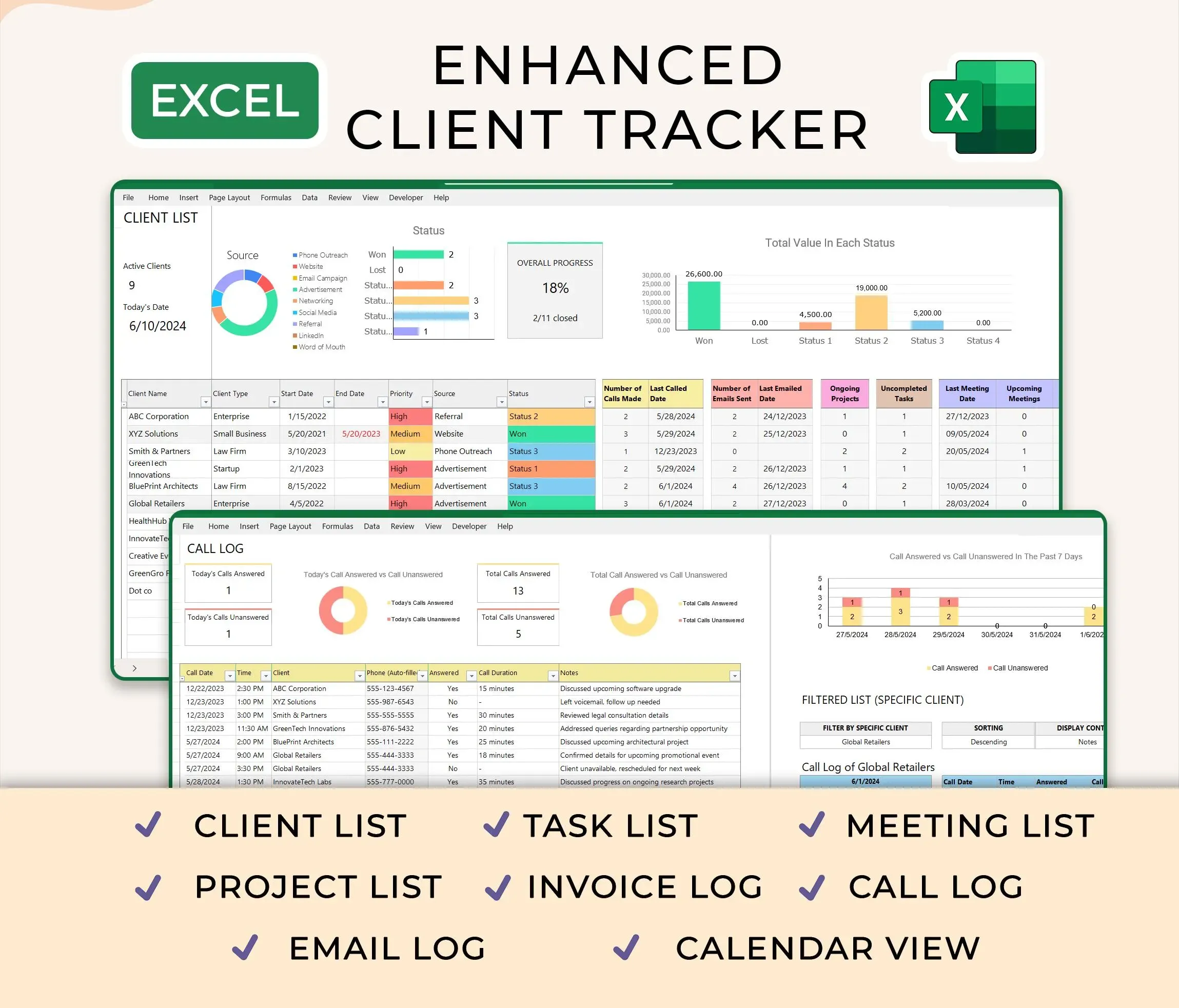
Ultimate Client Tracker CRM Template – Google Sheet & Ms Excel Versions
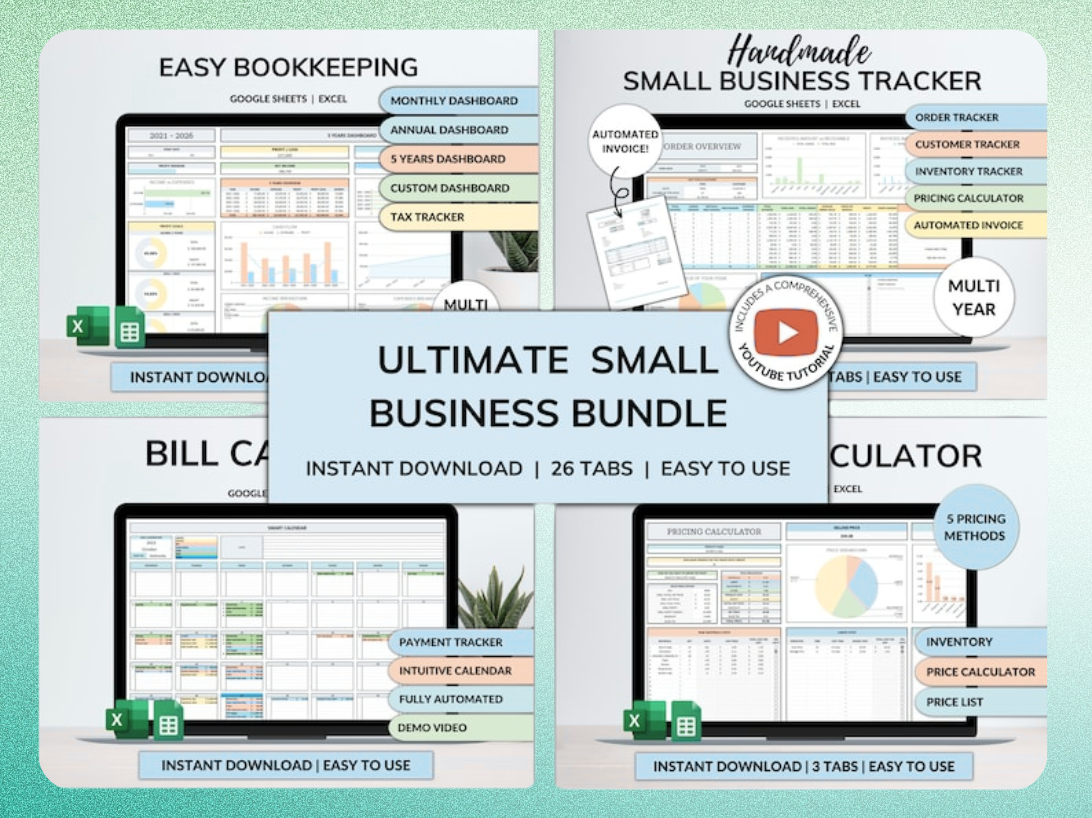
Ultimate Small Business Bundle Templates - Google Sheet + Ms Excel
All-in-One Spreadsheets for Bookkeeping, Inventory, Orders, Billing & Pricing Save Hours Every Week: Automate data entry and dashboards so you can focus on growth, not spreadsheets.
Maximizing Your Free CRM Spreadsheet's Potential
A CRM spreadsheet is only as good as the data it contains and how consistently you use it. Implement a routine to keep information fresh and accurate. This proactive approach prevents data decay and ensures your CRM remains a valuable tool.
Workflow Checklist: Daily, Weekly, and Monthly Tasks
Establish a routine for maintaining your CRM. Daily tasks might include adding new contacts and updating recent interactions. Weekly, review your pipeline, update lead statuses, and schedule follow-ups. Monthly, audit your data for accuracy, remove outdated entries, and generate simple reports. "Don't wait until Friday to update your CRM. Add new contacts, update existing ones, and record transactions right after they happen."
Integrating with Other Productivity Tools
While a spreadsheet CRM is standalone, you can integrate it with other tools. Copy meeting notes from your calendar into the CRM's interaction log. Use email templates to quickly send follow-ups, then record the action in your sheet. This creates a more connected workflow without needing complex software integrations.
Common Pitfalls and How to Avoid Them
Watch for common issues that can undermine your spreadsheet CRM. Data duplication is a frequent problem; implement a quick check before adding new contacts. Outdated information renders your CRM useless; enforce regular data audits. Lack of standardization, like inconsistent naming conventions, makes data hard to analyze. "It’s easy for an Excel database to become cluttered with old data. Clutter makes it hard for your team to effectively use the data."
When to Upgrade: Recognizing the Limits of Free Spreadsheets
Free spreadsheet CRMs are powerful starting points, but they have limitations. As your business grows, you'll eventually encounter scenarios where a dedicated CRM system becomes more efficient. Recognizing these signs helps you plan a smooth transition.
Signs Your Business Needs More Than a Spreadsheet
Look for signs like scalability issues. If managing hundreds or thousands of contacts becomes unwieldy, a spreadsheet isn't cutting it. Advanced reporting needs, beyond simple sums and counts, also indicate it's time to upgrade. Team collaboration challenges, where multiple users struggle with real-time updates or version control, point to the need for a more robust solution.
Exploring Dedicated CRM Software Options
When the time comes, explore dedicated CRM software options. These platforms offer advanced features like marketing automation, detailed analytics, customer service modules, and robust security. Focus on solutions that align with your specific industry and growth trajectory. Many offer free trials, allowing you to test features before committing.
Streamlining the Transition to a New System
Migrating to a new system requires careful planning. First, export all your existing data from the spreadsheet CRM. Clean and format this data to fit the new system's requirements. Train your team thoroughly on the new platform to ensure smooth adoption. A phased rollout can minimize disruption to your sales and customer service operations.
Ready-to-Use CRM Templates and Productivity Bundles
Starting with a pre-built template saves significant time and effort. You get a structured system from day one, allowing you to focus on customer interactions rather than spreadsheet design. These solutions often incorporate best practices and common functionalities, reducing the learning curve.
The Ultimate Client Tracker CRM Template
Consider the Ultimate Client Tracker CRM Template for Google Sheets and Microsoft Excel. This comprehensive template offers a structured approach to client management. It includes dedicated sections for contact details, interaction logs, sales pipeline tracking, and customizable fields. It's designed to streamline your client data, making it easier to manage relationships and opportunities.
All-in-One Small Business Productivity Bundles
For businesses needing more than just CRM, an all-in-one bundle can be invaluable. The Ultimate Small Business Bundle Templates for Google Sheets and Excel offers solutions beyond client tracking. It includes tools for bookkeeping, inventory management, order tracking, billing, and pricing. This comprehensive approach helps automate various operational aspects, freeing up your time.
Automate Your Way to Growth: Save Time and Focus on What Matters
Well-designed templates and integrated solutions help automate repetitive tasks. This automation saves hours every week, which you can redirect towards strategic growth initiatives. By reducing manual data entry and providing clear dashboards, you gain insights faster and can make more informed decisions. Focus on building customer relationships and growing your business, not wrestling with spreadsheets.
Get the newsletter
One sharp idea every Sunday.
No fluff. No sales pitches. Just the best of what we publish, hand-picked.
Continue Reading
Related Articles
10+ Free CRM Excel & Google Sheets Templates for 2026
Small businesses still run on spreadsheets in 2026. A free CRM Excel template gives you contact tracking, deal stages, and follow-up reminders without monthly software fees or forced onboarding calls....
Excel vs. Google Sheets for Small Business: 2026 Guide
Small businesses run on spreadsheets. Whether you track clients, inventory, invoices, or marketing spend, you need a platform that handles your data without slowing your team down. The 2026 choice bet...

Top 31 Digital Products to Sell in 2026: A Creator's Guide
Digital products let you build once and sell forever. No shipping costs, no inventory headaches, no manufacturing delays. You create a spreadsheet template, ebook, or Notion dashboard today and delive...