Top 31 Digital Products to Sell in 2026: A Creator's Guide
Digital products let you build once and sell forever. No shipping costs, no inventory headaches, no manufacturing delays. You create a spreadsheet template, ebook, or Notion dashboard today and delive...

Digital products let you build once and sell forever. No shipping costs, no inventory headaches, no manufacturing delays. You create a spreadsheet template, ebook, or Notion dashboard today and deliver it instantly to customers in Tokyo, Toronto, or Tulsa tomorrow morning.
The market for templates, productivity tools, and AI workflow guides has exploded as of June 2026. Remote teams need budget trackers that work across time zones. Founders want pitch decks they can customize in 20 minutes. Freelancers search for invoice generators that calculate taxes automatically. At the same time, both businesses and individuals now want instant access to specialized knowledge, creative assets, and practical tools. The result is a thriving ecosystem where a single Google Sheets dashboard can generate passive income for years.
What Are Digital Products and Why They're Profitable in 2026
Digital products are downloadable or cloud-based assets that solve a specific problem without requiring physical inventory. Think Excel budget planners, PDF ebooks, Canva social media kits, Notion project trackers, or AI prompt libraries. You build the product once, then sell unlimited copies with zero additional production cost.
Demand in 2026 is driven by three forces. First, AI tools like ChatGPT and Claude have made creation faster, so more creators can enter the market with polished products in days instead of months. Second, remote work and distributed teams need standardized systems: dashboards that track OKRs, templates that unify branding, calculators that prevent spreadsheet errors. Third, buyers prefer instant delivery over waiting for physical goods, especially when they need a solution today.
Practical products seem to win more than flashy ones. Examples that keep surfacing: templates that save time, like Notion dashboards or Google Sheets trackers. A $19 sales pipeline spreadsheet that auto-calculates conversion rates beats a generic "productivity planner" every time because it solves a concrete pain point in 10 minutes.
The Core Advantage: Zero Marginal Cost and Instant Delivery
Once you finish a digital product, replication is free. Selling your first copy costs the same as selling your thousandth: zero manufacturing, zero shipping, zero storage fees. Your only ongoing expenses are payment processing (typically 2.9% plus 30 cents per transaction) and platform fees if you sell through marketplaces like Gumroad or Etsy.
Instant delivery means customers get value immediately. They buy a budget tracker at 11 p.m., download it, and start entering expenses before midnight. No waiting for shipping confirmations or tracking numbers. This speed reduces buyer hesitation and increases conversion rates, especially for impulse purchases under $30.
Global reach is automatic. A Google Sheets template works identically in Singapore, Stockholm, and São Paulo. You write instructions once in English, and international customers adapt formulas to their currency or date format. No customs forms, no international shipping headaches, no regional inventory management.
Why Spreadsheet Templates and Productivity Tools Dominate Sales
Spreadsheet templates sell because they compress hours of setup into a single download. A founder building a cash flow forecast from scratch might spend four hours designing column headers, writing formulas, and formatting conditional rules. A $17 template delivers that structure in 60 seconds, pre-tested and ready for real data.
Templates are one of the most in-demand digital products because they reduce the time and effort it takes to achieve a polished result. Operators and finance teams managing budgets, trackers, and dashboards value speed over customization. They want a working system today, not a blank sheet and a YouTube tutorial. A sales dashboard with pipeline stages, conversion formulas, and chart automation is worth $29 to a small business owner who can start tracking deals immediately.
Productivity tools dominate because they target repeat buyers. A freelancer who buys an invoice generator in January might return in March for a project timeline template, then again in June for a client CRM. Each purchase solves a new workflow pain point, creating a natural upsell path for creators who build complementary products.
The Most Profitable Digital Product Niches in 2026
The highest-earning niches combine urgent demand with low competition for quality execution. AI productivity guides, spreadsheet templates, and Notion systems lead sales volume as of mid-2026 because they solve immediate operational problems for non-technical professionals. Here's where the money is moving.
AI Productivity Ebooks and Guides ($4.99-$67)
AI workflow ebooks teach non-technical professionals how to use ChatGPT, Claude, or Gemini for daily tasks without learning to code. Topics include prompt libraries for marketing copy, automation workflows for email triage, and step-by-step guides for building custom GPTs. Pricing ranges from $4.99 for a single-topic PDF to $24.99 for a comprehensive guide with interactive components.
Ebooks remain the fastest digital product to create and validate, with tools like Inkfluence AI producing a complete formatted ebook in a single day. You can draft a 40-page guide on "AI Workflows for Freelance Writers" in a weekend, validate demand with a $7 pre-sale, then iterate based on early buyer feedback. The low production cost makes ebooks ideal for testing new niches before investing in video courses or software tools.
Comprehensive guides with interactive components are priced between $37 and $67. These bundles include the core ebook plus bonus resources like prompt templates, Notion dashboards, or video walkthroughs. A $49 package might pair a 60-page AI productivity guide with a Google Sheets tracker for logging prompt experiments and a Loom video showing real-world examples. The higher price reflects the time saved and the finished assets included.
Spreadsheet Templates for Business Operations ($9-$49)
Google Sheets and Excel trackers dominate this category: budget planners for freelancers, sales dashboards for small teams, project timelines for agencies, invoice generators for consultants. Pricing starts at $9 for a single-use template and scales to $49 for a multi-tab system with automation triggers and conditional formatting.
A monthly budget tracker priced at $14 might include tabs for income, expenses, savings goals, and a summary dashboard with charts. The buyer enters transactions, and formulas calculate totals, percentages, and variances automatically. The value proposition is speed: instead of building formulas from scratch, the user starts tracking real data in five minutes.
Sales dashboards command higher prices ($29-$49) because they solve a recurring pain point for revenue teams. A pipeline tracker with stages, conversion rates, and forecast calculations saves a sales manager hours of manual reporting each week. Add integrations (like Zapier webhooks or Google Forms for lead capture) and the price can stretch to $67 for a complete system.
Recommended Resources
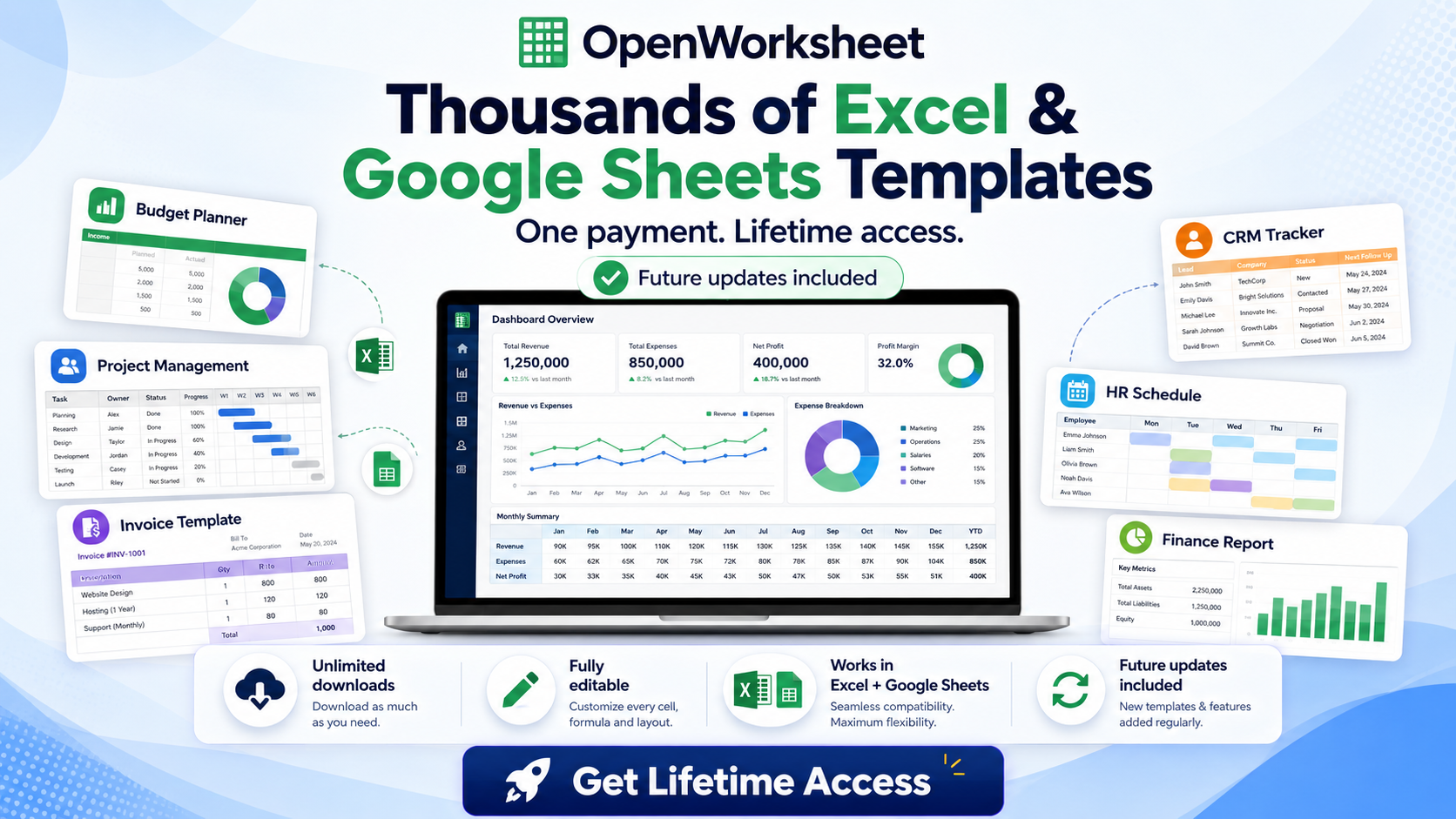
Skip the blank-sheet setup
Start with pre-built templates that cover budgets, sales pipelines, project timelines, and operational dashboards in both Excel and Google Sheets formats
Notion Templates and Workspace Systems ($9-$49)
Notion templates organize workflows into visual databases, dashboards, and project hubs. Popular products include content calendars for creators, CRM setups for solopreneurs, habit trackers for productivity enthusiasts, and all-in-one workspaces for freelancers managing clients, invoices, and tasks in one place. Notion and planner templates sell for $9 to $49 depending on complexity and the number of linked databases.
A content calendar priced at $12 might include a database for blog posts, a social media planner, and a publishing schedule with filters for status and platform. The buyer duplicates the template into their Notion workspace and starts adding content ideas immediately. The key selling point is structure: buyers know what a good content calendar should include, but they don't want to spend two hours building it from scratch.
All-in-one workspace systems ($39-$49) combine multiple functions: client CRM, project tracker, invoice log, and resource library. These systems appeal to freelancers and small agency owners who want a unified dashboard instead of juggling separate tools. The higher price reflects the setup time saved and the interconnected database logic that makes the system work as a cohesive unit.
Canva and PowerPoint Templates for Visual Content
Pitch decks, social media kits, presentation templates, and branded slide decks help founders and marketers create polished visuals without hiring designers. Canva templates range from $9 for a single social media kit to $29 for a complete brand package with 50+ customizable designs. PowerPoint templates for corporate presentations or investor decks typically sell for $19-$39.
A pitch deck template priced at $24 includes 15-20 pre-designed slides: problem statement, solution, market size, business model, team, and financials. The buyer swaps placeholder text and images for their own content, adjusting colors to match their brand. The value is time: a founder can build a professional deck in 90 minutes instead of spending a full day wrestling with layout and typography.
Social media kits ($12-$19) bundle templates for Instagram posts, stories, LinkedIn carousels, and Pinterest pins in consistent branding. A creator buys the kit, customizes colors and fonts once, then reuses the templates for months. The recurring use justifies the price because each template saves 15-20 minutes per post.
AI Skills Courses for Professionals ($49-$499)
Non-technical courses teach ChatGPT workflows, automation basics, and productivity hacks for professionals who want to use AI without learning Python or API integration. AI-skills courses for non-technical professionals are priced between $49 and $499 depending on depth, format, and included resources. A $79 course might cover prompt engineering, workflow automation with Zapier, and building custom GPTs, delivered as video lessons with downloadable templates.
These courses sell because they bridge the gap between AI hype and practical application. A marketing manager doesn't need to understand transformer architecture; they need to know how to generate email sequences, summarize meeting notes, and draft social media captions in 10 minutes. A $149 course that delivers those workflows with screen recordings and copy-paste prompts is worth the price if it saves five hours per week.
Premium courses ($299-$499) include live coaching, community access, or certification. A $399 package might offer eight weeks of video lessons, a private Slack group for troubleshooting, and monthly Q&A calls with the instructor. The higher price reflects ongoing support and accountability, which increases completion rates and buyer satisfaction.
How to Validate Digital Product Demand Before You Build
Validation prevents wasted effort on products nobody wants. Spend three days testing demand before you spend three weeks building. The goal is to confirm that people will pay for your solution, not just say it sounds interesting.
Search Volume and Keyword Research for Product Ideas
Use Google Trends, keyword tools like Ahrefs or Ubersuggest, and community searches on Reddit and Twitter to spot rising demand. Search for phrases like "budget tracker template," "Notion CRM," or "AI prompt library" and check monthly search volume. If a keyword gets 2,000+ searches per month with low competition, it's a viable product idea.
Reddit threads and Twitter discussions reveal pain points that keyword tools miss. Search r/Notion, r/GoogleSheets, or r/productivity for phrases like "looking for," "need help with," or "does anyone have a template for." When you see the same request repeated across multiple threads, you've found a validated problem worth solving.
Google Trends shows whether interest is growing or fading. Compare search interest for "AI productivity tools" in January 2025 versus January 2026. If the trend line is rising, demand is expanding. If it's flat or declining, the niche may be saturated or losing relevance.
Pre-Sell or Survey Your Audience
Test interest with a landing page, email survey, or limited beta offer before you finish building. Create a simple sales page describing your product, list the features and benefits, and add a "Pre-order now" button linked to a Gumroad or Stripe payment form. If 20 people buy a $19 template based on a description and mockup screenshots, you've validated demand.
Email surveys work if you already have a small audience. Send a short survey asking, "What's your biggest pain point with [budget tracking / content planning / sales reporting]?" and "Would you pay $15-$30 for a template that solves this?" If 30% of respondents say yes, build the product. If 5% say yes, pivot to a different idea.
Limited beta offers let you sell an unfinished product at a discount in exchange for feedback. Offer the first 10 buyers a 50% discount and a private feedback call. Use their input to refine formulas, add missing features, and improve documentation before the full launch. Early buyers become advocates who leave reviews and share the product with their networks.
Analyze Competitor Pricing and Reviews
Check Gumroad, Etsy, and template marketplaces like Creative Market to see what similar products sell for and how buyers rate them. If a competitor's $19 budget tracker has 200 sales and 4.8 stars, the market is proven. Read the reviews to find feature gaps: "Great template but wish it had a savings goal tracker" tells you exactly what to add to your version.
Pricing benchmarks prevent underpricing or overpricing. If most Notion CRM templates sell for $15-$25, pricing yours at $49 requires justification (more features, better design, video tutorials). Pricing at $7 signals low quality and leaves money on the table. Match the market rate for your first product, then test higher prices once you have reviews and social proof.
Feature gaps are your competitive advantage. If every competitor's sales dashboard requires manual data entry, build yours with a Google Forms integration that auto-populates leads. If every pitch deck template uses generic stock photos, create yours with custom illustrations. Solve the problem competitors ignore, and buyers will pay a premium.
Step-by-Step: Creating a High-Value Spreadsheet Template
A high-value spreadsheet template solves a specific problem in 10 minutes or less. It includes clear instructions, example data, and formulas that work without modification. Here's how to build one that sells.
Identify a Specific Pain Point and Use Case
Pick a narrow problem with a clear audience. "Budget tracker" is too broad. "Monthly budget tracker for freelancers with irregular income" is specific. The tighter the use case, the easier it is to design the right columns, formulas, and instructions.
Ask yourself: What decision does this template help the user make? A sales pipeline dashboard helps a manager decide which deals to prioritize. A project timeline helps a team lead decide if they're on schedule. A cash flow forecast helps a founder decide if they can afford a new hire. The template should answer that question with minimal input.
Write down the inputs (what the user enters) and outputs (what the template calculates). For a freelance budget tracker, inputs might be income date, client name, amount, expense date, category, and amount. Outputs are total income, total expenses, net profit, and category breakdowns. This list becomes your column structure.
Design the Column Structure and Formula Logic
Start with the input columns on the left, calculated columns in the middle, and summary totals on the right or in a separate dashboard tab. Use clear headers: "Income Date," "Client Name," "Amount Received" instead of vague labels like "Date" or "Value." Add dropdown menus for categories using Data Validation so users can't enter inconsistent values.
Write formulas that auto-calculate totals, percentages, and variances. A budget tracker needs =SUM(B2:B50) for total income, =SUM(D2:D50) for total expenses, and =B51-D51 for net profit. Add conditional formatting to highlight negative balances in red or flag expenses over a threshold. Use =SUMIF() to calculate category totals and =AVERAGEIF() for monthly averages.
Test every formula with realistic data. Enter 20 sample transactions, including edge cases like negative amounts, zero values, and dates from different months. Make sure totals update correctly, conditional formatting triggers as expected, and charts reflect the data accurately. If a formula breaks with unusual input, add error handling with =IFERROR().
Add Instructions, Examples, and Visual Clarity
Include a setup tab with step-by-step instructions: "1. Enter your income in the Income tab. 2. Enter your expenses in the Expenses tab. 3. View your summary in the Dashboard tab." Use bold headers, bullet points, and simple language. Assume the user has never used a spreadsheet template before.
Add sample data so users see how the template works before entering their own information. Include 10-15 example transactions with realistic dates, amounts, and categories. Mark the sample rows with a light background color and a note: "Delete these sample rows and enter your own data." This eliminates confusion and reduces support questions.
Use color coding and visual hierarchy to guide the user. Input cells get a white or light blue background. Calculated cells get a gray background and are locked to prevent accidental edits. Headers use bold text and a darker background. Charts and summary metrics go in a dedicated dashboard tab with large fonts and clear labels.
Test Usability and Export Options
Test the template in both Google Sheets and Excel if you plan to sell it for both platforms. Some formulas work differently: Google Sheets uses =ARRAYFORMULA() while Excel uses array formulas with Ctrl+Shift+Enter. Date formats, conditional formatting rules, and chart styles may need adjustment. Open the file in both applications and verify that everything displays correctly.
Check the PDF export and mobile view. Some buyers will print the summary dashboard or view it on a phone. Export the dashboard tab as a PDF and confirm that charts, tables, and formatting remain readable. Open the template on a mobile browser and verify that critical columns fit on screen without excessive horizontal scrolling.
Ask a friend or colleague to test the template without your guidance. Watch them use it and note where they hesitate or ask questions. If they can't figure out where to enter data or how to read the summary, your instructions need improvement. Usability testing catches issues that you miss because you already know how the template works.
Where to Place a Ready-Made Template Bundle
If you need multiple spreadsheet formats fast or want to offer a wider variety of templates to your audience, a ready-made bundle can save weeks of design work. The 5500+ Ms Excel Templates Mega Bundle includes pre-built trackers, dashboards, calculators, and planners that work in both Excel and Google Sheets. Use these as starting points for customization or offer them directly to clients who need a working system today.
Pricing Strategies and Perceived Value for Digital Products
Price reflects the time saved and the complexity solved, not the hours you spent building. A $19 template that saves three hours of setup is underpriced. A $49 system that eliminates a recurring weekly task is a bargain. Your pricing should match the value delivered, not your production cost.
Tiered Pricing: Basic Template vs. Full System
Offer a single tracker at $9-$19 or a complete dashboard suite at $37-$67. The basic tier appeals to buyers who need one specific tool and don't want to pay for features they won't use. A $12 invoice generator with auto-calculated totals and tax fields is perfect for a freelancer who invoices three clients per month.
The premium tier bundles multiple templates into a cohesive system. A $49 "Freelance Business Dashboard" might include an invoice generator, expense tracker, project timeline, and client CRM, all linked with shared data. The buyer pays more because the templates work together, eliminating duplicate data entry and manual reconciliation.
Tiered pricing increases average order value by giving buyers a clear upgrade path. List both tiers on your sales page with a comparison table: "Basic includes X, Y, Z. Premium includes X, Y, Z plus A, B, C." Highlight the premium tier as "Most Popular" or "Best Value" to nudge buyers toward the higher price.
Bundling for Higher Average Order Value
Combine related templates or add bonus resources to justify $49+ pricing. A budget tracker bundled with a debt payoff calculator, savings goal planner, and net worth tracker becomes a "Complete Financial Dashboard" worth $47. The individual templates might sell for $12 each, but the bundle offers convenience and a unified system.
Bonus resources increase perceived value without much extra work. Add a 10-minute Loom video walking through the template setup. Include a PDF guide with tips for staying on budget. Offer a Notion page with links to related tools and resources. These bonuses cost you 30 minutes to create but justify a $10-$15 price increase.
Limited-time bundles create urgency. Offer a "Launch Week Bundle" with three templates for $39 (normally $57 if purchased separately). Use a countdown timer on your sales page and mention the deadline in your email announcement. Urgency converts fence-sitters who might otherwise wait or forget.
Positioning Premium Products with Interactive Components
Add video walkthroughs, Loom tutorials, or live formula examples to command $67+ prices. A $79 sales dashboard that includes a 20-minute video explaining how to customize the pipeline stages, integrate Google Forms, and interpret the conversion metrics is worth more than a template with text instructions alone.
Interactive components reduce buyer hesitation by showing exactly what they're getting. Record a screen share where you walk through every tab, explain each formula, and demonstrate how to enter data and read the outputs. Upload the video to Vimeo or YouTube (unlisted) and embed it on your sales page. Buyers see the template in action before purchasing, which increases trust and conversion rates.
Live formula examples let buyers test the template before buying. Create a view-only Google Sheets link with sample data and share it on your sales page with a note: "Click here to see the template in action." Buyers can explore the structure, check the formulas, and verify that it solves their problem before committing. This transparency builds confidence and reduces refund requests.
Using AI to Speed Up Digital Product Creation
AI tools compress creation timelines from weeks to days. You still need to edit, test, and add your unique insights, but the first draft, formula logic, and documentation can be generated in hours instead of starting from a blank page.
Generate Ebook Outlines and First Drafts in Hours
Use ChatGPT or Claude to draft chapters, then edit for voice and examples. Start with a detailed prompt: "Write a 2,000-word chapter on budgeting for freelancers with irregular income. Include a step-by-step process, common mistakes, and three real-world examples. Use an informal tone and short paragraphs." The AI generates a rough draft in 90 seconds.
Edit the draft for accuracy, personality, and specificity. Replace generic advice with concrete examples from your own experience. Add spreadsheet screenshots, formula explanations, or case studies that the AI couldn't generate. The AI handles the structure and filler; you add the insights and credibility that make the ebook worth buying.
Ebooks can be created in a single day using AI tools. Draft the outline in the morning, generate chapters in the afternoon, edit and format in the evening. Export to PDF, design a simple cover in Canva, and upload to Gumroad before midnight. Speed lets you test multiple ebook ideas in a single month and double down on the topics that sell.
Automate Spreadsheet Formula Logic and Documentation
Ask AI to write complex formulas, explain logic, and generate setup instructions. Prompt: "Write a Google Sheets formula that calculates the sum of expenses in column D where the category in column C matches 'Marketing' and the date in column A is in the current month." The AI returns =SUMIFS(D:D, C:C, "Marketing", A:A, ">="&DATE(YEAR(TODAY()), MONTH(TODAY()), 1)).
Use AI to generate documentation for every tab and formula. Prompt: "Write setup instructions for a budget tracker with tabs for Income, Expenses, and Dashboard. Explain how to enter data, what each formula calculates, and how to read the summary charts." The AI generates clear, step-by-step instructions that you can paste into a Setup tab or PDF guide.
Test AI-generated formulas before including them in a paid product. Paste the formula into a test sheet, enter sample data, and verify that the output matches your expectations. AI occasionally suggests formulas with syntax errors or logic flaws, especially for complex nested functions. Always validate before shipping.
Create Canva and Notion Templates with AI-Assisted Design
Use AI for layout ideas, color schemes, and content structure. Prompt: "Suggest a layout for a Notion content calendar with databases for blog posts, social media, and newsletters. Include properties for status, publish date, platform, and author." The AI describes a structure you can build in 20 minutes instead of starting from scratch.
AI can generate placeholder text for Canva templates. Prompt: "Write five Instagram captions for a productivity coach promoting a time-blocking workshop. Use an energetic tone, include emojis, and keep each caption under 150 characters." Use the captions as placeholder text in your social media kit, showing buyers how the template works with real examples.
Color scheme suggestions from AI save design time. Prompt: "Suggest a professional color palette for a corporate pitch deck template. Include hex codes for primary, secondary, and accent colors." The AI suggests combinations like navy (#1E3A8A), white (#FFFFFF), and gold (#F59E0B). Apply the palette in Canva and adjust based on your taste.
Common Mistakes When Launching Digital Products
Most launches fail because the product is too complex, the description is too vague, or the creator ignores distribution. Avoid these mistakes and your first product has a real chance of generating sales in the first week.
Overcomplicating the Product Before
Get the newsletter
One sharp idea every Sunday.
No fluff. No sales pitches. Just the best of what we publish, hand-picked.
Continue Reading
Related Articles
7 Free CRM Excel Templates for Small Businesses in 2026
Small businesses often start lean, and that includes their customer relationship management. A free CRM spreadsheet gives you immediate control over your client data without the immediate cost of dedi...
10+ Free CRM Excel & Google Sheets Templates for 2026
Small businesses still run on spreadsheets in 2026. A free CRM Excel template gives you contact tracking, deal stages, and follow-up reminders without monthly software fees or forced onboarding calls....
Excel vs. Google Sheets for Small Business: 2026 Guide
Small businesses run on spreadsheets. Whether you track clients, inventory, invoices, or marketing spend, you need a platform that handles your data without slowing your team down. The 2026 choice bet...