Automate Sales CRM: 5 AI Workflows for Google Sheets in 2026
Sales teams today face relentless pressure to close deals faster and more efficiently. Traditional sales processes, burdened by manual data entry and disjointed systems, simply can't keep pace. Integr...
Sales teams today face relentless pressure to close deals faster and more efficiently. Traditional sales processes, burdened by manual data entry and disjointed systems, simply can't keep pace. Integrating AI into your sales CRM, especially when built on a flexible platform like Google Sheets, offers a clear path to competitive advantage in 2026.
Why Your Sales CRM Needs an AI Upgrade (Now)
The sales landscape has transformed, demanding real-time insights and hyper-personalized outreach. Businesses that cling to outdated methods risk falling behind. AI integration is no longer a luxury; it's a strategic imperative for sustained growth.
The Limitations of Manual Sales Tracking
Relying on manual data entry and updates in a CRM creates bottlenecks and introduces errors. Sales reps spend valuable time on administrative tasks instead of engaging with prospects. This leads to missed opportunities, inconsistent follow-ups, and an incomplete view of the customer journey. Without AI, forecasting remains a guessing game, and lead prioritization lacks data-driven precision.
The Power of AI in Sales Workflows
AI automates repetitive tasks, freeing sales teams to focus on relationship building and closing. It analyzes vast datasets to identify patterns, predict outcomes, and personalize communications at scale. From intelligent lead scoring to automated email sequences, AI transforms a reactive sales process into a proactive, data-driven engine.
Building Your AI-Powered CRM in Google Sheets
Google Sheets offers an accessible, flexible foundation for building a custom CRM, especially for smaller teams or those starting with AI. You can tailor it precisely to your workflow without the overhead of complex, enterprise systems. This approach lets you experiment with AI automation on a budget.
Setting Up Your Google Sheet CRM Structure
Start by structuring your Google Sheet with essential columns: "Lead Name," "Company," "Contact Email," "Phone Number," "Status" (e.g., Prospect, Qualified, Nurturing, Closed Won), "Last Contact Date," "Next Action," and "Notes." Add a "Lead Score" column to prepare for AI-driven prioritization. Consistency in data entry here is crucial for any AI tool you integrate later.
Integrating Gemini for Basic AI Automation
Google's Gemini AI can perform basic automation directly within Google Sheets. You can use it to summarize "Notes" fields, draft initial email outreach based on lead data, or even categorize new leads. For example, use a custom function or App Script calling the Gemini API to analyze a lead's website and suggest a "Lead Score" based on predefined criteria.
Workflow: Automating Lead Qualification with AI
To automate lead qualification, create a script that triggers when a new lead is added. The script could send the "Company" and "Notes" fields to Gemini. Gemini then analyzes public data about the company and lead, returning a "Qualification Score" (e.g., 1-10) and a brief summary. This score automatically populates your "Lead Score" column, instantly prioritizing high-potential prospects for your sales team.
Advanced AI Tools for Google Sheets CRM Automation
While Google Sheets provides a strong base, dedicated AI tools significantly extend its capabilities. These platforms bridge the gap between your spreadsheet and the broader digital ecosystem, making your CRM truly dynamic. They handle complex data flows and integrate with thousands of other applications.
Seamless Data Synchronization with Coefficient
Coefficient acts as a powerful connector, seamlessly integrating your Google Sheets CRM with various business systems. It pulls data from Salesforce, HubSpot, SQL databases, and more, keeping your sheet updated in real time. This eliminates manual data imports and ensures your sales team always works with the freshest information. Coefficient is trusted by over 350,000 professionals worldwide for spreadsheet automation.
Cross-Platform Orchestration with Fleece AI
Fleece AI connects Google Sheets to thousands of other applications, enabling comprehensive cross-platform automations. You can set up workflows that, for example, add a new qualified lead from your sheet to a marketing campaign in Mailchimp and create a follow-up task in Asana. Fleece AI connects to over 3,000 apps via managed OAuth, making it a robust orchestration tool.
Recommended Resources
Build on a solid foundation
Skip the blank-sheet setup and common errors with a pre-built, robust CRM template.
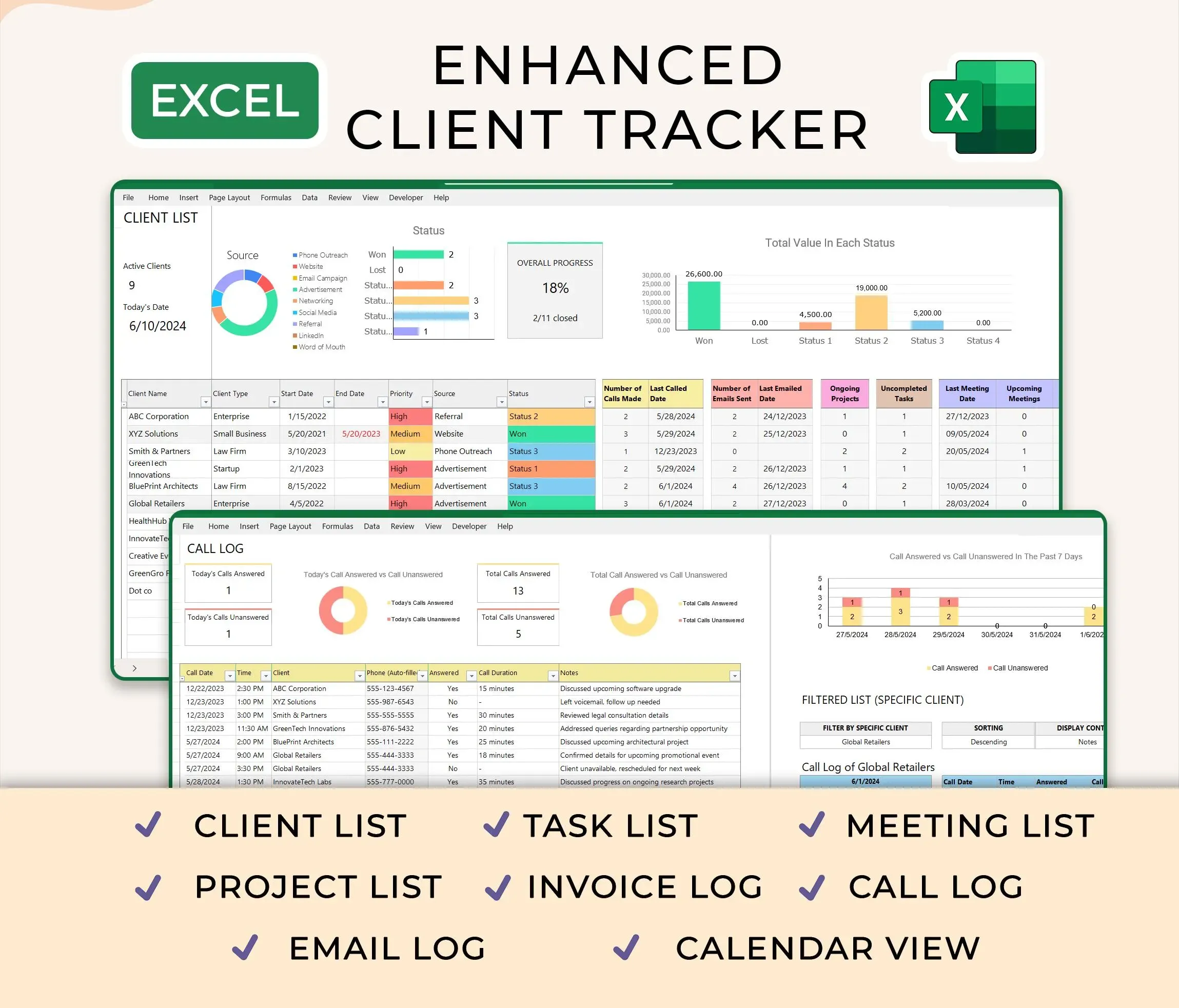
Ultimate Client Tracker CRM Template – Google Sheet & Ms Excel Versions
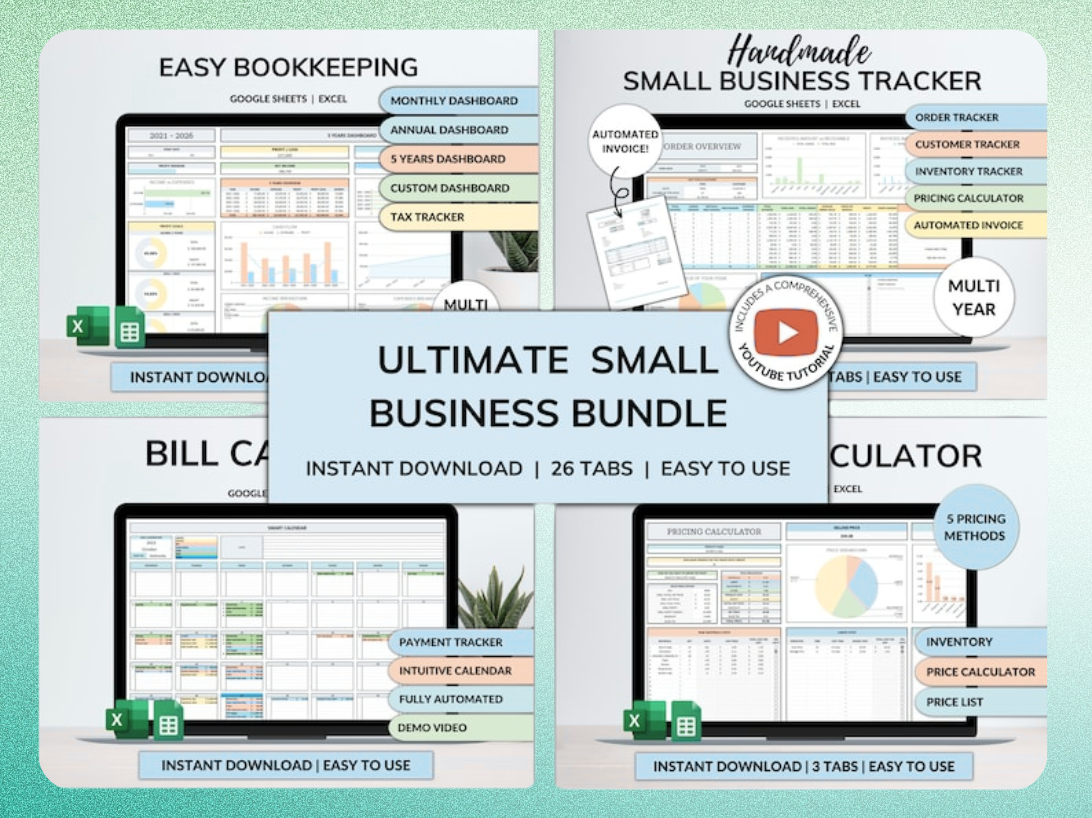
Ultimate Small Business Bundle Templates - Google Sheet + Ms Excel
All-in-One Spreadsheets for Bookkeeping, Inventory, Orders, Billing & Pricing Save Hours Every Week: Automate data entry and dashboards so you can focus on growth, not spreadsheets.
Product Spotlight: Ultimate Client Tracker CRM Template
The Ultimate Client Tracker CRM Template provides a ready-to-use solution for managing client interactions and sales pipelines. Available for Google Sheets and Microsoft Excel, this template includes pre-designed dashboards, automated tracking, and organized sections for leads, contacts, and deals. It saves you hours of setup time, allowing immediate implementation of a structured, efficient CRM.
When to Transition: From Google Sheets to Dedicated AI CRMs
Google Sheets excels for initial setup and smaller teams, but every business reaches a point where a dedicated CRM becomes essential. "The moment your team needs reliable call and SMS history, sales activity reporting, handoffs, assignment, forecasting, and automated follow-up, treat the spreadsheet as a staging tool rather than the CRM," advises a Kixie sales expert.
Scaling Your Sales Operations
Indicators like growing sales team size, increasing lead volume, complex sales cycles, and the need for advanced reporting signal it's time to transition. A dedicated CRM handles these complexities with greater stability and specialized features. You'll find it difficult to manage pipeline stages, team quotas, and detailed activity logs solely within a spreadsheet as your business scales.
The Benefits of Dedicated AI-Driven Platforms
Specialized CRM systems like Copper or Pipedrive offer robust AI features, advanced analytics, and deeper integrations. Copper CRM offers plans ranging from $12 to $134 per user per month. Pipedrive + AI Assistant plans range from $49 to $99 per user per month (annual). These platforms provide granular control over sales processes, comprehensive reporting, and built-in AI assistants for tasks like sentiment analysis and predictive deal scoring.
AI-Powered Workflows for Enhanced Sales Performance
AI fundamentally changes how sales teams operate, moving beyond simple automation to intelligent assistance. These workflows directly translate into higher conversion rates and improved team productivity.
Predictive Lead Scoring and Prioritization
AI analyzes historical data to predict which leads are most likely to convert. This goes beyond basic demographic filtering. It considers engagement history, company size, industry, and even website interactions to assign a dynamic score. Sales reps then focus their efforts on the most promising prospects, maximizing their time.
Automated Email Drafting and Follow-ups
AI tools can generate personalized sales emails and follow-up sequences based on lead data and previous interactions. Platforms like Regie.ai, which positions itself as the world's first AI-native sales engagement platform, use AI to craft compelling messages. This saves significant time, ensures consistent messaging, and improves response rates. Regie.ai's database includes over 220 million contacts for prospecting.
AI Agents for Autonomous Task Execution
By 2026, AI agents can understand goals, develop multi-step plans, and take actions with minimal human oversight. These agents can autonomously update CRM records, schedule meetings, or even initiate a complex multi-channel sales sequence based on predefined triggers. This level of automation allows sales teams to operate with unprecedented efficiency.
Avoiding Common Pitfalls in AI CRM Implementation
While AI offers immense benefits, successful implementation requires careful planning and awareness of potential challenges. Rushing into AI without addressing foundational issues can lead to frustration and inaccurate results.
Data Quality and Consistency
AI models are only as good as the data they train on. Inconsistent, incomplete, or inaccurate data will lead to flawed insights and poor automation outcomes. Prioritize data cleansing and establish strict data entry protocols before deploying any AI. Garbage in, garbage out applies strongly here.
Over-Reliance on Automation
Automation is a tool, not a replacement for human connection. Sales remains a relationship-driven profession. Avoid automating every touchpoint to the point where it feels impersonal. Use AI to augment human efforts, not to eliminate them. The "human touch" still closes deals.
Security and Privacy Considerations
Protecting sensitive customer data is paramount. Ensure any AI tools or integrations comply with data privacy regulations like GDPR or CCPA. Vet vendors thoroughly for their security practices and understand how your data is stored, processed, and used. Data breaches can severely damage trust and reputation.
Your Next Steps: Implementing AI in Your Sales Workflow
Starting your AI CRM journey doesn't require a massive overhaul. Begin with small, impactful automations and scale up as you gain confidence and see results. The key is to start experimenting and learning.
Workflow Checklist: Integrating AI into Your Sales Process
- Audit current sales process: Identify repetitive tasks ripe for automation.
- Clean your data: Ensure your Google Sheet CRM has accurate, consistent information.
- Choose a starting point: Select one simple AI workflow to implement first, like lead scoring.
- Experiment with Gemini: Use its capabilities for basic data summarization or categorization.
- Explore integration tools: Investigate Coefficient or Fleece AI for more complex data flows.
- Monitor and refine: Track the performance of your AI workflows and make adjustments.
- Train your team: Ensure everyone understands how to use and benefit from the new AI tools.
Product Spotlight: Ultimate Small Business Bundle Templates
For small businesses seeking an all-in-one solution, the Ultimate Small Business Bundle Templates provides comprehensive spreadsheets for bookkeeping, inventory, orders, billing, and pricing. This bundle, compatible with Google Sheets and Microsoft Excel, automates data entry and dashboards across various operations. It saves hours every week, allowing you to focus on growth rather than manual spreadsheet management.
Get the newsletter
One sharp idea every Sunday.
No fluff. No sales pitches. Just the best of what we publish, hand-picked.
Continue Reading
Related Articles

Master the =AI() Function in Google Sheets: 5 Pro Tips for 2026
Google Sheets now offers a powerful new tool for data analysis: the =AI function. This transformative feature brings large language model capabilities directly into your cells, streamlining tasks that...
Excel vs Google Sheets 2026: 7 Key Differences & AI Features
Choosing between Excel and Google Sheets in 2026 isn't about picking the "better" tool. It's about matching the platform to your workflow, team size, and technical requirements. The gap between these...

Google Sheets AI: 7 Powerful Tools & the New =AI() Function (2026)
Google Sheets stopped being just a place to store numbers the moment AI moved in. As of June 2026, you can ask a spreadsheet to score leads, categorize customer feedback, write formulas in plain Engli...